
UGREEN 90 Degree USB C Adapter
4.6Editor score
Up to 240W charging
Up to 40Gbps transfers
Three-adapter pack
Compare the top right angle USB C adapters for charging, data transfer, video output, portability, device compatibility, and cleaner cable management in 2026.
Right angle USB C adapters redirect charging and data cables away from crowded ports, reducing cable strain while keeping desks, gaming stations, and travel setups tidy. A worthwhile model should combine the correct physical orientation with charging, data, display, and compatibility features that match your devices.
We compared the ten adapters in this guide by examining their connector orientation, supported charging wattage, maximum data rate, video capabilities, construction, pack size, and stated device compatibility. The list covers standard right-angle models, directional pairs, high-speed USB4 options, and a premium USB4 V2.0 design.
Each review explains where the adapter is strongest, what limitations to consider, and which users may benefit from it. Ratings and technical specifications reflect the supplied product information, while availability and current prices can change over time, so confirm the latest listing details before ordering.
4.6Editor score

4.7Editor score

4.7Editor score
The table below compares all ten adapters by their physical configuration, charging capacity, data throughput, and display capabilities, making it easier to identify the right model for a desk, handheld gaming setup, travel kit, or high-performance workstation.


The UGREEN 90 Degree USB C Adapter 3 Pack is a versatile set of male-to-female converters with a 4.6 rating. Its defining attraction is the combination of a space-saving 90-degree shape and full-featured USB-C performance, including up to 240W Power Delivery, USB4 transfer rates as high as 40Gbps, and display output up to 8K at 60Hz.
We may earn a commission when you buy through this link, at no additional cost to you.
Three adapters provide useful placement options and allow one to remain in a laptop bag while others stay at a desk or travel setup. The aluminum alloy construction is designed to improve heat dissipation and resist scratches, while the stated testing of more than 10,000 plug cycles supports its positioning as a durable daily accessory. Its compatibility list covers numerous USB-C and Thunderbolt devices, including popular laptops, phones, tablets, handhelds, and VR equipment.
The practical limitation is that maximum charging, transfer, and display capabilities depend on the connected device, cable, charger, display, and host port. A 240W rating does not force a device to accept 240W, and a USB-C port without USB4 or display support cannot provide the adapter's headline transfer or video modes. The three-piece format may also be more than a single-port user needs, although it remains useful for keeping options in multiple locations.
This is an attractive choice for users who want strong USB4 specifications without moving to the newest USB4 V2.0 tier. It suits laptop owners, handheld gamers, and anyone who values a reduced cable bend and a spare adapter. For broad functionality, a multi-device setup, and durable construction at a practical entry point, it earns the Best Budget designation in this guide.
Rather than limiting the angled connector to basic charging, this adapter supports up to 240W Power Delivery and data transfer up to 40Gbps. That makes it a more complete solution for high-power laptops, external storage, and docking workflows when the rest of the connected equipment supports the same standards.
The 90-degree profile redirects the cable away from the device, which can make a desk, bedside table, or handheld gaming setup feel less cluttered. Its three-pack format is particularly handy when you want an adapter available in more than one location.
We may earn a commission when you buy through this link, at no additional cost to you.
The Silkland 40Gbps USB C 90 Degree Right Angle Adapter 2 Pack carries a 4.7 rating and offers one of the strongest balanced feature sets in the group. It supports up to 240W charging, USB4 data transfer up to 40Gbps, and 8K video output while redirecting the attached cable at a right angle.
We may earn a commission when you buy through this link, at no additional cost to you.
Its slim aluminum alloy body is designed for portability and heat dissipation, and the non-slip exterior makes repeated insertion and removal easier. The compact shape is also intended to avoid blocking an adjacent port. Compatibility extends across common USB-C and Thunderbolt 3/4 equipment, including ROG Ally, Steam Deck, Nintendo Switch, MacBook Pro, Quest 3, several iPhone generations, Samsung Galaxy models, Google Pixel devices, and Chromebooks.
A notable fit consideration is the need for a fully exposed USB-C port. Thick or bulky cases may interfere with the adapter, so a user who always works with a protective case should check clearance before buying. As with the other USB4 products here, advertised charging power, transfer speed, and display resolution are upper limits that require compatible chargers, cables, source devices, and displays.
This adapter is a strong all-around recommendation for someone who wants a compact right-angle solution with high-power charging and current-generation USB4 performance. It is equally relevant to a laptop on a desk, a handheld console during long sessions, or a travel kit. The two-pack adds convenience without compromising the core functionality, making it our Editor's Choice.
The adapter does not trade away core USB-C capabilities for the angled form. Its 240W charging, 40Gbps transfer, and 8K video support make it appropriate for demanding laptops and connected accessories when the entire chain supports those features.
A slim aluminum housing and two-adapter bundle suit travel, shared workspaces, and devices with limited edge clearance. Always confirm that a case leaves the USB-C port fully exposed before relying on the connection.
We may earn a commission when you buy through this link, at no additional cost to you.
The Basesailor USB C 90 Degree Right Angle Adapter 3 Pack is notable for offering three angle options rather than concentrating on a single physical orientation. It has a 4.6 rating and supports charging up to 100W, data transfer up to 40Gbps, and video output up to 4K at 60Hz on compatible hardware.
We may earn a commission when you buy through this link, at no additional cost to you.
That physical variety makes the set particularly useful when port placement changes between a wall, desk edge, sofa, or bedside table. The adapters are designed to guide cables into a more natural position, reduce sharp bends, and lower strain on device ports. An aluminum alloy shell keeps the construction compact and suitable for travel, while the compatibility list includes MacBook, newer USB-C iPhones, Steam Deck, Switch, Samsung Galaxy phones, iPad, and ROG Ally.
Its charging ceiling of 100W is lower than that of several competing 240W models, although it remains ample for many phones, tablets, handhelds, and lighter laptop charging requirements. The stated 4K at 60Hz video ceiling is also below the 8K options offered by the UGREEN, Silkland, and CableCreation adapters. To reach 40Gbps transfer rates, the host and cable must both support USB4 or Thunderbolt 3/4.
Choose this set when physical orientation and placement flexibility matter more than maximum charging wattage or high-resolution display support. It is a practical option for users who move among several environments and want an appropriate direction without rotating the device or forcing the cable into an uncomfortable bend.
The three angle options make it easier to match the adapter to a wall outlet, desk edge, or confined furniture space. This physical adaptability is the product's clearest advantage over a standard one-direction bundle.
Up to 40Gbps transfer makes the adapter useful with compatible external SSDs and docks. Its 100W charging limit remains suitable for many mainstream devices but is not the right choice for the highest-powered laptop charging scenarios.
We may earn a commission when you buy through this link, at no additional cost to you.
The UGREEN 40Gbps Right Angle USB C Adapter Combo pairs top-to-bottom and left-to-right 90-degree adapters in a two-pack. Its 4.6 rating reflects a well-rounded option that supports up to 240W Power Delivery, transfer rates as high as 40Gbps, and 8K video output.
We may earn a commission when you buy through this link, at no additional cost to you.
The two orientations offer useful flexibility for devices positioned in different directions. Instead of selecting one universally correct right angle, you can choose the version that keeps the cable clear of a desk edge, display stand, or wall. Rugged aluminum housing and metal connectors are intended to provide a secure fit and long-term durability, while the combination remains useful for storage, docking, and high-resolution displays.
The usual compatibility caveats apply. A device, charger, and cable must support the desired charging level, while 40Gbps transfer requires USB4 or Thunderbolt-class equipment on both sides of the connection. Similarly, 8K output depends on the source port, DisplayPort Alternate Mode support, cable, and display capabilities. The bundle is smaller than several three-adapter sets, but its two distinct directions cover many common positioning needs.
This UGREEN combination is a strong option for users who want more flexibility than a single right-angle adapter but do not need the newest 80Gbps standard. It works particularly well for MacBook, Steam Deck, ROG Ally, iPad, and modern USB-C phone workflows where a tidier cable route is valuable.
Including both top-to-bottom and left-to-right versions reduces the chance of a cable pushing against a desk, dock, or wall. The choice becomes especially helpful when the same device is used in different physical positions.
The combination of 240W charging, 40Gbps transfers, and 8K video support is aimed at more than basic charging. Compatible high-power laptops, docks, and external storage benefit most from these upgraded modes.
We may earn a commission when you buy through this link, at no additional cost to you.
The Silkland 40Gbps USB C 90 Degree Right Angle Adapter 2 Pack offers a 4.7 rating and the same headline combination of 240W charging, 40Gbps USB4 data transfer, and 8K video support. It is a capable general-purpose adapter for users who routinely connect USB-C laptops, tablets, handhelds, and phones.
We may earn a commission when you buy through this link, at no additional cost to you.
The two-piece set makes it easy to keep one adapter with a computer and another in a bag or at another workstation. A scratch-resistant aluminum alloy frame supports heat dissipation and durability, while the slim profile is designed not to obstruct neighboring ports. The non-slip design is also intended to simplify frequent insertion and removal.
As with other right-angle connectors, the port must be fully exposed; a thick or bulky case can prevent the adapter from seating correctly. The product's stated USB PD 3.1 Extended Power Range support includes 140W, 180W, and 240W modes, but the connected device and charger determine the level actually negotiated. Likewise, data and display features depend on compatible host ports and cables.
This set is best suited to someone who wants flexible placement between two locations and values a high-power, high-speed feature set. It is less useful if you need both left- and right-facing orientations, since this pack focuses on the standard right-angle configuration. Otherwise, it combines strong specifications with a compact, portable design.
The two-pack provides a practical way to equip more than one workspace. One adapter can remain connected to a frequently used device while the other travels with a laptop or handheld console.
The aluminum construction and support for up to 240W charging make this suitable for demanding compatible laptops as well as smaller devices. Its small footprint helps preserve access to adjacent ports.
We may earn a commission when you buy through this link, at no additional cost to you.
The Silkland 80Gbps USB C 90 Degree Right Angle Adapter 2 Pack is the premium selection here, carrying a 4.7 rating and using USB4 V2.0 technology. It supports up to 80Gbps data transfer, up to 240W charging, and display output reaching 16K, along with dual 8K, dual 6K, or triple 4K configurations when the host, cable, and monitors permit.
We may earn a commission when you buy through this link, at no additional cost to you.
The distinction between data bandwidth and display bandwidth matters. Data transfer is listed at up to 80Gbps, while USB4 V2.0 can dynamically allocate up to 120Gbps for video transmission. This makes the adapter especially relevant to advanced mobile-production, media, and professional display workflows where current high-resolution monitors and fast external storage are central to the setup.
The catch is compatibility. A conventional USB4 or Thunderbolt host may not support the 80Gbps mode, and 16K output requires capable source hardware, cables, and displays. DP Alternate Mode support is also required for video. For a recent high-end laptop or a system built around USB4 V2.0 and Thunderbolt 5, the premium specifications are meaningful; for an older device, much of the capability will remain inaccessible.
This is the right choice for users who deliberately need the newest interface performance rather than a general-purpose right-angle converter. It also remains a capable charging and cable-management adapter for ordinary use. The Best Premium designation reflects the advanced USB4 V2.0 platform, not merely the right-angle shape.
USB4 V2.0 support separates this model from the 40Gbps adapters in the guide. Systems with compatible USB4 V2.0 or Thunderbolt 5 hardware can use its higher transfer ceiling with suitable external storage and cables.
The adapter can support advanced display arrangements, including dual high-resolution outputs and triple 4K configurations, depending on the source device and monitors. The dynamic video bandwidth is separate from the maximum data-transfer rate.
We may earn a commission when you buy through this link, at no additional cost to you.
The Vanjua 4 Pack 90 Degree USB-C Male to Female Adapter is designed around shared workspaces and multiple USB-C devices, with a 4.4 rating. It supports up to 100W charging, USB4 data transfer up to 40Gbps, and 8K display output at 60Hz on compatible systems.
We may earn a commission when you buy through this link, at no additional cost to you.
Four adapters are useful for households, offices, travel kits, or users who switch regularly among a Steam Deck, ROG Ally, Legion Go, Nintendo Switch, laptop, tablet, or phone. The right-angle construction is intended to reduce loose connections, cable wobble, repeated plugging strain, and unnecessary bending at the device port. Its aluminum shell is also designed for wear resistance and portability.
Compatibility with a protective case, cover, or skin is explicitly excluded, so physical clearance deserves particular attention. The product is also backward compatible with older USB versions, but full 40Gbps and 8K performance still depends on suitable host devices and cables. Its 100W charging limit is below the 240W maximum offered by several USB4 competitors.
This four-pack is most useful for a device collection or for keeping spare adapters in several locations. It is a good fit for handheld gaming, travel, and mixed office use. Users with one device and a need for maximum laptop charging may prefer a two-pack or a higher-wattage option instead.
The four-piece quantity gives you the flexibility to equip several gaming handhelds, laptops, and mobile devices without repeatedly transferring one adapter. It is particularly convenient for shared or travel-ready setups.
The stated compatibility does not extend to devices fitted with protective covers, cases, or skins. Check that the USB-C socket remains fully accessible before deciding whether this adapter will fit your setup.
We may earn a commission when you buy through this link, at no additional cost to you.
The JSAUX 90 Degree USB C to USB C Adapter 2 Pack has a 4.7 rating and combines a 90-degree connector with up to 100W charging, 40Gbps data transfer, and 4K at 60Hz video output. It is a balanced choice for everyday charging, docking, and display connections.
We may earn a commission when you buy through this link, at no additional cost to you.
The angled form helps keep the cable routed more cleanly while reducing strain on the device's port. That makes the adapter useful beside monitors, docks, gaming handhelds, and phones. Its stated compatibility includes recent iPhone series, iPads, MacBook Pro, Steam Deck, ROG Ally, Nintendo Switch models, Samsung Galaxy devices, Google Pixel phones, and other USB-C equipment.
The main limitation is that 100W charging is below the 240W maximum offered by some USB4 adapters, and 4K at 60Hz is below the 8K output available from several competitors. Actual speed also depends on a USB4 or Thunderbolt-compatible host, a suitable cable, and a compatible dock or external SSD. The two-pack offers redundancy but not two different angle directions.
This JSAUX set is a solid general-purpose recommendation for users who want a compact adapter, fast data, dependable charging for mainstream devices, and clean video connections. It is particularly appropriate for a home office, travel bag, or multi-device station where 100W charging and 4K output meet the equipment in use.
Up to 100W charging and 40Gbps data make the adapter suitable for many modern phones, tablets, handhelds, and laptops. It provides useful performance without requiring the newest USB4 V2.0 ecosystem.
The 90-degree shape helps a cable sit closer to a display, stand, or desk surface. That is especially helpful when a straight connector would take up space or leave the cable under unnecessary tension.
We may earn a commission when you buy through this link, at no additional cost to you.
The JSAUX 90 Degree USB C Male to Female Adapter 2 Pack includes left- and right-facing versions, making it a flexible choice for cables that need to route away from different sides of a device. It has a 4.7 rating and supports up to 100W Power Delivery, 40Gbps transfers, and 4K at 60Hz video with audio.
We may earn a commission when you buy through this link, at no additional cost to you.
The paired orientations improve usability in charging, docking, and gaming arrangements. Instead of forcing a cable to cross in front of a device or bend awkwardly, the user can select the direction that better matches the port's position. Performance modes are designed for compatible external SSDs, docks, monitors, TVs, and VR accessories, and the compatibility list includes major handheld gaming devices, current iPhone families, tablets, MacBook Pro, Samsung Galaxy phones, and Google Pixel devices.
The adapters stop at 100W charging and 4K at 60Hz, so they are less suitable for users seeking 240W laptop charging or 8K display output. Their directional choice also covers horizontal left and right positioning rather than top-to-bottom placement. As always, the host port and attached cable must support the desired data or display mode.
This JSAUX set is ideal when side-to-side cable direction is the central concern. It gives you a ready-made solution for two common port positions while retaining fast data and everyday charging performance. For mixed vertical and horizontal setups, a model offering different angle options may be more convenient.
The left- and right-facing pair lets you respond to the position of a port on a laptop, handheld, or dock. It reduces the need to orient a cable in an unnatural direction.
Video and audio pass-through up to 4K at 60Hz, combined with 40Gbps data, suits compatible monitors and external storage. The complete connection still depends on suitable source hardware and cables.
We may earn a commission when you buy through this link, at no additional cost to you.
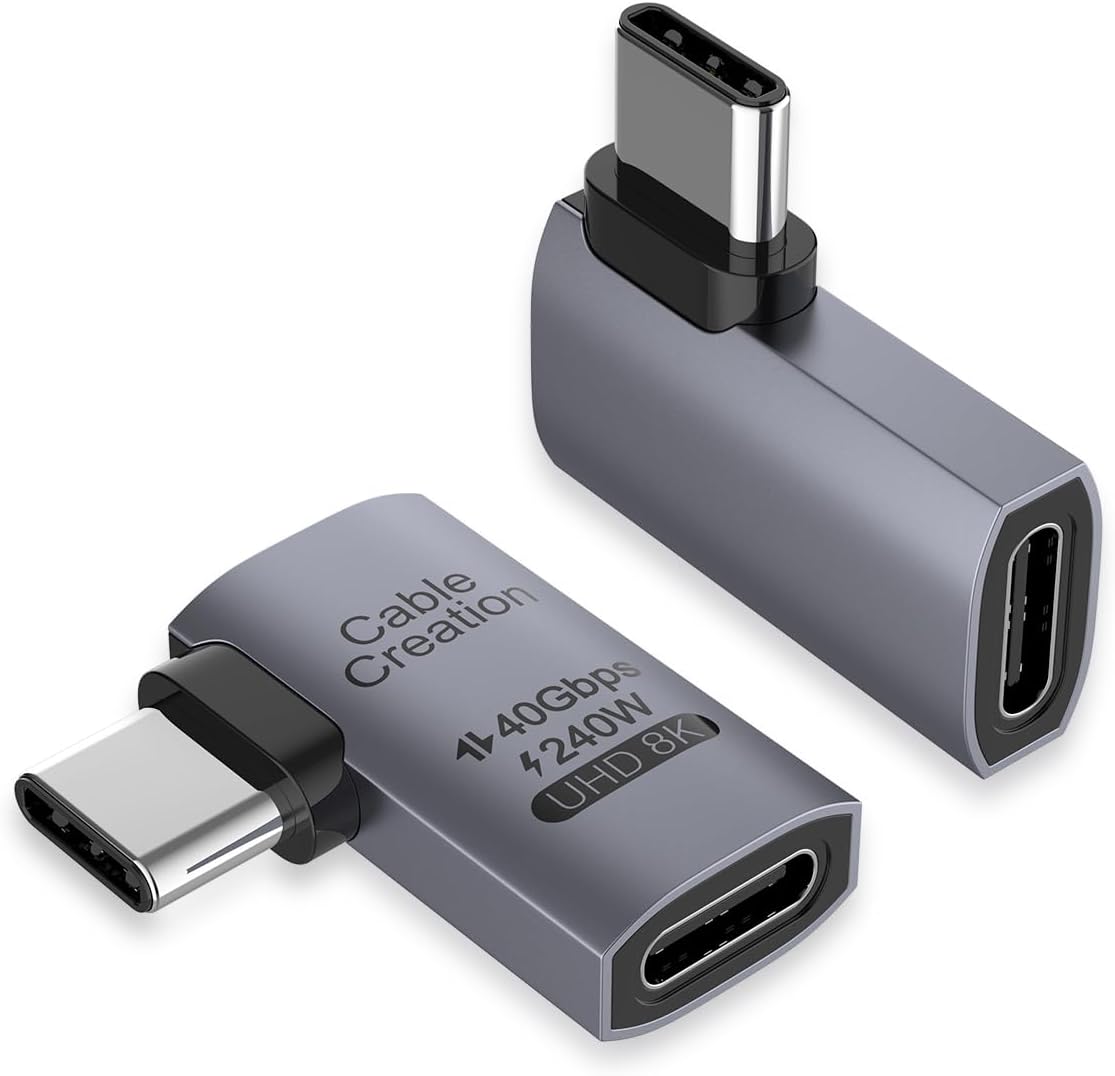
The CableCreation Right Angle USB C Adapter 2 Pack has a 4.6 rating and provides a 90-degree connection with up to 240W charging, 40Gbps data transfer, and display output up to 8K at 60Hz. It combines high-current charging with detailed multi-monitor support in a portable format.
We may earn a commission when you buy through this link, at no additional cost to you.
The listed display options include a single 8K or 5K output at 60Hz and dual 4K outputs at 60Hz, subject to the capabilities of the source, cable, and monitors. Its USB4 and Thunderbolt compatibility also makes it suitable for high-speed file transfers and modern laptops. The right-angle form helps protect the cable and input port by giving the cable a more suitable direction.
The adapter is lightweight and easy to carry, and its plug-and-play operation requires no drivers or software. That makes it convenient for office and travel use. The limitation is that a fixed right-angle direction may not suit every device arrangement, while maximum charging and display modes depend on a complete chain of compatible hardware.
This two-pack is a strong choice for a compact office, travel kit, or multi-monitor arrangement where high-power charging matters. It offers 24 months of product warranty and lifetime technical support according to the supplied information. For users with current USB4 devices and demanding display requirements, it delivers a capable feature set in a right-angle form.
Supporting up to 240W makes the adapter relevant to compatible high-power laptops, while 8K and dual 4K output targets make it useful for advanced desktop arrangements. The source device determines which modes are available.
The compact, lightweight design fits readily in a laptop bag or pocket, and no driver installation is needed. It is a convenient option for users who frequently move between offices, desks, and travel locations.
We may earn a commission when you buy through this link, at no additional cost to you.
The most useful right-angle USB C adapter is not determined by shape alone. Charging capacity, interface generation, display modes, orientation, case clearance, and intended devices should all influence your decision.
Charging capacity is one of the clearest ways to separate these adapters. Options rated at 100W suit many phones, tablets, handhelds, and a broad range of laptops, while 240W models provide more headroom for compatible high-power notebooks and other demanding USB-C devices. A higher rating does not guarantee that every device will accept the maximum, because the charger, cable, device, and adapter must all support the relevant Power Delivery mode.
Choose the wattage that matches your heaviest intended device, not simply the largest number in the listing.
Most premium choices here support USB4 data transfer up to 40Gbps, which is useful for external SSDs, docks, backups, and large media files. The Silkland 80Gbps model advances to USB4 V2.0 and can reach 80Gbps on compatible hardware. These figures represent upper limits: the source port, cable, and destination device must all support the same generation, and many ordinary USB-C connections will operate at lower speeds.
Match the adapter to your actual source hardware, especially if you plan to rely on fast external storage.
Video support ranges from 4K at 60Hz to as high as 8K at 60Hz in this group, while the premium USB4 V2.0 option also describes 16K and multi-display arrangements. Display output requires a compatible USB-C port with DisplayPort Alternate Mode, a suitable cable, and one or more capable monitors. Multi-screen resolution and refresh combinations can also be limited by the host operating system and graphics capability.
Check the display specifications of every device in the connection, not just the adapter.
A right-angle connector can point toward a desk, wall, floor, or either side of a device. Single-orientation sets work when your port position is predictable. Bundles with left, right, or multiple angle options offer more flexibility for handheld gaming, bedside charging, and docks where the cable needs to follow a different path each time.
Look at your device's actual port location and the direction in which the cable must leave it.
A right-angle adapter adds a small block of hardware between the cable and device, and some cases, covers, skins, or docking arrangements leave too little clearance. Vanjua explicitly excludes compatibility with devices using protective covers, while Silkland warns that thick or bulky cases may affect the fit. Nearby ports, stands, and desk edges can also limit where the adapter can sit.
Test the available space or inspect the case design before committing to a specific model.
Two-packs and three-packs are useful because they can remain in different locations, serve multiple devices, or provide a spare without making the user constantly unplug one adapter. A four-pack favors shared workspaces, large device collections, and travel kits. A single compact adapter is simpler for someone with one USB-C device, although none of the listed options is sold as a lone adapter.
Choose a quantity that matches how many devices and locations you realistically use.
Aluminum alloy is used across most of the list because it provides a practical balance of durability, wear resistance, and heat dissipation. Non-slip finishes can make frequent insertion and removal easier, while slim housings are intended to avoid blocking neighboring ports. The right-angle design itself reduces repeated bending at the cable's termination point and can reduce pulling forces near the device socket.
Prioritize a compact housing and secure metal connector when the adapter will travel frequently.
The adapters support a broad collection of USB-C devices, but feature compatibility varies. MacBook Pro, iPad, Steam Deck, ROG Ally, Nintendo Switch, recent iPhones, Samsung Galaxy phones, Google Pixel devices, Chromebooks, and Thunderbolt systems appear repeatedly across the listings. For the newest standards, verify the exact USB-C generation and whether the device supports DisplayPort Alternate Mode, USB4, or Thunderbolt.
Use the complete model name to confirm support for the exact device and connection mode you need.
Begin by confirming that the device, case, cable, charger, and destination equipment support the adapter's intended function. Insert the male USB-C connector straight into the device without twisting or forcing it. Once seated, connect the charging or data cable to the female end and route it in the direction for which the right-angle body was designed.
For data transfers, connect the adapter to a compatible USB4 or Thunderbolt host and a compatible destination such as an external SSD or dock. For display use, make sure the source supports DisplayPort Alternate Mode and that the cable and display can handle the selected resolution. Use a charger and cable rated for the charging wattage you expect; a lower-rated charger may prevent the device from reaching the adapter's maximum output.
To preserve the connector and port, avoid repeatedly pulling on the cable instead of the adapter body. Keep the connection free from moisture, debris, and sharp bends, and do not force it into a port blocked by a case or another accessory. When not in use, store the adapter in a dry pouch or another protected compartment.
A right-angle adapter can reduce the bend directly beside the device by redirecting the cable away from the port. It can also reduce sideways pulling forces when the cable would otherwise be under tension. It does not make the connector immune to wear, so cables should still be removed by gripping the plug rather than pulling on the cable itself.
No. The wattage is an upper limit, and the connected device, charger, and cable determine the charging rate negotiated. A device with a lower charging profile will draw only what it supports. You also need a compatible USB-C power adapter and a cable rated for the intended current and voltage.
No. The source device, adapter, cable, and destination storage must all support the relevant USB4 or Thunderbolt generation. Many USB-C cables and ports support only lower transfer rates. Check the specifications of each component rather than relying on the adapter's headline speed alone.
Many models do, but the source USB-C port must support DisplayPort Alternate Mode and the attached display must accept the selected resolution and refresh rate. The maximum resolution also varies among these adapters, ranging from 4K at 60Hz to 8K at 60Hz and higher modes on the premium USB4 V2.0 model.
Right-angle adapters add extra housing around the connector, and a thick or bulky case may leave too little clearance. Some manufacturers explicitly state that protective cases, covers, or skins are not compatible. If the adapter cannot seat fully and without force, remove the case or select a model designed to fit your specific case.
A single angle is sufficient when the USB-C port and cable route remain in the same position. Multiple directions are more useful for devices used on a desk, beside a wall, in bed, or with a dock. A left-and-right set is especially helpful for horizontal placement, while broader sets can also cover vertical arrangements.
They can when the source port, adapter, cable, and peripheral support compatible USB4 or Thunderbolt modes. The adapter adds a connection point and changes the physical direction, so it should not reduce performance if every component meets the required specification. Otherwise, the connection may fall back to a lower data rate.
Keep it in a small pouch, pocket, or cable organizer where it cannot be crushed or tangled with keys and tools. Avoid pulling on a cable that is still attached, and inspect the connector for debris before inserting it. Keeping the case and device in separate compartments can also prevent pressure on the adapter housing.
The UGREEN 90 Degree USB C Adapter 3 Pack stands out as the best budget-oriented choice, combining up to 240W charging, 40Gbps data transfer, and 8K display support in a generous three-pack. The Silkland 40Gbps model is our Editor's Choice for its balanced USB4 capabilities, compact aluminum construction, and high 4.7 rating, while the Silkland 80Gbps USB4 V2.0 adapter takes the premium position for the newest speed and display standards.
Prioritize the features your connected equipment can actually use. A 100W adapter may be entirely adequate for a handheld console or phone, 40Gbps matters for compatible external storage, and high-resolution video requires matching host ports, cables, and displays. Physical clearance and angle direction are just as important because the best specifications are irrelevant if the adapter does not fit your device or case.
Before ordering, verify the adapter's connector orientation, charging level, data generation, and display modes against the exact devices in your setup. Product availability and prices can change, so check the current listing and current specifications when making a final purchasing decision.
