
Smart Mini Projector
4.9Editor score
Native 1080P resolution
300 ANSI lumens brightness
Compact 460g portable design
Built-in Android 14
A meeting room projector must turn slides, spreadsheets, videos, and video calls into a clear shared display without demanding constant attention from the presenter. Brightness, text legibility, color consistency, flexible placement, and dependable connections matter more than decorative features or home-theater specifications.
The ten models in this guide were compared using their stated specifications, including brightness, native resolution, operating systems, wireless capabilities, installation options, audio, and intended business use. The list covers dedicated office projectors, smart portable models, and higher-end presentation systems for different room sizes and budgets.
Each pick reveals what its strongest configuration is, whether that is bright daytime projection, sharp native Full HD, built-in streaming, simple wired use, or flexible installation. Ratings and specifications can change, and prices fluctuate, so verify the latest listing details and room requirements before buying.
4.9Editor score
4.5Editor score

4.5Editor score
As an Amazon Associate we earn from qualifying purchases.
The table below compares all ten projectors by resolution, brightness, connectivity, and room-oriented features, making it easier to identify the right model for presentations, training, video calls, or compact collaborative spaces.
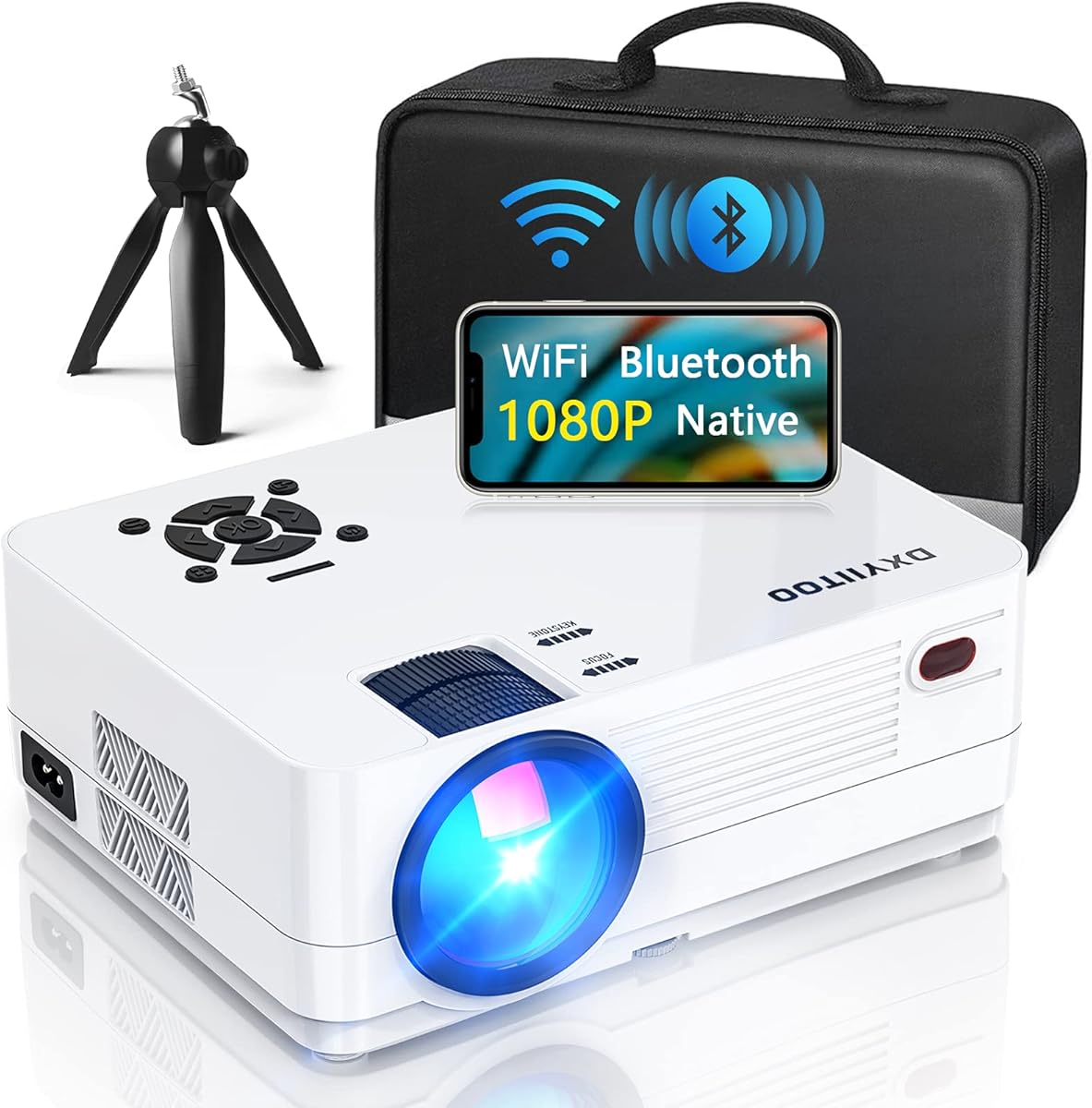





The Dxyiitoo Native 1080P combines a 4.3 rating with a broad set of connections intended for homes, small meetings, parties, and mobile presentations. Its defining features are native 1920×1080 resolution, WiFi 6, two-way Bluetooth 5.2, Airplay support, screen mirroring, and a stated 300-inch display size.
We may earn a commission when you buy through this link, at no additional cost to you.
The projector is particularly useful when the presenter cannot rely on one fixed video cable. It supports data-cable, Lightning, WiFi, and hotspot connections from compatible phones, while HDMI, USB, AV, and 3.5mm audio connections cover laptops, streaming devices, media players, and other equipment. A built-in dual-speaker system also reduces the need for separate desktop audio.
Its stated 20,000-lumen brightness and 10,000:1 contrast specification look impressive on paper, but they are not presented in the ANSI format used by many office projector manufacturers. That distinction matters because a broad marketing-light number does not directly establish performance in a lit meeting room. Native Full HD is more straightforward and useful for text-heavy slides.
This is a sensible choice for small meeting rooms where wireless phone sharing, mixed media sources, and occasional video are more important than a permanently installed professional system. Buyers who need dependable daytime visibility should scrutinize brightness documentation, while those wanting straightforward Full HD presentation imagery will find the core specification appealing.
Airplay and screen mirroring let compatible phone content appear on the projection without relying exclusively on a physical cable. WiFi 6, hotspot support, and Lightning or data-cable options make the projector adaptable to different presenter devices and meeting habits.
Multiple HDMI, USB, AV, and audio connections support laptops, tablets, TV boxes, streaming sticks, game consoles, and other media devices. This broad connectivity is useful for sessions that combine a formal presentation with live media from several sources.
We may earn a commission when you buy through this link, at no additional cost to you.
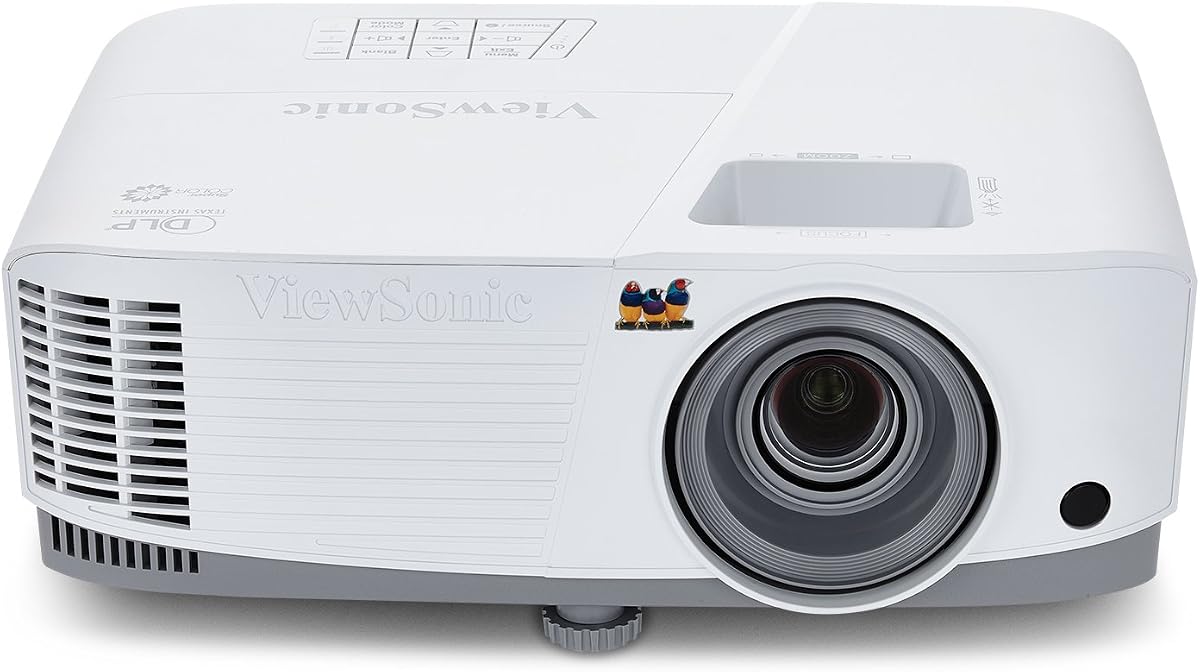
The ViewSonic PA503X earns a 4.5 rating and is positioned clearly for business presentations and classroom instruction. Its 4,000 ANSI lumens, XGA resolution, 1.9-to-2.1 throw ratio, and professional color technology form a conventional, office-focused package for rooms with moderate ambient lighting.
We may earn a commission when you buy through this link, at no additional cost to you.
The strongest feature is its standardized brightness claim. ANSI lumens provide a more useful reference than unqualified light-source figures, especially when comparing a projector with dedicated business alternatives. ViewSonic's SuperColor technology is also designed to produce a wide color gamut, while the 16ms input latency and 120Hz refresh rate make the unit better suited to dynamic multimedia than a basic slide-only projector.
The resolution compromise deserves attention. XGA at 1024×768 is adequate for standard presentations, spreadsheets, and training materials, but it will not offer the fine detail of native 1080p. The 1.1x optical zoom and vertical keystone correction make placement easier, and support for ceiling mounting helps create a permanent, professional installation.
Choose the PA503X when a mid-size meeting room needs dependable brightness, broad screen-size options, low latency, and straightforward installation more than native Full HD or built-in streaming. It is a balanced pick for organizations that display office documents and presentation graphics throughout the day.
The 4,000 ANSI lumens specification is designed to keep slides and instructional material visible in conference rooms with ambient lighting. It offers a more credible basis for judging daytime performance than an unstandardized brightness claim.
A 16ms input lag and 120Hz refresh rate support fluid motion, while 1.1x optical zoom, vertical keystone correction, and ceiling mounting simplify installation across different rooms and projector distances.
We may earn a commission when you buy through this link, at no additional cost to you.
The DLP Business Projector has a 5.0 rating and focuses on an uncomplicated presentation routine. Its 3,300-lumen stated brightness, DLP projection system, fast startup, and large-display support target offices, classrooms, meeting rooms, and training spaces where content must be visible to a group.
We may earn a commission when you buy through this link, at no additional cost to you.
Its appeal lies in doing a small number of jobs without introducing a complicated control layer. A presenter can connect a device with the appropriate cable, power on the projector, and display slides, documents, charts, or other visual material. DLP technology supports clean presentation imagery, natural color, and enhanced contrast according to the product information.
The specification list leaves some important questions unanswered. Native resolution is not identified, and there is no stated WiFi, Bluetooth, smart operating system, automatic correction, or built-in audio. That makes the projector easier to understand, but buyers should verify those details before committing to a complex room setup.
This model is most appropriate for facilities that rely on wired connections and prioritize quick startup, group visibility, and straightforward operation. Its perfect customer rating is encouraging, but a meeting-room purchase should still be based on measured brightness, throw distance, and resolution rather than ratings alone.
The fast-start design is intended to reduce delays before lessons, meetings, and formal presentations. That focus is practical in shared rooms where a long warm-up period can create disruption.
A simple cable-to-projector workflow reduces configuration friction. The large projected image is intended to help every attendee follow charts, documents, slides, and demonstrations without crowding around a laptop screen.
We may earn a commission when you buy through this link, at no additional cost to you.
The X9 Pro 4K smart projector combines a 4.6 rating with 920 ISO ANSI lumens, native 1080p resolution, 4K decoding, HDR10, and a VIDAA operating system. It is more entertainment-oriented than many office projectors, but its automatic setup and wireless casting can also make meetings less cumbersome.
We may earn a commission when you buy through this link, at no additional cost to you.
Automatic focus, 6D keystone correction, obstacle avoidance, auto screen fit, and adjustable zoom form a substantial setup advantage. A presenter can position the projector on a ceiling, desktop, tripod, or wall, while AI features create a rectangular image and avoid obstructions. The stated three-second setup process is particularly relevant in rooms where users are not trained projector operators.
The smart platform includes popular streaming applications, more than 1,000 stated live channels, voice control, and no targeted advertising according to the description. AirPlay 2, screen mirroring, and HomeKit integration improve phone-based sharing, while dual 20W speakers and Dolby certification provide built-in audio. As with other smart systems, application access and features can change over time.
This projector suits hybrid meeting rooms that also host videos, live content, or informal presentations. It may be excessive for a simple slide deck, but for buyers who value wireless casting, smart applications, room-friendly automation, and strong built-in sound, it offers a remarkably complete package.
AI-assisted focus, keystone correction, obstacle avoidance, screen fitting, and zoom reduce the need for manual calibration. These features are valuable when the projector is ceiling-mounted or used by different employees throughout the day.
VIDAA provides built-in streaming applications, voice control, and a broad channel selection. AirPlay 2, screen mirroring, and HomeKit support make it convenient to share material from compatible Apple devices without a third-party casting application.
We may earn a commission when you buy through this link, at no additional cost to you.
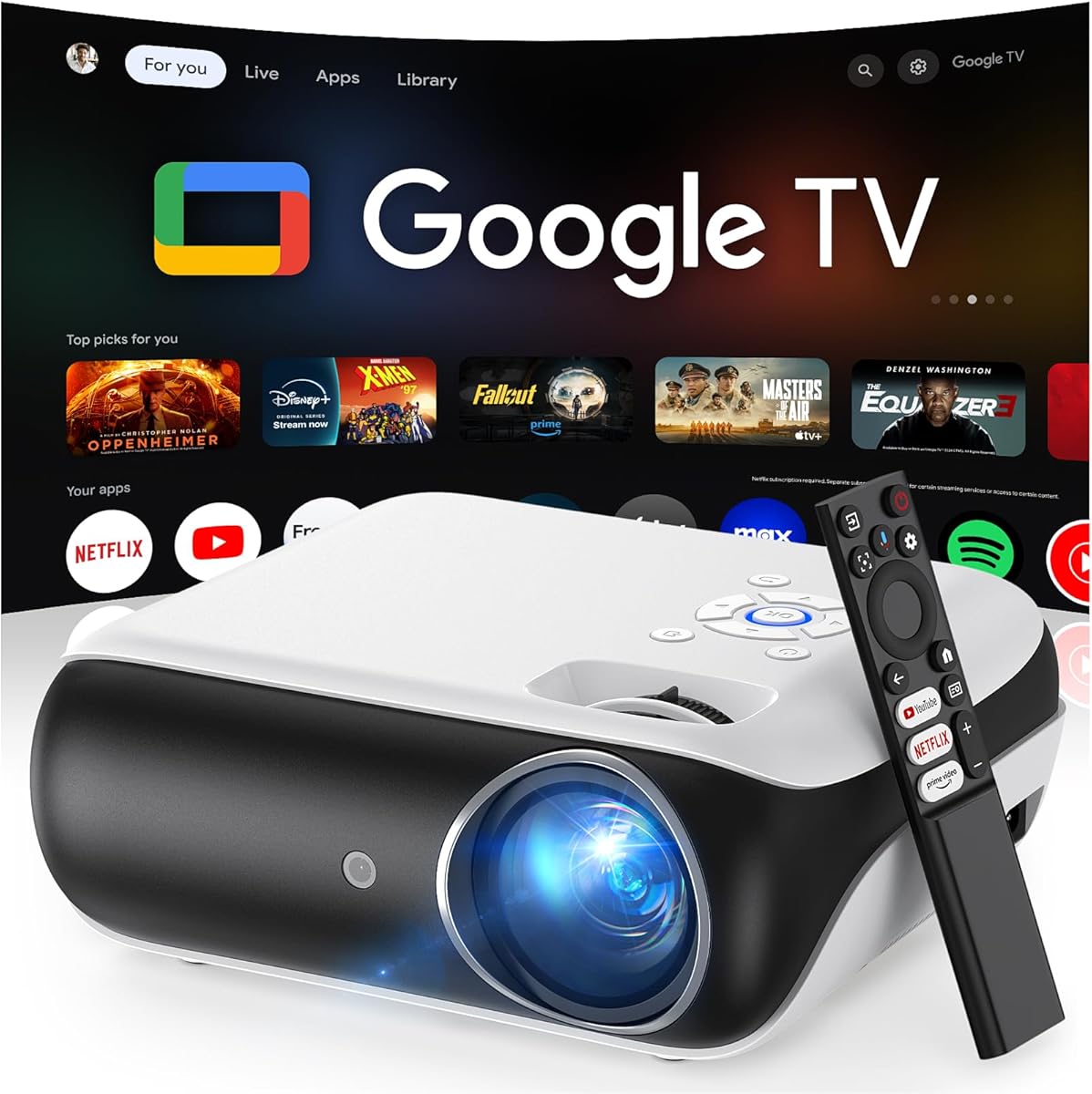
The HAPPRUN Google TV projector pairs native 1080p resolution with 400 ANSI lumens and an officially licensed Google TV interface. Its 4.4 rating reflects a balanced mix of smart functionality, portability, and presentation-friendly image specifications.
We may earn a commission when you buy through this link, at no additional cost to you.
Google TV provides direct access to supported applications such as Netflix, Prime Video, YouTube, and Hulu without requiring a separate streaming stick. The Google Voice Assistant can open content, perform searches, adjust volume, and check information through spoken commands. WiFi 6 and Bluetooth 5.2 support smooth streaming and flexible audio connections.
The brightness is the most important limitation for office use. While 400 ANSI lumens is a standardized figure, it is lower than the 3,300 to 4,200-lumen outputs of dedicated business models in this list. It should therefore be considered most appropriate for controlled lighting, smaller rooms, and displays where slides need to remain clear without strong ambient light.
Choose the HAPPRUN for a compact, portable meeting space that needs native Full HD, built-in streaming, and phone connectivity more than high-end brightness. Its ceiling, desktop, and tripod installation options also make it useful for temporary events, training areas, and presentations away from a permanent installation.
The licensed Google TV platform allows supported applications to run directly on the projector. This can simplify meetings that mix a slide deck with streamed video or need quick access to online content.
Native 1080p resolution preserves useful detail for text and graphics, while the portable form and multiple installation choices suit temporary setups. The 400 ANSI lumens specification still calls for a room with controlled ambient lighting.
We may earn a commission when you buy through this link, at no additional cost to you.
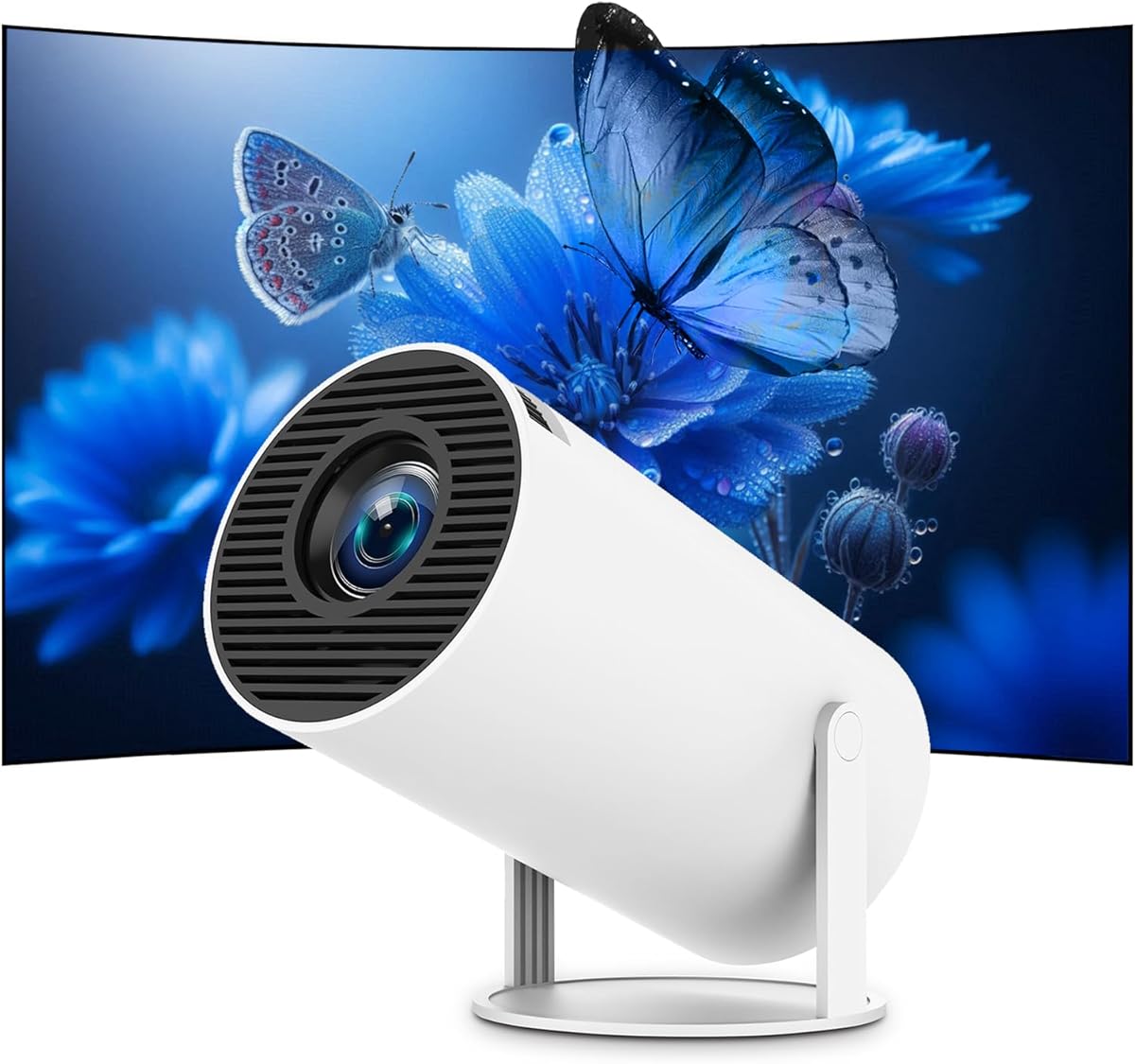
The Smart Mini Projector combines a 4.9 rating with native 1080p resolution, 300 ANSI lumens, and a compact 460g design. Built-in Android 14, AirPlay, dual-band WiFi, and Bluetooth make it one of the most approachable options for small meeting rooms and mobile presentations.
We may earn a commission when you buy through this link, at no additional cost to you.
Its size is a major practical advantage. The corner-positioned power connection and 180-degree rotation support wall, ceiling, angled-surface, desktop, and compatible tripod installation. That flexibility helps when the projector must be moved between a conference room, bedroom, backyard, or campsite.
The 300 ANSI lumens figure signals that this is not intended to compete with a dedicated 4,000-lumen office projector in a sunlit conference room. It is better suited to controlled lighting, smaller groups, and displays up to 200 inches. Built-in dual 3W speakers provide stereo sound, though a larger room may still benefit from external audio.
For buyers seeking a capable, portable projector at a modest budget, this model offers an unusually complete specification set. Native Full HD, a current smart platform, convenient wireless sharing, and flexible placement make it a strong choice for informal presentations, training, and shared-space use.
At 460g, the projector is easy to carry between rooms or take on a trip. Its 180-degree rotation and mounting support make it more adaptable than a basic fixed desktop unit.
Built-in Android 14 provides access to supported streaming applications, while AirPlay, dual-band WiFi, and Bluetooth enable wireless sharing and audio. This reduces the number of external devices required for a mobile meeting setup.
We may earn a commission when you buy through this link, at no additional cost to you.
The Mini Smart Projector is a portable model built around Android 11, WiFi 6, Bluetooth 5.0, direct iPhone and Android projection, and automatic keystone correction. Its 4.3 rating makes it a practical compact option for presentations, home entertainment, and temporary displays.
We may earn a commission when you buy through this link, at no additional cost to you.
Automatic keystone correction adjusts the image when the unit is mounted at a non-optimal angle, while 180-degree rotation expands the available wall, ceiling, and inclined-surface placements. Direct phone projection provides a quick route from a mobile device to the screen, and the built-in Netflix application supports direct entertainment access.
The product information does not identify native resolution or a standardized brightness value, making it harder to compare confidently with dedicated business projectors. The listing describes 4K support and high-definition image quality, but these terms can refer to input support or decoding rather than a native 4K panel.
This projector is best for buyers prioritizing size, wireless convenience, and a low-cost smart platform over maximum brightness and institutional installation. It works well for small informal meetings, home-office presentations, and travel, provided the room can be darkened enough to preserve image clarity.
Direct projection from compatible iPhone and Android devices gives presenters a quick wireless workflow. The built-in smart operating system also allows the projector to function without a separate streaming device for supported content.
The 180-degree rotating body supports unusual mounting positions, and automatic keystone correction helps create a rectangular image. These are valuable features for portable use where precise placement may be difficult.
We may earn a commission when you buy through this link, at no additional cost to you.
The ViewSonic PA503HD combines native 1920×1080 resolution with 4,000 ANSI lumens, making it a compelling dedicated office projector. Its 4.2 rating is complemented by a 120Hz refresh rate, 16ms input latency, 1.1x optical zoom, and automatic vertical keystone correction.
We may earn a commission when you buy through this link, at no additional cost to you.
Native Full HD is a meaningful upgrade over the PA503X for dense spreadsheets, fine text, diagrams, and high-resolution media. The 4,000 ANSI lumens output provides a standardized brightness reference and should support presentation visibility in moderately illuminated meeting rooms. A 1.4-to-1.6 throw ratio allows images from 80 to 150 inches.
The setup features simplify installation. Optical zoom helps adapt the image to available room distance, automatic vertical keystone corrects tilted placement, and compatibility with the ViewSonic PJ-WMK-007 mount supports a permanent ceiling installation. The product description does not emphasize a smart operating system, so users may need an external streaming device for internet applications.
This is the stronger choice for organizations that want Full HD detail and office brightness without moving to a premium 3LCD system. It is particularly well suited to training rooms, executive conference rooms, and presentation spaces where text clarity and professional installation matter more than built-in entertainment applications.
Native 1920×1080 resolution makes small text, charts, and detailed documents easier to read than on an XGA projector. The improvement is especially visible when spreadsheets, reports, or design work occupy much of the screen.
Vertical auto-keystone correction, 1.1x optical zoom, and a flexible throw ratio reduce setup time. Ceiling-mount compatibility further supports a neat, permanent conference-room installation.
We may earn a commission when you buy through this link, at no additional cost to you.
The Optoma W405LVe has a 5.0 rating and leads this group in stated ANSI brightness at 4,200 lumens. Its native WXGA 1280×800 format, 16:10 aspect ratio, built-in 10W speaker, and business-and-classroom positioning make it a straightforward display for slides, spreadsheets, training, and web content.
We may earn a commission when you buy through this link, at no additional cost to you.
High brightness in a standardized format is the central advantage. It offers a strong basis for use in rooms with ambient light, while 1.1x zoom and vertical keystone correction of plus or minus 40 degrees help the image fit varied spaces. The built-in speaker is more useful for a small meeting room than many portable projector speakers.
Connectivity is appropriately office-focused. HDMI and VGA accommodate laptops and media players, and the USB port can power an HDMI streaming stick, allowing the projector to show online content without a separate powered accessory. However, no native wireless casting or smart operating system is stated in the supplied information.
Choose the W405LVe for a bright, straightforward meeting room where slides and standard business documents are the priority. Its 16:10 resolution can display wide spreadsheet and web layouts efficiently, although buyers displaying very small text or detailed graphics should consider a native 1080p alternative.
The 4,200 ANSI lumens specification is the highest stated brightness among the dedicated office options here. It is a practical advantage for conference rooms, training spaces, and classrooms where lights may remain on.
A 10W built-in speaker can carry presentations with basic audio without another speaker. USB power for compatible streaming sticks adds internet capability while preserving a straightforward HDMI-centric workflow.
We may earn a commission when you buy through this link, at no additional cost to you.
The Epson Pro EX9270 is the premium selection in this guide, combining native 1080p resolution, 4,100 lumens of ISO-rated white brightness, and 3-Chip 3LCD technology. Its 4.5 rating reflects a feature set aimed at professional presentations, large displays, and color-sensitive business content.
We may earn a commission when you buy through this link, at no additional cost to you.
Three-chip 3LCD technology is the defining advantage. Epson states that it displays 100% of the RGB color signal for every frame while avoiding distracting rainbow effects and color-brightness compromises. Paired with native Full HD, this makes the projector well suited to design work, branded presentations, financial charts, and detailed visual comparisons.
Wireless flexibility is also strong. AirPlay supports streaming video, music, photos, and presentations from compatible iPhones, iPads, and Macs, while Miracast handles screen mirroring from compatible Windows PCs. Two HDMI inputs and a USB power port accommodate laptops, Fire TV, Apple TV, Roku, and Chromecast devices, while the speaker supports video conferencing.
The EX9270 is ideal for executive rooms, large conference spaces, or presentation environments where image quality and color consistency justify a premium purchase. Its stated support for images up to 300 inches is impressive, though the room must have a suitable wall or screen and the projector must be placed at the correct distance.
Three-chip 3LCD technology is designed to produce the full RGB signal for every frame. The result is especially relevant for presentations containing photographs, brand colors, charts, or fine visual distinctions.
Native AirPlay and Miracast support let compatible phones and computers share presentations without requiring a dedicated streaming stick. Multiple wired inputs and USB power preserve options for permanent meeting-room equipment.
We may earn a commission when you buy through this link, at no additional cost to you.
Choosing a meeting room projector requires balancing brightness, image detail, installation, connectivity, and operating simplicity. The right choice is the model that keeps content readable and setup friction low for the people who will actually use it.
Brightness is one of the most important factors in a meeting room because slides, charts, and video calls must remain visible while overhead lighting is on. Prefer specifications expressed in ANSI lumens, ISO lumens, or a clearly defined manufacturer standard. A dedicated office projector around 3,000 to 4,500 lumens is generally better suited to moderate ambient light than a compact entertainment model rated at 300 or 400 lumens.
Look beyond the headline number and consider room size, screen dimensions, surface color, and typical lighting conditions. More brightness improves usable contrast, but color accuracy, contrast, and image processing still influence how natural the presentation appears. Darker rooms can use a lower-output projector effectively, while bright rooms benefit from higher output and a matte white screen.
Native resolution determines the amount of detail the projector can display without relying on downscaling or signal processing. XGA and WXGA can work well for standard slides, but native 1920×1080 is a better match for small text, spreadsheets, reports, diagrams, and detailed business graphics. Pay attention to whether a 4K claim means a native 4K panel or merely 4K input support.
Resolution is only part of legibility. Contrast, color consistency, screen size, and viewing distance influence whether an audience can comfortably read the content. For a permanent office installation, native Full HD offers a strong balance of detail and practical affordability without demanding the space or budget associated with higher-end 4K models.
Every meeting room needs dependable connections to laptops, media players, and video-conferencing equipment. HDMI is the most important wired input, while VGA remains useful for legacy equipment. USB media playback, audio outputs, and USB power for streaming sticks can simplify installation and reduce the number of separate accessories.
Wireless options include AirPlay, Miracast, screen mirroring, and proprietary phone apps. These are convenient when presenters should not handle cables, but a wired connection should remain available as a dependable backup. Check operating-system compatibility and whether casting supports the full desktop or only protected applications, as that can affect collaborative work.
A built-in smart operating system can allow the projector to run streaming applications directly, making it useful for both meetings and shared entertainment. Google TV and VIDAA systems offer familiar interfaces, while dedicated business projectors may require an external streaming device. The trade-off is added cost, app-update dependence, and potentially unnecessary complexity for a presentation-only room.
For a shared corporate meeting room, consider who will operate the projector. Voice control, a simple launcher, and clear status messages are helpful for occasional users. For training rooms and event spaces, a dedicated streaming stick may be easier to manage, secure, and replace than a projector with an internal operating system.
Keystone correction, optical zoom, throw ratio, focus controls, and lens-shift features determine how easily the image can be fitted to the available space. Automatic focus and automatic keystone correction are especially valuable in portable and ceiling-mounted setups, while manual adjustment can offer finer control in a permanently aligned room.
Calculate the required projection distance and screen size before buying. Consider ceiling height, table position, power outlets, cable routes, and whether the unit will sit on a table, tripod, shelf, or wall. A projector with 1.1x optical zoom and flexible vertical keystone correction can adapt to more room layouts than a fixed mini projector without those controls.
Built-in speakers can make short presentations and video calls possible without separate audio equipment, but their usefulness depends on room size and microphone requirements. A 10W speaker may serve a modest meeting room better than a pair of 3W speakers. For large rooms, plan for external speakers, soundbars, ceiling microphones, and a conferencing camera.
The projector does not supply the entire video-conferencing system. Check whether it supports the desired conferencing platform, whether a camera and microphone are included, and whether the content is sent from a laptop or streamed from the projector itself. Wireless casting is convenient for sharing, while a wired platform may offer more dependable call quality.
Advertised maximum screen sizes are usually achievable only when the projector has sufficient space and an appropriate lens. Small portable models may state a 200- or 300-inch maximum, while business projectors often describe more practical ranges of 80 to 150 inches. Choose the model around the size your room will actually use rather than the largest headline figure.
The content should also influence the decision. Text-heavy training benefits from Full HD and stable mounting, whereas video review benefits from contrast, color, and audio. A mixed-use room benefits from a balanced model with standardized brightness, flexible connections, and practical correction features.
A business projector may remain in service for many years, so reliability, support, warranty terms, and replacement-part availability deserve attention. Ceiling mounting, ventilation, lens protection, and a stable power supply are especially important in shared rooms where the equipment cannot be monitored constantly.
Review the stated warranty and support period before purchase, and check whether the product is intended for continuous commercial use. Smart projectors may also benefit from regular software updates and adequate storage. A solid support package can be more valuable than a minor feature that the organization will never use.
Begin by measuring the room and identifying the screen, surface, projector location, power, and required video sources. Connect the presentation computer with HDMI or another suitable wired input before the meeting, then test audio, image boundaries, focus, and keystone correction. For a first-time setup, use the projector's guided menus and avoid changing several image settings at once.
Use the brightness mode that suits the room rather than leaving every setting at maximum. In a dark presentation room, a lower mode can preserve deeper blacks and reduce unnecessary power use; in a bright room, prioritize the high-brightness mode and a suitable white screen. For wireless casting, connect both devices to the same network and keep the physical cable connection available as a fallback.
Allow ventilation around the projector and keep vents away from dust. Clean the lens with a soft microfiber cloth, and do not touch the optical surface with bare fingers. Schedule periodic checks of cables, mounts, focus, firmware, and application access, and shut the unit down properly after use rather than repeatedly interrupting its cooling cycle.
For a small room with controlled lighting, a lower-output projector may be adequate. A bright office or classroom with windows and overhead lights generally benefits from a dedicated model producing around 3,000 to 4,500 ANSI or ISO lumens. Screen size, surface color, and viewing distance also affect the required brightness.
It is helpful when slides contain small text, detailed charts, spreadsheets, or high-resolution images. XGA and WXGA projectors can display standard presentations effectively, but native 1080p preserves more detail. The practical difference becomes more obvious on large screens and when attendees need to read information from a distance.
A smart projector is convenient when meetings and entertainment are mixed and presenters want direct access to applications. A streaming stick can provide a more standardized interface, may be easier to replace, and can turn any projector with sufficient HDMI performance into a smart display. Consider who will manage the equipment and whether applications need regular updates.
Many models support ceiling installation, but compatibility depends on the mounting pattern, weight, lens position, and included hardware. The ViewSonic models in this guide specifically mention compatibility with the ViewSonic PJ-WMK-007 mount. Verify the current manual and installation requirements before drilling or ordering additional mounting hardware.
It can be convenient for routine sharing, but wired HDMI remains safer for critical presentations, video calls, and high-motion content. Network congestion, unsupported applications, device permissions, and operating-system differences can interfere with casting. Test the preferred wireless workflow in the actual meeting room and maintain a wired backup.
Native 1920×1080 is a strong choice for spreadsheets, reports, and detailed graphics because it provides more usable detail than XGA or WXGA. For especially dense documents, also consider brightness, contrast, and a large enough screen so text remains readable. A larger image does not compensate for poor focus or washed-out color.
They can support smaller meetings, but larger rooms benefit from external speakers, microphones, and conferencing hardware. Projector speakers may also make dialogue less clear at high volumes. Match the audio system to the room size and the conferencing platform rather than assuming built-in sound is sufficient.
Prioritize measurements expressed in ANSI lumens or ISO lumens and verify what the manufacturer means by each rating. Unqualified lumen, LED, or brightness claims may refer to a different measurement method and should not be treated as directly equivalent. Resolution, contrast, color, and the actual room conditions remain important even when two products use the same standard.
The ViewSonic PA503X is the most balanced office choice because it combines standardized 4,000 ANSI lumens, low latency, color performance, and flexible installation. The Smart Mini Projector serves budget-conscious buyers who value native Full HD and portability, while the Epson Pro EX9270 leads premium color performance and professional wireless collaboration.
For most organizations, prioritize brightness in the correct measurement standard, enough native resolution for the content, dependable HDMI connectivity, and correction features that make setup repeatable. Small portable models are most useful in controlled spaces, while dedicated office projectors are better suited to shared rooms with moderate lighting and frequent daily use.
Before purchasing, verify the latest product specifications, application availability, warranty terms, room dimensions, and current price. These details can change, and a projector that perfectly fits one room may be unsuitable for another. Confirm the complete signal and audio workflow to avoid discovering a compatibility problem after installation.