
Arteck Universal Multi-Device Touch Keyboard
4.2Editor score
Three-device switching
Bluetooth and 2.4GHz connectivity
Built-in touchpad controls
Our Htpc Keyboard guide compares ten compact models, evaluating touchpads, connectivity, backlighting, compatibility, portability, and everyday HTPC use.
An HTPC keyboard puts typing, navigation, and media control in one compact device, making it especially useful when a living-room computer, streaming box, or television is controlled from the couch. The best models combine responsive keys, a practical touchpad, dependable wireless connectivity, and compatibility with the devices you already own.
We compared ten HTPC keyboards across connectivity, touchpad behavior, key layout, backlighting, battery design, portability, and device support. The list includes dedicated 2.4GHz receivers, Bluetooth models, multi-device options, full-size touch keyboards, and highly compact handheld designs, so the guide covers several ways of controlling an HTPC.
Each pick shows which use case it suits most, from straightforward couch navigation to switching among computers, tablets, and televisions. Ratings and specifications reflect the available product information, while availability and prices can change, so compare the current listing and device requirements before purchasing.
4.2Editor score

4.4Editor score
4.4Editor score
The table below compares all ten keyboards by their most important HTPC features, including connection style, touchpad support, lighting, and intended device environment.




The Logitech K400 Plus is a well-rounded HTPC keyboard with a 4.4 rating and a design centered on straightforward living-room control. It combines a full-size QWERTY layout with an integrated touchpad, allowing the user to type a search term, move the pointer, and navigate menus without reaching for a separate mouse. Its quiet keys are particularly appropriate when the computer is connected to a television.
We may earn a commission when you buy through this link, at no additional cost to you.
The strongest feature is the balance between familiar full-size typing and touch navigation. Logitech specifies a wireless range of up to 33 feet, giving the keyboard ample reach from a couch or chair, while the touchpad measures 2.99 by 1.85 inches. The keyboard supports Windows 7, Windows 8, Windows 10 and later, Android 7 or later, and Chrome OS. Setup involves plugging the included Unifying receiver into a USB port and adjusting preferences through Logitech Options Software.
Battery life is another major advantage, with Logitech stating up to 18 months of use and providing an on/off control to extend that interval. The spill-resistant construction adds useful everyday protection. However, the K400 Plus relies on its wireless receiver rather than Bluetooth, so it cannot directly pair with a Bluetooth-only television or mobile device. The absence of key illumination may also matter in a completely dark room.
This is the strongest general recommendation for someone who wants a recognizable keyboard layout, reliable room-spanning wireless control, and minimal maintenance. It is less suitable for users who need Bluetooth, illuminated keys, or quick switching among several computers. Even with those limitations, its combination of touchpad, quiet operation, broad compatibility, and long battery life makes it a strong all-around HTPC keyboard.
The full-size layout provides familiar key spacing for searches and longer text entry, while the large touchpad handles pointer movement and media navigation. This dual-purpose design reduces the number of devices needed beside the couch.
The included Unifying receiver offers a quick, familiar setup, and the claimed 18-month battery life minimizes charging interruptions. An on/off switch provides another simple way to conserve power when the computer is not being used.
We may earn a commission when you buy through this link, at no additional cost to you.
The Arteck Universal Multi-Device is a 4.2-rated keyboard built for households that need to move between several systems. It connects to up to three devices simultaneously: one through the 2.4GHz USB receiver and two through Bluetooth. A single key press switches among them, making it possible to move from a TV-connected computer to a laptop and tablet without reconnecting the hardware.
We may earn a commission when you buy through this link, at no additional cost to you.
The keyboard combines a full-size layout with an integrated touchpad and dedicated media controls. Its stated range reaches 10 meters, or 33 feet, although Arteck notes that the wireless environment can affect the result. Compatibility covers Windows 10, 8, and 7, Mac, Android, Chrome OS, desktop computers, laptops, and HTPC systems. The package includes the keyboard, nano USB receiver, charging cable, welcome guide, and warranty.
This two-method connection approach is more flexible than a dedicated 2.4GHz design because it can serve both USB-equipped and Bluetooth-capable hardware. The trade-offs are its larger full-size format compared with handheld mini keyboards and the fact that the included charging cable must be available when the internal battery needs replenishing. Exact Bluetooth pairing behavior can also depend on the target operating system.
Choose this model if the central goal is controlling multiple computers or mobile devices from one seat. It is particularly attractive for someone who alternates between an HTPC, laptop, and tablet. Users who only need one television-connected computer can find a simpler option, but for multi-device convenience, the three-device switching feature makes this Arteck a premium choice.
The ability to store one 2.4GHz connection and two Bluetooth connections gives this model unusual flexibility. Switching takes one key click, reducing the setup friction that comes with separate remotes or dedicated input devices.
Media hotkeys and an integrated pointer surface suit entertainment dashboards and streaming interfaces. The full-size keys also remain more practical than miniature layouts when entering account names, addresses, or search phrases.
We may earn a commission when you buy through this link, at no additional cost to you.
The Rii Mini 2.4G Bluetooth combines a 4.4 rating with a compact body that is intended to travel easily. It works as a two-device keyboard through Bluetooth and 2.4GHz, supporting seamless switching between a Smart TV, tablet, projector, Android box, Fire Stick, and other compatible hardware. A USB receiver extends support to systems without Bluetooth.
We may earn a commission when you buy through this link, at no additional cost to you.
Despite its small footprint, it includes a white LED backlight, an integrated touchpad, and a stated wireless range of up to 33 feet. The touch surface handles the pointer functions that would otherwise require a mouse, while the keyboard remains suitable for media menus, searches, and short text entry. Compatibility is listed for Windows, Android, Linux, Smart TV, Android Box, Mini PC, HTPC, and IPTV environments.
Power comes from a built-in 500mAh rechargeable battery, and the product uses USB-C charging. The manufacturer states that the battery can last for over 30 days on one charge, although real runtime depends on use, brightness, and connection method. Its roughly phone-sized proportions improve portability, but the compact layout will be less suitable for extended document typing.
This is a compelling pick for a buyer who wants backlighting, touchpad control, Bluetooth, and a 2.4GHz fallback without moving to a larger full-size model. It is ideal for traveling with a small PC, controlling a media box, or keeping an HTPC input within reach of the couch. Users who type long passages regularly should favor a model with more spacious keys.
The compact size makes the Rii easy to store and carry, while the backlit keyboard remains usable in a dim viewing area. Its integrated touchpad covers pointer navigation without requiring another accessory.
Bluetooth serves modern mobile and smart-TV devices, while the 2.4GHz USB receiver covers systems that lack wireless Bluetooth. Seamless two-device switching is useful for alternating between an HTPC and a tablet.
We may earn a commission when you buy through this link, at no additional cost to you.
The Arteck Universal Backlit is a 4.1-rated full-size keyboard whose distinguishing feature is selectable RGB-style illumination. It offers seven LED backlight colors, two brightness levels, and an automatic sleep feature intended to conserve power. For users who regularly operate an HTPC in a dark room, the lighting options add both visibility and personalization.
We may earn a commission when you buy through this link, at no additional cost to you.
The built-in touchpad and media hotkeys make it suitable for TV-connected computers, smart televisions, desktops, laptops, tablets, and other HTPC systems. It connects through Bluetooth and is listed as compatible with Windows, Mac, Android, iPadOS, iOS, Chrome OS, and several device categories. The stated range is 10 meters or 33 feet, with a note that the surrounding wireless environment may affect performance.
A full-size layout is more suitable for regular text entry than the mini alternatives in this guide, and the dedicated media controls reduce the need to open onscreen menus. However, the product does not include the 2.4GHz receiver offered by some competing Arteck models. That makes direct pairing important: if the intended television or computer lacks Bluetooth, this model may not be suitable.
The Arteck Universal Backlit is a good fit for buyers who want strong Bluetooth support and customizable illumination in a conventional keyboard. It is less appropriate for systems that require a USB receiver or for those who only need a bare minimum controller. Within that narrower requirement, it offers a capable pointer, media controls, and broad platform support.
Seven colors and two brightness levels let users choose a more comfortable display for nighttime use. Automatic sleep helps reduce unnecessary power use when the keyboard is idle.
The stated compatibility list covers major desktop and mobile operating systems. That makes it useful beyond a single television or HTPC, provided the target device supports the required Bluetooth connection.
We may earn a commission when you buy through this link, at no additional cost to you.
The Arteck 2.4G Touch Keyboard is a 4.2-rated full-size model built around reliable USB receiver connectivity. Setup is direct: insert the nano receiver into a TV-connected computer, smart TV, or HTPC, and the keyboard and integrated touchpad are ready to use. This makes it a familiar solution for users who do not want to configure Bluetooth pairing.
We may earn a commission when you buy through this link, at no additional cost to you.
The keyboard has a full-size QWERTY arrangement, which makes it more practical than mini designs for typing passwords, search terms, or messages. Its touchpad handles pointer movement, while media hotkeys provide direct access to common playback commands. Arteck specifies a range of 10 meters, or 33 feet, although the actual result can vary with the wireless environment. Compatibility includes Windows 10, 8, 7, Chrome OS, TV-connected computers, and HTPCs.
The solid stainless steel body is a notable feature for a living-room accessory that may be passed between family members or repositioned frequently. Power comes from two AAA batteries, avoiding the need for a proprietary charging setup. In exchange, the keyboard offers no Bluetooth and no integrated backlighting, so it is less flexible for mobile or dark-room use.
This Arteck is a sensible option for a single HTPC or compatible television controlled through USB. Its full-size layout and durable construction make it more comfortable for frequent typing than a miniature remote keyboard. Choose a Bluetooth-capable alternative if the target device has no USB port or if you want to control phones and tablets directly.
The included nano receiver provides a straightforward 2.4GHz link that works through a standard USB port. This avoids operating-system pairing steps and is convenient for a stationary media computer.
The full-size arrangement offers more room than a miniature handheld keyboard. That advantage becomes important when entering longer text, passwords, or complicated streaming service names.
We may earn a commission when you buy through this link, at no additional cost to you.
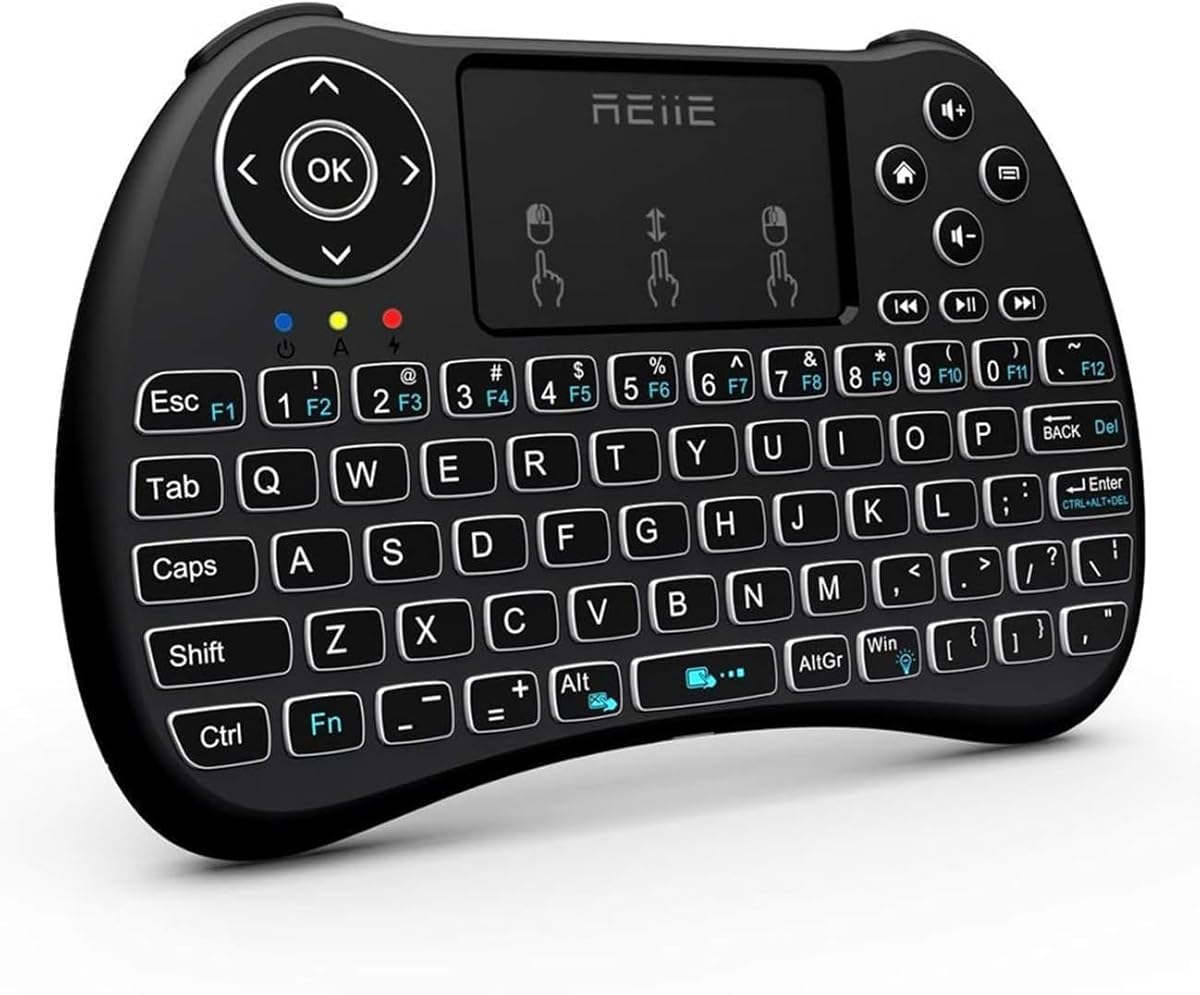
The REIIE H9+ Mini is a 4.3-rated handheld keyboard designed to be carried between the couch, desk, and other locations. Its 73-key QWERTY layout, integrated touchpad, and white soft backlight create a compact three-part combination: physical typing, pointer navigation, and visibility in a dark environment.
We may earn a commission when you buy through this link, at no additional cost to you.
The keyboard operates through 2.4GHz wireless technology and requires a device with an available USB port for the receiver. It is listed for PCs, pads, smart TVs, Android TV boxes, HTPC and IPTV systems, and Raspberry Pi 2 use. The multi-finger touchpad supports single-finger clicking, two-finger right clicking, and two-finger scrolling, providing several common navigation functions without a separate mouse.
Its compact body is easier to hold than a full-size keyboard, making it suitable for presentations, couch browsing, or travel. The backlight is activated with an Fn and Windows key combination, while the overall layout remains familiar. The key limitation is explicit in the product information: this version does not support Bluetooth. It also requires an initial battery charge to maintain stable pairing.
The H9+ is a good match for buyers who prioritize portability and backlighting over Bluetooth and spacious keys. It works well with a USB-equipped HTPC that has a dedicated media role. For a device requiring direct wireless pairing, choose one of the Bluetooth models in this guide instead.
The small 73-key format can be held with two hands and stored without taking much space. It is practical for users who move the input device between a media center, meeting area, and travel bag.
Single-finger clicking, two-finger right-clicking, and two-finger scrolling cover common pointer actions. This gives the compact keyboard more everyday flexibility than a simple set of navigation buttons.
We may earn a commission when you buy through this link, at no additional cost to you.
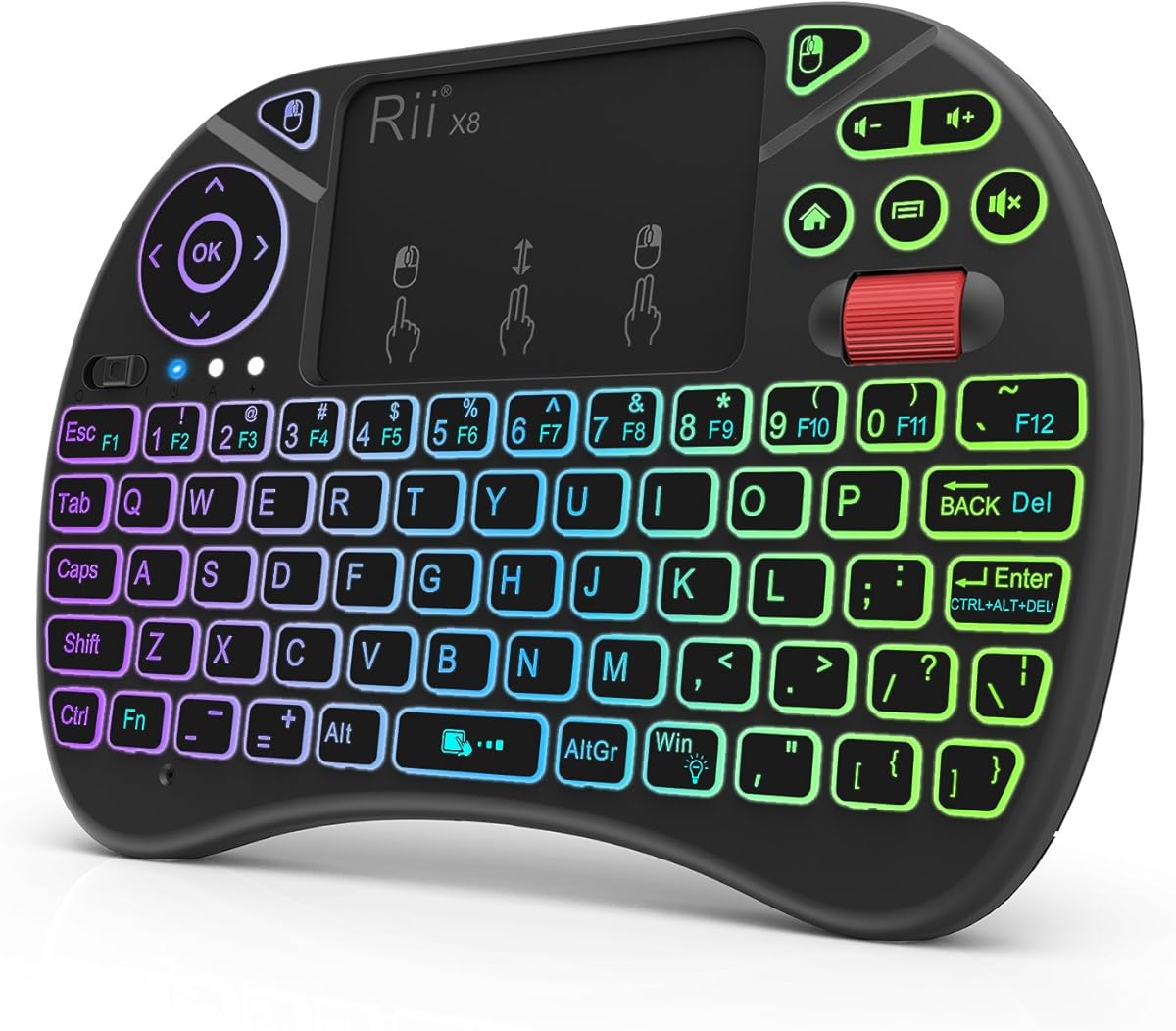
The Rii X8 Mini is a 4.2-rated compact controller designed primarily for Android TV boxes while also supporting HTPCs, PCs, and Raspberry Pi systems. It combines a 73-key-style compact layout with a multi-touch surface, physical mouse buttons, a scroll wheel, directional keys, and media buttons. That richer control set makes it more versatile than a basic remote.
We may earn a commission when you buy through this link, at no additional cost to you.
One of its most noticeable features is eight-color RGB backlighting, which provides multiple visibility and personalization choices in a dark room. A built-in rechargeable lithium-ion battery removes the need for disposable batteries. Connectivity uses an included USB dongle and 2.4GHz wireless technology, producing a plug-and-play setup for compatible systems.
The product information specifically notes that the X8 can work with Amazon Fire TV. For Amazon Fire TV 4K and Amazon Fire Stick users, a Micro USB host OTG cable may be necessary. This is an important distinction because compact streaming devices often have limited USB host support and may not accept a standard keyboard receiver directly.
The X8 is a compelling choice for Android TV box users who want a keyboard, touchpad, and physical navigation controls in one compact accessory. It is less suitable for a setup that requires Bluetooth device switching. Its combination of RGB lighting, mouse controls, and rechargeable power gives it particular value for a dedicated media-box environment.
RGB backlighting provides a broader choice than standard white illumination and makes key locations easier to identify. The colored display also helps distinguish the X8 from a conventional full-size desktop keyboard.
Physical mouse buttons, a scroll wheel, directional keys, and media shortcuts allow several interaction styles. This is helpful with streaming interfaces that mix menus, search fields, and standard pointing tasks.
We may earn a commission when you buy through this link, at no additional cost to you.
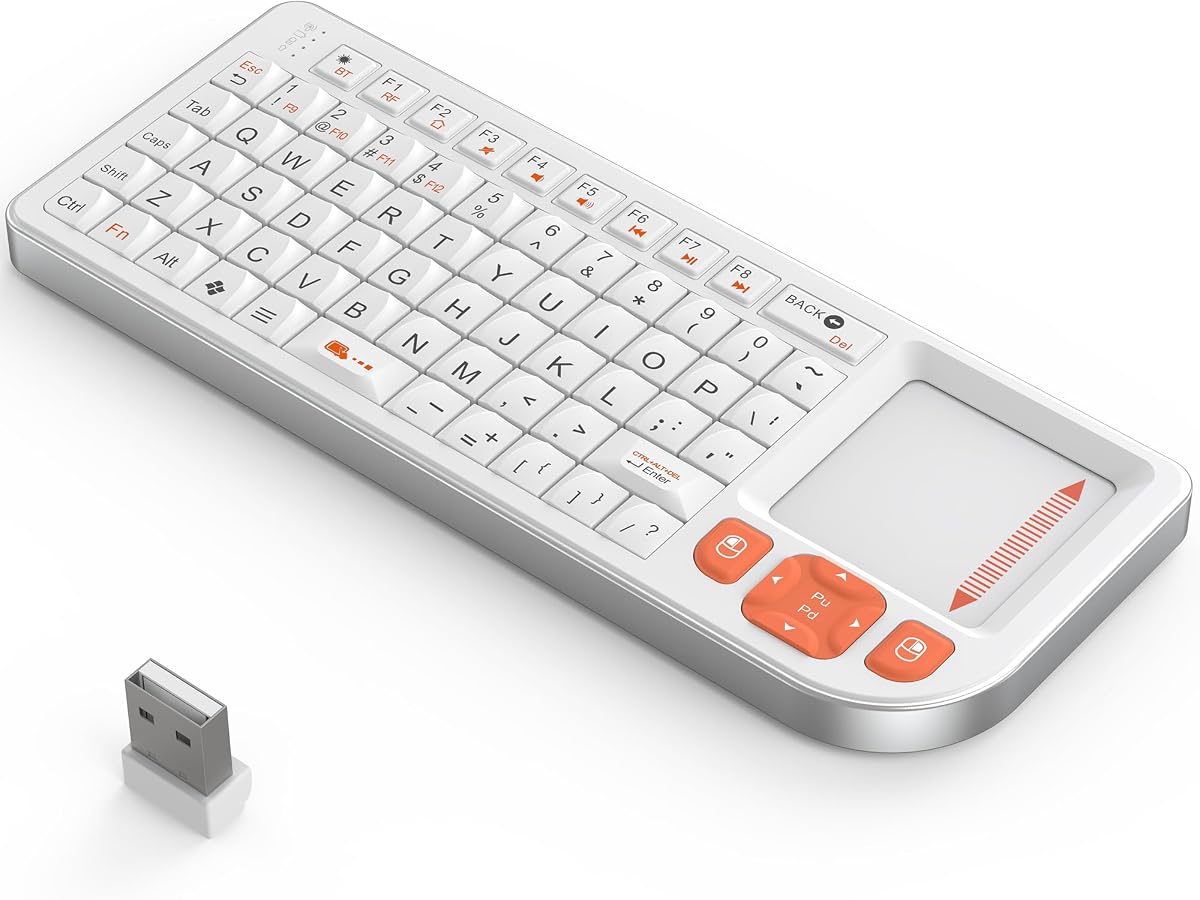
The Rapoo E900T is the most connectivity-focused model in the guide. Its 3.8 rating is the lowest of the ten, but that does not erase the useful design behind it. It supports Bluetooth 5.0, Bluetooth 4.0, and 2.4GHz wireless modes, and it can connect to up to four devices across Windows, Mac, Chrome, and Android.
We may earn a commission when you buy through this link, at no additional cost to you.
The integrated touchpad supports multi-finger gestures in both Windows and Mac modes. Users select the appropriate operating-system behavior using the indicated Fn combinations. A 73-key compact layout keeps the body small, while multimedia hotkeys provide direct access to playback, volume, and other entertainment controls. Its stated dimensions place it close to the footprint of a large tablet while remaining very thin.
Power comes from one or two AAA batteries, with a stated runtime of up to 13 months depending on the number used. Two batteries are included. That long estimated life and replaceable-battery design are convenient for a device expected to remain on or near a television, though buyers should verify their preferred battery arrangement.
The E900T is best for someone who wants one compact controller for several systems and values touch gestures and broad platform support. Its thin construction makes it especially portable for tablets, Steam Decks, mini PCs, and other portable computers. The relatively low rating and compact key spacing make it less attractive for extended typing, but its four-device support is unmatched within this list.
Connecting up to four systems across major operating systems allows one keyboard to follow a broader digital routine. It is useful for moving between a television-connected PC, a laptop, and mobile devices without carrying separate controllers.
The dedicated Windows and Mac gesture modes improve pointer behavior on both platforms. The keyboard therefore feels more adaptable than a generic touchpad keyboard without OS-specific controls.
We may earn a commission when you buy through this link, at no additional cost to you.
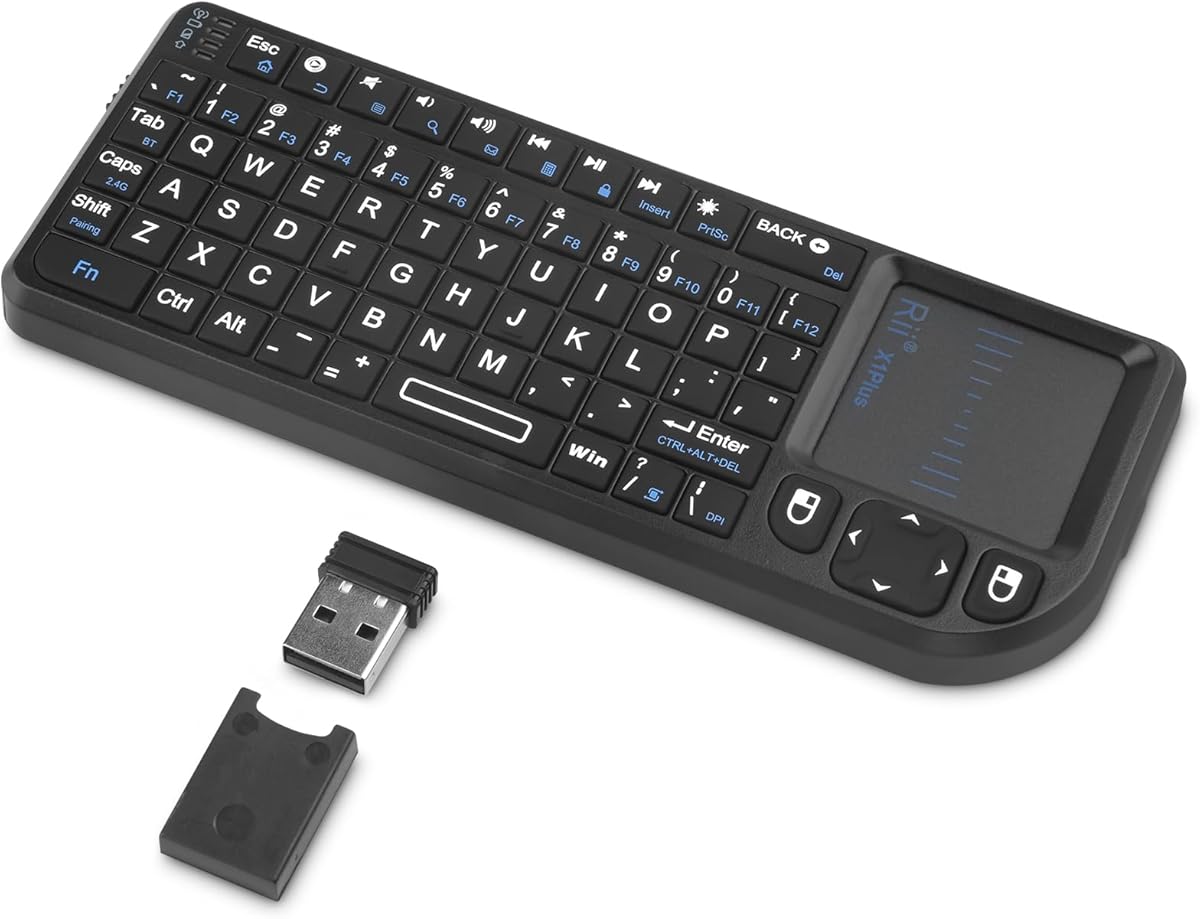
The K809 Mini is a 4.2-rated ultra-slim keyboard distinguished by its high-grade aluminum alloy middle frame. It measures 152 by 60 by 11 millimeters and weighs 86 grams, giving it a premium, portable profile suited to travel, office work, and living-room use. The surface is described as scratch-resistant and fingerprint-proof.
We may earn a commission when you buy through this link, at no additional cost to you.
Connectivity includes Bluetooth 5.0 and 2.4GHz through the supplied USB receiver. The product lists compatibility with Windows PCs, MacBooks, iPads, Android tablets, smartphones, HTPCs, IPTV systems, Amazon Fire Sticks, and smart televisions. Setup is plug-and-play without drivers or required software, allowing Bluetooth devices to remain free of occupied USB ports.
A built-in 1000mAh rechargeable battery supplies power and removes the need for routine battery replacement. Unlike several mini competitors, this model does not list key illumination. Its touchpad and compact key layout provide basic HTPC control, but users wanting a dark-room keyboard should consider an alternative with backlighting.
The K809 is a good choice when build quality, low weight, and dual-mode connectivity matter more than a full-size layout. It is especially appealing for travelers who want a durable controller for a small PC, tablet, or television. At home, it can handle navigation and short text entry, while frequent document typing remains better served by a full-size model.
The aluminum alloy frame provides rigidity in a body that weighs only 86 grams. Its slim measurements make it easy to fit into a backpack, laptop sleeve, or work case without taking up much room.
The 1000mAh internal battery provides a larger stated capacity than several compact alternatives. It also preserves the USB receiver for 2.4GHz operation instead of requiring disposable batteries.
We may earn a commission when you buy through this link, at no additional cost to you.
The Fosmon Mini Touch Keyboard is a 4.0-rated compact model offering two wireless methods, a built-in touchpad, and backlit keys. Its stated compatibility covers Apple TV, Amazon Fire Stick, Google TV, PlayStation consoles, HTPC and IPTV systems, virtual-reality hardware, smartphones, notebooks, and laptops. That makes it one of the broadest media-device lists in this comparison.
We may earn a commission when you buy through this link, at no additional cost to you.
It connects through Bluetooth 5.2 or a 2.4GHz nano USB receiver, with an approximate range of 33 feet or 10 meters. The integrated pointer can be navigated with a thumb, eliminating the need to carry a separate mouse. Backlighting supports use in dark environments, while media operations can be handled through the touchpad and compact keyboard.
The built-in rechargeable lithium-ion battery is rated for up to 10 days of continuous use and up to 50 days of standby. Indicators show low-battery and full-charge states, and the supplied USB-C cable simplifies charging. An important limitation is that compatibility with every smart television cannot be guaranteed, so buyers should check the television's Bluetooth capability before buying. It is also not compatible with Xbox Series consoles.
The Fosmon remains useful for a broad mix of Android, Windows, and Mac-based entertainment devices, particularly when a backlit compact keyboard is wanted. Its 4.0 rating reflects a solid rather than standout feature set. Choose it after confirming that the primary device supports the required connection and that its compact layout suits the intended typing tasks.
The listed device range extends from streaming sticks and smart TVs to consoles and VR boxes. This makes the keyboard useful for a mixed entertainment setup rather than one restricted computer.
USB-C charging and a long stated standby period reduce maintenance. Backlit keys improve visibility in a dark room, while battery indicators make it easier to know when charging is required.
We may earn a commission when you buy through this link, at no additional cost to you.
The right HTPC keyboard depends on the devices you control, where you sit, and how much typing you perform. Connection method, touchpad quality, layout size, lighting, and battery design should be weighed together.
A 2.4GHz keyboard uses a USB receiver and is often the simplest option for a fixed HTPC. Plugging the receiver into a free USB port creates a dedicated link without requiring Bluetooth pairing, although that port remains occupied. Bluetooth removes the need for a receiver and allows direct pairing with many tablets, phones, streaming devices, and compatible televisions. Some mini keyboards support both methods, providing a reliable fallback when one connection is inconvenient.
Choose 2.4GHz for a stationary computer with an available USB port. Choose Bluetooth when the target device lacks a usable USB port or when you want a cleaner connection. For mixed setups, dual-mode is the most adaptable option.
The touchpad is central to an HTPC keyboard because it replaces the mouse for menu selection, scrolling, and pointer movement. A larger surface generally makes precise movement easier, while gesture support can improve navigation in desktop interfaces. Buyers should also consider whether separate physical mouse buttons are important. Models with dedicated buttons or a scroll wheel may be better for dense media dashboards or remote desktop applications.
Prioritize a touchpad large enough for your viewing distance and comfortable to reach without changing position. Gesture support is useful, but it should complement rather than replace accurate basic pointing.
Full-size keyboards provide more spacing and familiar key placement, making them better for searches, passwords, messages, and occasional longer text. Mini models are substantially easier to hold, carry, and store, which matters when the keyboard travels between a couch, desk, and travel bag. Their reduced key spacing can slow accurate typing, particularly for users accustomed to a standard desktop keyboard.
Choose a full-size layout for frequent typing or a dedicated media station. Choose a mini layout for portability, presentation control, and close-range couch use where compactness outweighs typing speed.
Backlighting helps users locate keys in a dark or dimly lit living room. Some models use simple white LEDs, while others offer multiple colors or brightness levels. Illumination is not essential if the television provides most of the room's light, but it can make a substantial difference during late-night viewing. Consider both the presence of backlighting and whether automatic sleep or adjustable brightness is offered.
Select a backlit model for dark-room use and a non-backlit model if battery conservation, simplicity, or a more conventional appearance matters more. Colored lighting is a preference rather than a functional requirement.
Multi-device models can remember several computers or mobile systems and move between them with a key press. This is valuable for people who use a television-connected PC alongside a laptop, tablet, or phone. The number of simultaneous connections ranges from two to four in this guide. Switching is convenient, but it adds complexity and may require separate pairing for each Bluetooth device.
Multi-device support is worth prioritizing when the keyboard regularly follows you across systems. A single-device model is simpler and may be more reliable for a stationary HTPC used for one purpose.
Battery design determines how often the keyboard needs attention. Replaceable AAA batteries are simple to replenish and can offer long idle life, while rechargeable models remove disposable battery waste. USB-C charging is increasingly convenient because the same kind of cable is widely used for other portable electronics. Check the charging cable included with the product, particularly for models that do not supply a USB-C lead.
Prioritize long stated battery life for an always-accessible living-room keyboard. Choose rechargeable construction if you already use USB-C devices, and consider replaceable batteries if you prefer a quick swap rather than a cable connection.
Compatibility claims should be checked against the actual device rather than treated as universal. Some televisions support Bluetooth keyboards but restrict menus or external inputs. Streaming sticks may require an OTG adapter, while Android boxes and Raspberry Pi systems may offer more complete keyboard support. Windows, macOS, Linux, and Android can behave differently with media shortcuts and touchpad gestures, so the operating-system list matters too.
Verify the target device's Bluetooth version, available USB ports, and any accessory requirements before buying. A product that fits the media device but not the intended second system may still be the right choice, but only if that limitation is acceptable.
Most models claim a range of roughly 33 feet or 10 meters, which is usually adequate for a living room, although walls and wireless interference can reduce performance. Media hotkeys improve the experience with streaming software and home theater interfaces. Direction keys, a scroll wheel, or dedicated mouse buttons can also make navigation faster than using only a touchpad.
Treat maximum range as an estimate rather than a guarantee. For a large room, use the media keys and confirm that the receiver is placed within a reasonable line of sight rather than behind enclosed furniture.
Begin by identifying which connection method your HTPC supports. For a 2.4GHz model, insert the supplied USB receiver into an open port and move the keyboard close to the device until it connects. For Bluetooth, place the keyboard in pairing mode using the manufacturer's shortcut, open the appropriate Bluetooth settings on the computer, television, or streaming device, and select the listed keyboard. Multi-device keyboards may require pairing each target separately before the switching shortcut can be used.
Place the keyboard where you can reach both the keys and touchpad comfortably without leaning forward. Open the media application and test pointer movement, scrolling, clicking, directional keys, and volume or playback shortcuts. If a shortcut behaves differently on the target operating system, use the standard navigation controls or remap the key through the computer or HTPC software when that option is available.
For care, keep the keyboard on a dry, stable surface and avoid placing drinks directly above or beside it. Clean the touchpad with a soft, lightly dampened cloth, and remove loose debris from between the keys with compressed air or a soft brush. Charge rechargeable models before prolonged storage, remove batteries from models that will remain unused for long periods, and replace batteries promptly if the connection becomes unstable.
A USB receiver is often easier for a stationary HTPC because it only requires a free USB port and generally avoids pairing steps. Bluetooth is better for tablets, phones, and compatible smart televisions, especially when avoiding a permanently occupied USB port. A dual-mode keyboard offers the most flexibility because it can use the receiver with one system and Bluetooth with another.
It depends on the television's Bluetooth and media-input support. Some televisions accept keyboard input only in specific applications, such as a search field, while others offer broader navigation. Multi-device models can pair with a computer and television separately, but they do not guarantee that every on-screen menu will respond identically.
They are better suited to short entries, search terms, and occasional messages than to long documents. Their reduced key spacing can require more practice, and users with larger fingers may find some models crowded. A full-size touch keyboard offers a more familiar typing experience if regular text entry is part of the HTPC's purpose.
The device may not support a standard USB keyboard receiver or may require an OTG host adapter. The Rii X8 listing specifically notes that Amazon Fire TV 4K and Fire Stick users may need a Micro USB host OTG cable. Other restrictions can apply, so check the streaming device's documentation and confirm that it supports external keyboards.
Backlighting can consume additional power, particularly when it is kept at a high brightness level. Several models include brightness controls, automatic sleep, or an on/off control to reduce consumption. Models with long battery life and replaceable batteries are convenient when the keyboard is used infrequently in a dark room.
Most products in this guide advertise approximately 33 feet or 10 meters, which is usually ample for a living room. The actual range can be reduced by walls, furniture, other wireless equipment, and the position of the USB receiver. Bluetooth signals also depend on the capabilities of the receiving television or streaming device.
Yes, when the operating system recognizes the integrated touchpad as a pointing device. It can handle pointer movement, clicks, and scrolling, although a model with physical mouse buttons or a scroll wheel may be more convenient for demanding interfaces. Touchpad gestures vary by operating system and may require a specific selection mode.
Two devices are enough for a common pairing of an HTPC and a tablet or phone. Three or four connections provide more flexibility for users with several active systems, but each Bluetooth device must be paired and switching still takes an extra key press. Consider the actual number of devices used together rather than choosing solely by the highest supported count.
The Logitech K400 Plus stands out as the best overall choice because it combines a familiar full-size layout, an integrated touchpad, quiet keys, a long stated battery life, and dependable 2.4GHz range. The Arteck Universal Multi-Device is the leading premium option for people who need to switch among three systems, while the Rii Mini offers strong value with Bluetooth, 2.4GHz, backlighting, and USB-C charging in a highly portable body.
Prioritize the connection method that matches your actual HTPC, then choose between a full-size layout for frequent typing and a mini layout for portability. Touchpad usefulness, backlighting, device switching, and battery maintenance should reflect how and where the keyboard will be used. Checking operating-system and streaming-device compatibility can prevent most setup disappointments.
Ratings, features, and availability can change over time, and market conditions may also affect what each model costs. Before making a final purchase, review the current listing, included accessories, connection requirements, and return terms. Those checks help ensure that the selected HTPC keyboard fits both your entertainment setup and your everyday habits.