
Wireless Ergonomic Mouse
4.1Editor score
Adjustable 800–1600 DPI
Wireless 2.4G USB connection
Six-button vertical layout
Our expert guide compares the best cheap ergonomic mouse options by comfort, connectivity, DPI, silent clicks, hand fit, and battery life for work and daily
A cheap ergonomic mouse can make a noticeable difference during long work sessions by holding the hand in a more natural handshake position. The best models combine a comfortable vertical shape, responsive tracking, useful controls, and dependable wireless connectivity without requiring advanced software or complicated setup.
We compared ten affordable ergonomic mice across design angle, hand fit, adjustable sensitivity, connection options, button layout, click noise, battery requirements, operating-system compatibility, and practical features. The list covers basic 2.4G models as well as Bluetooth, multi-device, silent-click, and rechargeable designs for different workspaces.
Each review explains the strongest reasons to consider that mouse, along with relevant limitations such as right-hand-only design, unavailable side buttons on macOS, or the need for batteries. Product details and availability can change, so readers should confirm current specifications and offers before purchasing.
4.1Editor score

4.6Editor score

4.6Editor score
The comparison below highlights the major differences among all ten vertical ergonomic mice, including their connection methods, sensitivity ranges, button layouts, battery approaches, and intended hand sizes.
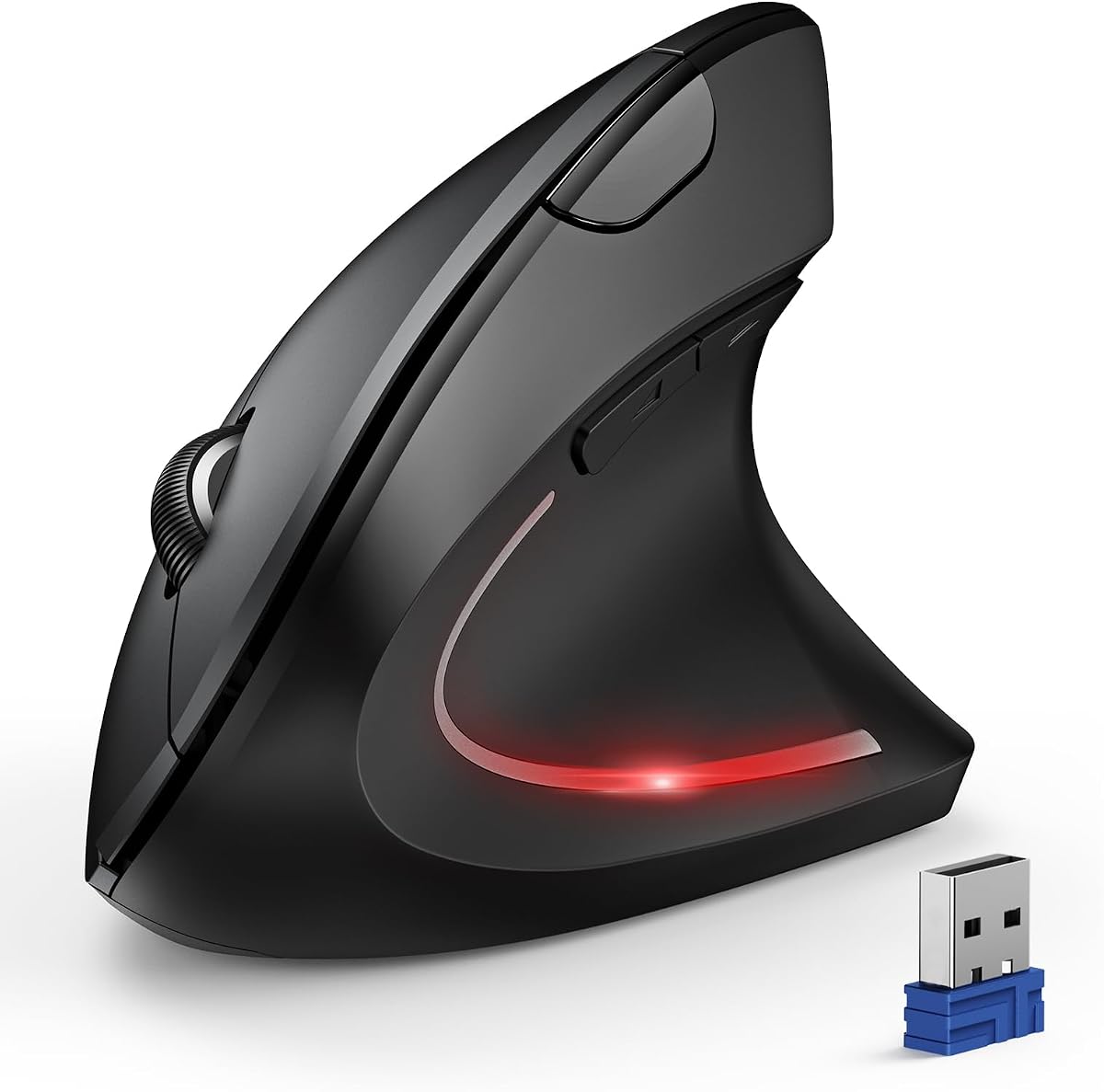


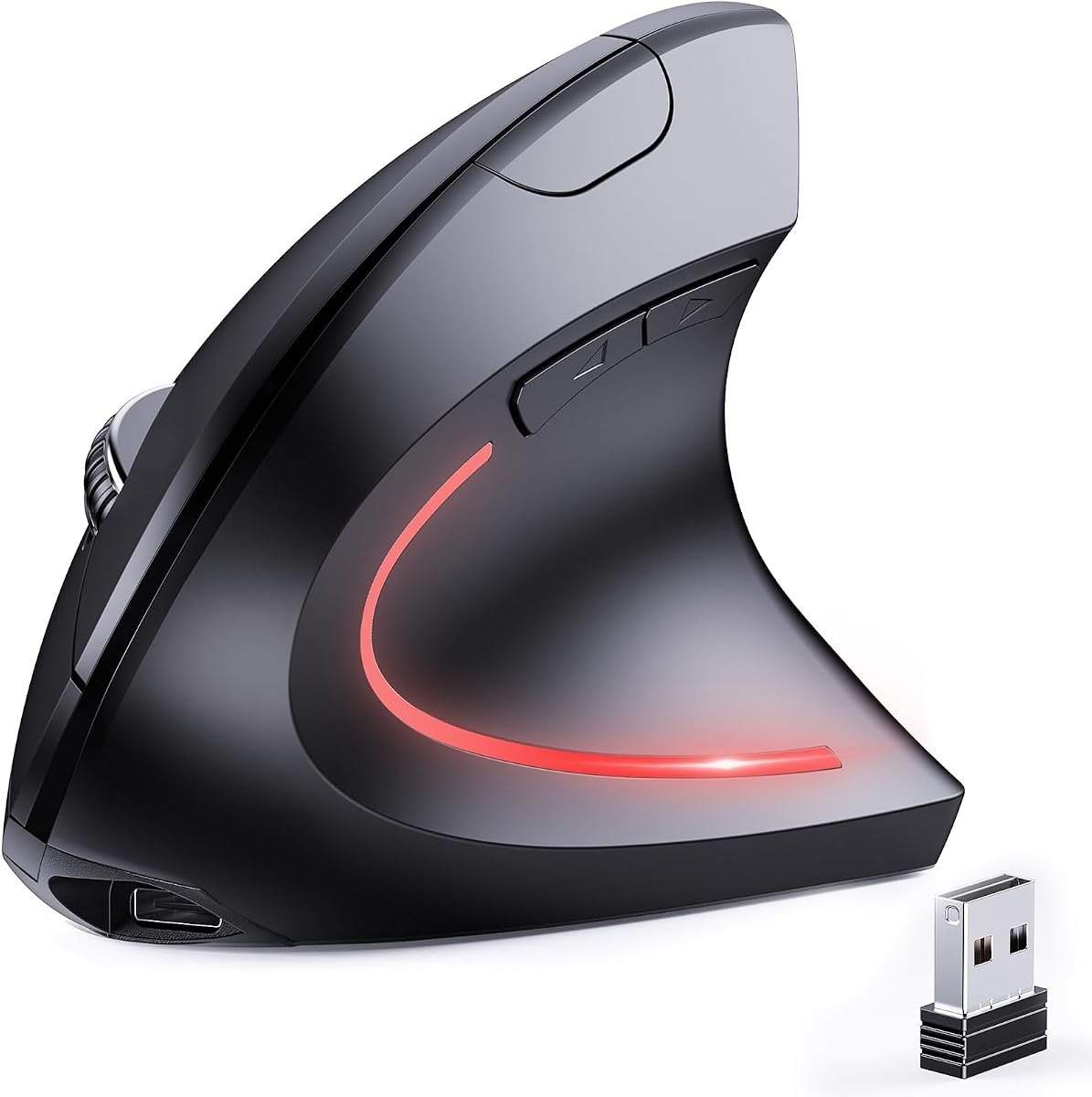


This Wireless Ergonomic Mouse offers the core benefits of a vertical mouse at an approachable price, earning a 4.1 rating. Its upright shape positions the hand closer to a natural handshake angle, while three adjustable DPI levels and six buttons make it suitable for ordinary office work, browsing, and light creative tasks.
We may earn a commission when you buy through this link, at no additional cost to you.
The strongest feature is its straightforward 2.4G wireless setup. A USB receiver stored in the bottom of the mouse provides a working range of up to 10 meters, making it easy to move between a desk and sofa without managing a cable. DPI settings of 800, 1200, and 1600 provide enough variation for document editing, general navigation, and faster pointer movement without adding excessive complexity.
Its limitations are meaningful but easy to understand. It lacks Bluetooth, so it requires a compatible USB receiver connection, and the added forward and back buttons do not work in macOS. It also uses two AAA batteries, which are not included, and only the basic vertical angle is specified rather than a precise ergonomic measurement.
This is a practical choice for buyers who want a low-cost vertical mouse without paying for rechargeable batteries or multi-device switching. It works best for Windows and other systems that support the supplied 2.4G receiver, particularly when the priority is reducing wrist rotation in a simple six-button design.
The vertical orientation keeps the wrist less inverted than a conventional flat mouse. Users who spend many hours clicking may find the more upright posture easier to maintain, although personal comfort still depends on desk height, grip style, and hand size.
The plug-and-play receiver avoids complicated pairing procedures, while forward and back controls can speed up web navigation on supported systems. Sensitivity can be adjusted as tasks change without requiring additional software.
We may earn a commission when you buy through this link, at no additional cost to you.
The TECKNET 4800 DPI Mouse combines a vertical ergonomic body with broad device support, earning a 4.4 rating. It is a strong choice for people moving among a work laptop, personal computer, and another Bluetooth-equipped device without wanting to reconnect the mouse each time.
We may earn a commission when you buy through this link, at no additional cost to you.
Its six sensitivity settings range from 800 to 4800 DPI, giving it more flexibility than many entry-level vertical mice. Bluetooth 5.0 and 3.0 support allows two Bluetooth connections, while a stored USB-A receiver provides a third 2.4GHz connection. A bottom button enters pairing mode and short presses switch among connections.
The main left and right clicks are nearly silent, which is useful in libraries and shared offices. However, the other function buttons are not silent, so users sensitive to noise may still hear a difference during web navigation. The mouse is also designed only for right-handed use, and the side buttons do not function in macOS.
Buyers who need high DPI, multiple device profiles, and quiet everyday clicks will find this model more versatile than a basic wireless mouse. It is especially suitable for productivity-focused users willing to supply their own AAA batteries and accept a right-handed vertical shape.
Two Bluetooth connections and one 2.4GHz receiver connection make it possible to keep separate links active for different computers. The mouse can then switch among them using the control on its underside.
Six DPI levels accommodate both careful document work and fast cursor movement. The nearly silent primary clicks reduce distraction, although they should not be confused with completely silent operation across every button.
We may earn a commission when you buy through this link, at no additional cost to you.
The UGREEN Dual Wireless Mouse is a balanced, everyday vertical mouse with a 4.3 rating. Its natural handshake-position shape, quiet clicks, and smooth PTFE glide feet make it appealing for extended office use, while dual wireless modes provide flexibility across different kinds of devices.
We may earn a commission when you buy through this link, at no additional cost to you.
The mouse offers 1000, 1600, 2000, and 4000 DPI settings, allowing users to move from precise editing to faster navigation. It connects through either Bluetooth or 2.4G wireless and can switch among up to three devices. A single AA battery, smart sleep mode, and PTFE feet support convenient daily operation without a charging cable.
The main compromise is button quantity. A five-button layout is less expansive than the six-button designs offered by several alternatives, so buyers who rely heavily on dedicated forward and back controls should verify that the included navigation buttons meet their needs. The stated suitability for larger hands is also only a design recommendation rather than a guarantee of fit.
This UGREEN model is a sensible recommendation for users who want a refined vertical shape, flexible connectivity, and smooth tracking without moving to a premium ergonomic brand. Its combination of quiet operation and broad system support suits mixed home and office environments particularly well.
PTFE glide pads reduce surface friction and help the mouse move with less resistance. The result is quiet, controlled movement on many everyday desk surfaces.
Bluetooth preserves USB-A ports, while the 2.4GHz option offers a simple receiver connection. Switching among up to three devices is useful for people who regularly alternate between a laptop, tablet, and desktop.
We may earn a commission when you buy through this link, at no additional cost to you.
The Anker Vertical Optical Mouse is a straightforward 2.4G ergonomic option with a 4.2 rating. Its scientific ergonomic structure promotes a neutral handshake position, while optical tracking and adjustable resolution provide dependable everyday performance on a range of surfaces.
We may earn a commission when you buy through this link, at no additional cost to you.
This mouse is designed for right-handed use and includes next and previous buttons for web browsing. Its 800, 1200, and 1600 DPI settings cover common productivity needs, and the USB receiver is stored in the mouse for convenient transport. Automatic power saving after eight minutes of inactivity helps conserve the two included-battery slots, although batteries are not supplied.
Compared with newer dual-mode models, the Anker lacks Bluetooth and requires a free USB port for its receiver. The product information also explicitly notes that key click sounds are unavoidable, so it may not satisfy users whose main priority is near-silent operation in shared spaces.
It remains a practical choice for buyers who prefer a familiar receiver-based setup and value a conventional set of navigation buttons. Users working primarily on one computer will find the simpler connection scheme easy to manage, while those needing Bluetooth or rechargeable power should consider a newer alternative.
The upright shell reduces the degree to which the wrist must bend inward. This may be especially helpful for users accustomed to flat mice who want to experiment with a more neutral posture.
The stored USB-A receiver makes setup predictable: connect the receiver and begin using the mouse. It is a familiar approach for desktops and laptops that already have an accessible USB-A port.
We may earn a commission when you buy through this link, at no additional cost to you.
The TECKNET 52° Rechargeable Mouse combines a high rating of 4.6 with one of the most complete feature sets in this roundup. Its defined 52-degree angle, rechargeable 600mAh battery, quiet clicks, six DPI levels, and three-device support make it an excellent all-around productivity mouse.
We may earn a commission when you buy through this link, at no additional cost to you.
The built-in battery can provide up to two months of use after approximately 90 minutes of charging, and the included Type-C cable makes replenishing power convenient. Bluetooth 5.0 and 3.0 plus a USB-A receiver allow smooth switching among three devices, while six sensitivity settings extend from 800 to 4800 DPI.
The stated 52-degree shape is tailored to small and medium hands, which may not suit every user. Forward and back buttons are also unavailable on Mac systems. In addition, while the product advertises substantial click noise reduction, users who require completely inaudible operation should not expect zero sound.
This is the strongest general recommendation for a buyer who wants vertical comfort, rechargeable convenience, broad sensitivity, and multi-device flexibility in one mouse. It works particularly well for Windows-based professionals who regularly switch among computers and value a cleaner desk without disposable batteries.
The 600mAh internal battery removes the need to keep spare AAA cells nearby. A short charging session can support an extended work cycle, while the sleep function helps conserve power between sessions.
The 800-to-4800-DPI range supports both exacting editing and rapid movement. A dedicated control makes it easy to change levels as the task changes without opening software.
We may earn a commission when you buy through this link, at no additional cost to you.
The JYKEYMOUT Dual Mode Mouse earns a 4.2 rating by offering a useful combination of vertical design, rechargeable power, silent operation, and simultaneous two-device connectivity. It is a practical option for people who alternate between two systems and do not need the highest possible sensitivity.
We may earn a commission when you buy through this link, at no additional cost to you.
One device can connect through Bluetooth while another uses the 2.4GHz receiver, allowing a single button press to move between them. The mouse includes six nearly silent buttons, with forward and back controls intended to speed up browsing, and its optical tracking offers 1000, 1200, and 1600 DPI settings.
The 2.4GHz mode provides a convenient alternative on computers that cannot use Bluetooth, but users should not expect this model to equal the three-device flexibility of the top TECKNET options. Its battery can last about one to three months depending on usage, and the supplied Type-C charging cable avoids disposable battery replacement.
For a right-handed user working across two devices, this mouse provides a strong balance of shape, quiet clicks, and charging convenience. It is less suited to Mac users who depend on forward and back buttons or to buyers who require very fine sensitivity controls.
Maintaining one Bluetooth link and one receiver link allows the mouse to move quickly between two computers. This is especially convenient for laptop-and-desktop or laptop-and-tablet arrangements.
The internal rechargeable battery and nearly silent buttons reduce two common sources of desk friction: keeping spare cells and disturbing people nearby. The included charging cable handles the power side, while a 10-minute sleep mode conserves energy.
We may earn a commission when you buy through this link, at no additional cost to you.
The Uineer Three-Device Mouse has a 4.3 rating and stands out through its seven-color ambient lighting. Beneath that visual feature is a capable vertical design with natural handshake positioning, four DPI settings, and support for switching among three connected devices.
We may earn a commission when you buy through this link, at no additional cost to you.
Dual Bluetooth 5.0 and 4.0 plus a 2.4G receiver allow the mouse to manage a laptop, computer, phone, or tablet. DPI can be set to 800, 1200, 1600, or 2400, and an intelligent sleep function activates after 10 to 30 minutes of inactivity. A low-battery indicator helps prevent unexpected shutdowns.
The product is specifically recommended for small to medium hands, so measuring before ordering is sensible. Its side buttons are also nonfunctional on macOS, which limits browser navigation for Apple users. The ambient lighting adds visual character, although it may be unnecessary for buyers who prioritize a restrained office appearance.
This mouse is a good fit for users who want multi-device convenience, customizable sensitivity, and a more distinctive appearance. It is especially appealing as an everyday desktop accessory where the lighting adds personality without compromising the core vertical shape or wireless functionality.
The mouse retains connections across compatible devices and permits switching without re-pairing. This keeps the user experience fluid when moving between several computers or mobile devices during the day.
The handshake grip encourages a straighter wrist, but comfort still depends on fit. Small and medium hands are the stated target, making hand measurement worthwhile before purchase.
We may earn a commission when you buy through this link, at no additional cost to you.
The TECKNET 57° Rechargeable Mouse is a premium-featured vertical option with a 4.6 rating. Its 57-degree shape, fully quiet button design, 4800-DPI capability, and three-device switching form one of the strongest overall packages among the affordable ergonomic mice considered.
We may earn a commission when you buy through this link, at no additional cost to you.
The more upright angle is intended to align the forearm, wrist, and hand in a straighter line, reducing the stiff or fatigued feeling associated with long sessions. All buttons are designed for quiet operation, with a stated reduction of up to 90% in button noise. This makes the mouse well suited to libraries, shared offices, and late-night work.
A 2- to 3-hour charge can provide up to three months of use based on two hours of daily activity. Six DPI levels range from 800 to 4800, and Bluetooth 5.3 or 3.0 plus 2.4GHz connectivity supports quick switching among three devices. The mouse sleeps after 0 to 60 seconds of inactivity and displays a low-battery reminder.
The main software limitation is that side buttons are not supported on macOS. This is otherwise an excellent recommendation for buyers who want pronounced vertical geometry, complete quiet operation, flexible sensitivity, and rechargeable convenience. It is particularly well matched to right-handed users working across several devices.
The 57-degree angle provides a more visibly upright hand position than many conventional ergonomic mice. It may feel more supportive during sustained work, provided the shape suits the user's hand and preferred grip.
Unlike models where only the primary clicks are quiet, this design applies silent operation across the button set. The result is more consistent in libraries, meeting rooms, and shared home offices.
We may earn a commission when you buy through this link, at no additional cost to you.
The Silent 57° Bluetooth Mouse has a 4.4 rating and emphasizes discreet operation alongside a pronounced vertical shape. Its 18dB clicks, quieter magnetic scroll wheel, and 57-degree angle make it especially relevant to people working in quiet or shared environments.
We may earn a commission when you buy through this link, at no additional cost to you.
The mouse provides Bluetooth 5.0 and 2.4G connectivity, a stated 1ms response, and three DPI settings at 1000, 1600, and 2400. A textured thumb groove and widened base help stabilize the grip and support the little finger, while the smooth 3D wheel is designed for navigating long documents.
The product information claims a 60% reduction in wrist pressure and 90% quieter magnetic scrolling, but such figures are best treated as design claims rather than guarantees for every user. The three-level DPI range is also narrower than on several high-sensitivity alternatives in the list.
This mouse is a strong option for users who prioritize silence and stable grip more than extensive programmability. Its broad compatibility with Windows, Mac, Linux, iOS, and Android also makes it versatile for a mixed ecosystem of computers and tablets.
The 18dB click specification and quieter magnetic wheel target environments where abrupt mouse noise can distract colleagues or family members. Even then, actual sound varies with the desk surface and the user's pressing force.
A textured thumb groove gives the hand a more defined resting point, while the widened base helps prevent sliding. These details can make a steep vertical mouse feel more stable during precise movements.
We may earn a commission when you buy through this link, at no additional cost to you.
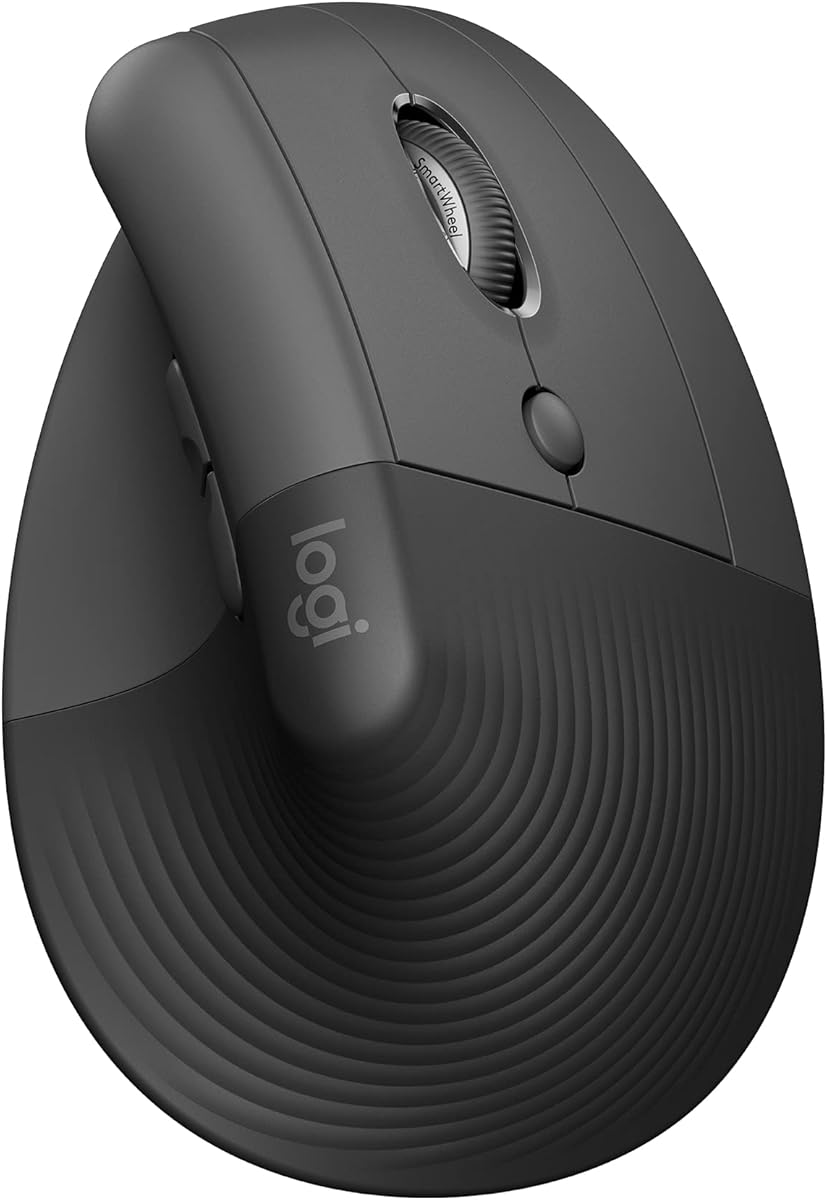
The Logitech Lift is a refined vertical mouse with a 4.4 rating and a design developed, tested, and approved according to criteria established by ergonomists. Its 57-degree shape, textured grip, and thumb rest offer a polished alternative to more generic vertical mice.
We may earn a commission when you buy through this link, at no additional cost to you.
Lift is intended for small to medium right hands and raises the hand into a more natural forearm position. Customizable buttons support common shortcuts, the SmartWheel transitions between scrolling styles, and the primary clicks are designed to be whisper quiet. Connectivity includes Bluetooth Low Energy and the Logi Bolt USB receiver.
It is compatible with Windows, macOS, iPadOS, Chrome OS, and Linux, and the stated battery life reaches up to two years depending on use. Its main disadvantage is cost: it sits well above the other models in this roundup. The small-to-medium-hand target also means large hands may find the compact form uncomfortable.
Logitech Lift is the premium choice for buyers who prioritize established ergonomic design, polished controls, and effortless cross-platform use. It is particularly attractive to right-handed users with small or medium hands who are willing to pay more for the brand's design credentials and feature refinement.
Lift's angle and compact form are designed to support a raised hand position and softer thumb rest. It is not simply a standard mouse placed on its side, which gives it a more cohesive and controlled feel.
Customizable controls and a SmartWheel make the mouse efficient across documents, browsing, and desktop applications. Whisper-quiet clicks support a calm work environment without sacrificing responsive feedback.
We may earn a commission when you buy through this link, at no additional cost to you.
Choosing an affordable ergonomic mouse involves balancing hand fit, vertical angle, connectivity, controls, noise level, sensitivity, and maintenance. The most useful purchase is not necessarily the one with the most features, but the one that matches the user's devices and daily routine.
A vertical mouse places the hand closer to a natural handshake position, reducing the degree of wrist rotation associated with flat mice. Designs range from moderate upright shapes to pronounced 57-degree angles, and a steeper profile is not automatically more comfortable. Hand size, finger length, desk height, and grip style all influence whether a vertical shape feels supportive.
Choose a model designed for your hand size. Logitech Lift and the 52-degree TECKNET mouse specifically target small to medium hands, while UGREEN describes its model as suitable for larger hands. Measure before ordering and favor a product whose stated fit matches you.
A 2.4GHz receiver offers a straightforward connection and usually works as soon as the receiver is inserted, making it suitable for computers with an available USB-A port. Bluetooth removes the receiver and can free valuable ports, which is useful on modern laptops and tablets. Models supporting both formats provide greater flexibility when work and personal devices use different connection methods.
If you only use one computer, a reliable 2.4G model may be sufficient. For a multi-device setup, prioritize Bluetooth, a receiver, and clear switching instructions. Confirm that your chosen operating system supports the relevant Bluetooth and receiver methods before purchasing.
Multi-device mice can maintain links to a work laptop, personal computer, tablet, or phone and move among them with a button press. Two-device configurations are often sufficient for a portable setup, while three-device support is more useful for frequent multitaskers. A stated device count does not guarantee simultaneous operation, so check whether the device links are simultaneous or switched through different modes.
Choose two devices for a laptop-and-tablet workflow or three devices for a broader desk setup. Quick switching is particularly valuable when separate devices are already active and should remain ready for immediate input.
DPI controls how far the pointer travels for a given physical mouse movement. Lower settings support precise pointer positioning, while higher settings allow faster movement across a large display. Common office ranges span 800 to 1600, with productivity-oriented models reaching 2400, 4000, or 4800.
Look for several accessible sensitivity levels rather than a single fixed setting. The best range depends on screen size and task: document editors may appreciate lower levels, while users moving among multiple displays or working in detailed applications may use higher settings.
The primary left and right buttons handle normal clicking, while side buttons can support browser navigation or shortcuts. A five-button design is sufficient for basic work, but a six-button layout offers more dedicated controls. Mac users should note that several otherwise capable vertical mice disable their forward and back buttons on macOS.
Match the button count to your workflow. Extra controls are useful for frequent browser use but add little value if they do not work in your preferred operating system. Check customization support, shortcut behavior, and system limitations before buying.
Silent or near-silent switches reduce clicking noise in libraries, open offices, and shared homes. Important distinctions exist between models where only the left and right clicks are quiet and models where every button is designed for quiet operation. Scroll-wheel noise and hard desk surfaces can also affect the overall sound level.
For a quiet office, prioritize models that explicitly cover all buttons. For lighter disturbance, a mouse with silent primary clicks may be sufficient. Published decibel or percentage claims should be considered as product specifications rather than universal guarantees for every surface.
Battery-powered mice use replaceable cells and avoid charging downtime, but they require occasional replacements and may not include batteries. Rechargeable models offer a cleaner desk and eliminate recurring cell purchases, though they depend on access to a charging cable and can lose function if the battery is depleted. Automatic sleep modes help both approaches conserve power.
Choose replaceable batteries for the simplest possible maintenance, especially if a long replacement cycle is important. Choose a rechargeable design when you prefer a fixed internal battery, regularly charge the mouse, and want to avoid keeping spare cells around.
A mouse can be physically comfortable and still deliver a frustrating experience if important controls are unavailable in the chosen operating system. Most models support the major desktop platforms, but side buttons may be disabled on macOS. Connection requirements, Bluetooth versions, and included receivers should also be checked against the devices you actually use.
Review the compatibility notes rather than assuming that every button works everywhere. If your workflow is split between Windows and Mac, choose a mouse whose supported controls meet the requirements of both systems rather than relying on the broadest possible compatibility label.
Begin by placing the mouse close to the keyboard and adjust your chair, desk, and screen so the forearm remains approximately level. Let the palm rest naturally on the vertical body without squeezing or lifting the mouse. If the shape feels too steep, try a looser grip and gradually increasing use rather than forcing an unfamiliar posture immediately.
Install the receiver or begin Bluetooth pairing according to the mouse instructions. For multipoint models, assign each linked device before changing tasks. A 2.4GHz connection usually provides the most direct setup, while Bluetooth is useful for preserving USB ports. Test the forward and back buttons in your operating system because some functions may be unavailable or require remapping.
Keep the tracking surface clean and free of dust, crumbs, and sticky residue. Use a rechargeable mouse with the supplied cable and avoid rapid-charging adapters or prolonged charging after it is full when the manufacturer advises against those practices. Replace batteries promptly in disposable models, clean removable glide surfaces gently, and reconnect or re-pair the mouse if responsiveness declines.
Vertical mice can reduce wrist rotation by keeping the hand in a more neutral handshake position. They may be especially helpful for people who experience discomfort from using a flat mouse for extended periods. Comfort still depends on hand size, grip, desk setup, and the steepness of the vertical angle, so gradual use is sensible.
A 2.4GHz mouse uses a small USB receiver and generally offers simple plug-and-play operation. Bluetooth connects directly with a compatible device and can free up USB-A ports, although pairing may require a few extra steps. Dual-mode mice offer both options and are useful for computers that do not support the same connection method.
They do not work reliably on every model in this category. The TECKNET, Uineer, JYKEYMOUT, and UGREEN listings specifically note that side buttons are unavailable or incompatible with macOS. The Logitech Lift supports macOS, but buyers should still confirm that its customizable controls offer the functions they need.
Three levels are usually enough for documents, browsing, and general desktop use. Models with 800, 1200, and 1600 DPI cover that range well, while options extending to 2400, 4000, or 4800 provide more flexibility for fast movement and detailed work. Higher sensitivity is useful but not automatically more comfortable.
Rechargeable models are convenient for people who dislike replacing batteries and want a single included cable. Disposable-battery models are simpler in one respect because there is no charging routine, but they require occasional cell purchases and may not include batteries. Consider charging habits, travel, and how often you prefer to avoid carrying spare power.
No. Fit varies substantially among vertical designs, and several models specifically target small to medium right hands. UGREEN describes its mouse as suitable for larger hands, but buyers should still compare dimensions, grip style, and stated sizing. Measuring the hand before ordering is the most reliable way to reduce the risk of an uncomfortable fit.
It can when the mouse supports the necessary connection methods and operating systems. Two-device models generally cover a laptop and tablet or a laptop and desktop. Three-device models add another profile, while Bluetooth and 2.4GHz combinations allow different device types to remain connected simultaneously.
Set the desk and chair so the forearm is supported and roughly level with the desk. Avoid gripping tightly, keep the mouse close to the keyboard, and use a light, relaxed grip. Periodic breaks remain important because no mouse shape can eliminate the effects of prolonged static posture.
The best budget selection is the Wireless Ergonomic Mouse, which delivers a vertical grip, adjustable sensitivity, and a simple receiver connection without advanced extras. The TECKNET 52° Rechargeable Mouse is the strongest all-around recommendation, combining a defined ergonomic angle, three-device switching, a rechargeable battery, and quiet operation. For buyers seeking a pronounced 57-degree shape and completely quiet buttons, the TECKNET 57° Rechargeable Mouse is the premium choice.
Prioritize fit before features. Confirm hand size, right- or left-handed orientation, operating system, and connection method before comparing DPI ranges or button counts. Once those fundamentals are correct, quiet clicks, rechargeable power, multi-device operation, and dedicated navigation buttons can determine which affordable vertical mouse best fits the desk.
Product details, ratings, features, and offers can change over time, so review the current listing before buying. Keeping the mouse and computer close during testing, adjusting the fit gradually, and pairing it with an uncluttered work area will make it easier to judge whether the ergonomic shape works for you.