
OREI 4×1 Quad Screen Multiviewer
4.4Editor score
Four HDMI inputs
Five viewing modes
1080p and 2K support
Stereo analog audio
This HDMI Multiviewer guide compares 10 leading models for resolution, viewing modes, audio, control options, and professional features.
An HDMI Multiviewer combines several HDMI sources into one display, reducing the need for separate monitors and making it easier to monitor consoles, computers, media players, and security cameras. The right model should match your resolution, layout, audio, and control requirements.
We compared these ten multiviewers by examining their input and output configurations, supported resolutions, viewing layouts, switching methods, audio capabilities, control options, compatibility, included accessories, and customer ratings. The list includes both straightforward four-input devices and more advanced matrix and video-wall controllers.
Each review identifies the features that make a particular model useful and explains where it falls short. Ratings reflect the supplied customer feedback, while specifications come from the listed product information. Availability and prices can change, so confirm current details before buying.
4.4Editor score
4.7Editor score

4.2Editor score
This comparison covers four-input and matrix-based HDMI multiviewers, highlighting differences in resolution, display modes, outputs, audio, control, and intended installation complexity.



The PORTTA 4×1 Seamless Multiviewer is a four-input, one-output device rated 4.3 by customers. It combines a compact quad-screen monitor with seamless source switching, making it suitable for users who need several devices visible at once but do not require 4K output.
We may earn a commission when you buy through this link, at no additional cost to you.
Its six viewing modes cover four equal screens, side-by-side and top-and-bottom arrangements, picture-in-picture, full screen, and a layout with one large image and three smaller images. Scaling support for 1080p and 720p helps match mixed sources, while IR and RS-232 control provide convenient local and integrated operation.
Audio can be extracted through Toslink or a 3.5mm output, which is useful when the display has no convenient audio connection. The main limitation is resolution: 1080p at 60Hz is suitable for control rooms, gaming, and surveillance, but it is not the right choice for a 4K-centered installation.
This is a strong general-purpose recommendation for desktop users, gamers, and small monitoring systems. Choose it when flexible layouts, straightforward control, and dedicated audio outputs matter more than 4K resolution.
Six layouts make it easy to give one source priority or inspect all four feeds. Scaling helps produce readable windows when sources use different resolutions.
IR and RS-232 support simplify switching, while Toslink and 3.5mm outputs provide flexible ways to route sound to external equipment.
We may earn a commission when you buy through this link, at no additional cost to you.
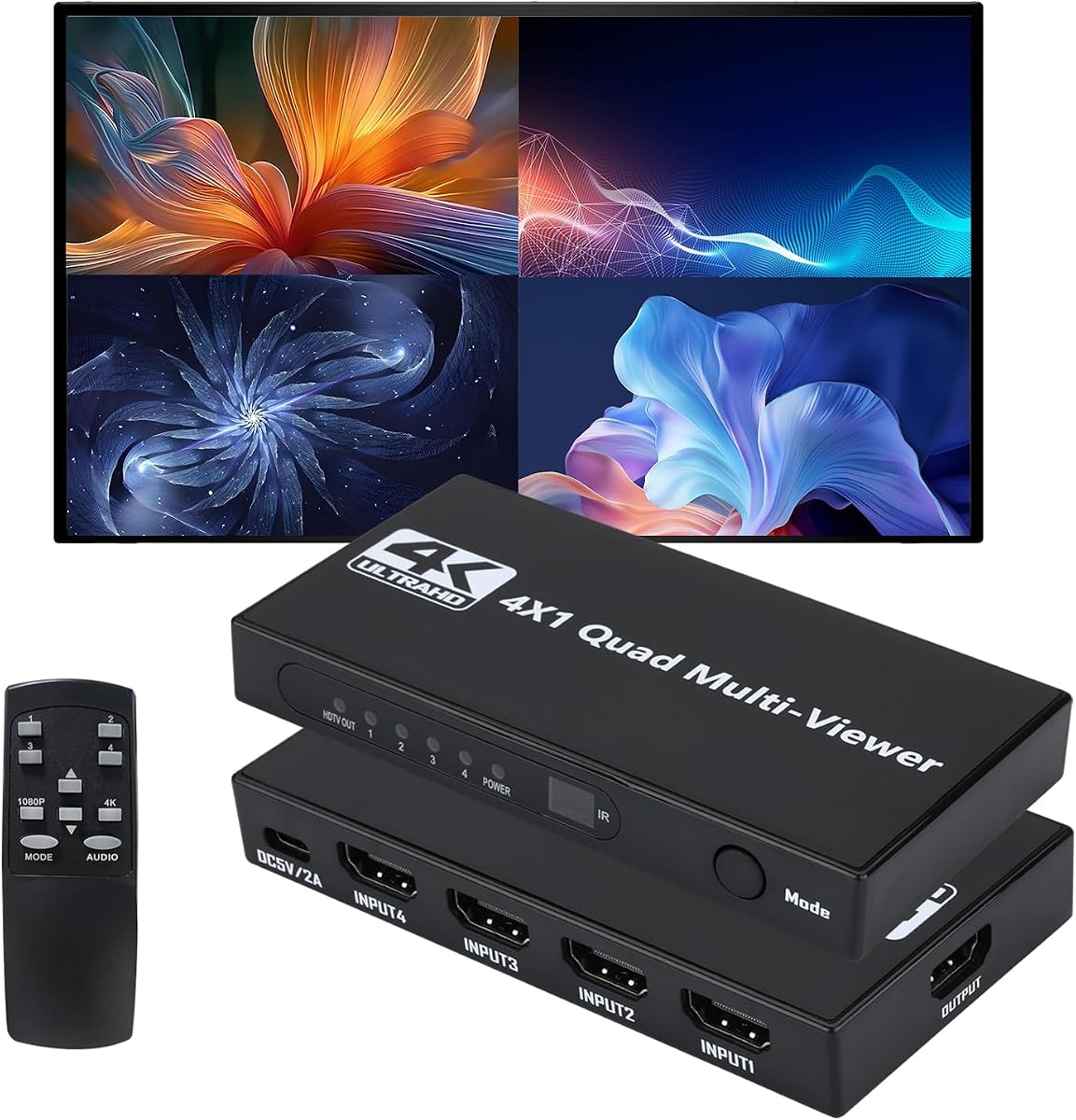
The OREI 4×1 Out Quad Screen Multiviewer is a no-frills option for combining four HDMI sources on one display. Its 4.3 rating reflects generally favorable customer feedback, and its included remote, power supply, and manual make it approachable for first-time users.
We may earn a commission when you buy through this link, at no additional cost to you.
The device offers five display modes and can switch sources through the IR remote or front-panel buttons. An additional VGA output broadens display compatibility, while 1080p resolution is sufficient for many office, classroom, and residential monitoring applications.
The specification sheet does not list 4K support, so this unit should be treated as a 1080p-class choice. Its single main output also means it cannot independently feed two displays as the OREI 4×2 model can.
This multiviewer is best for buyers seeking a familiar and uncomplicated four-screen system. It is particularly attractive when legacy displays with VGA input are part of the installation.
Five display modes cover the common needs of full-screen viewing, side-by-side comparison, and four-window monitoring without requiring advanced setup.
The HDMI main output and secondary VGA output make it easier to use the multiviewer with both modern and legacy displays.
We may earn a commission when you buy through this link, at no additional cost to you.
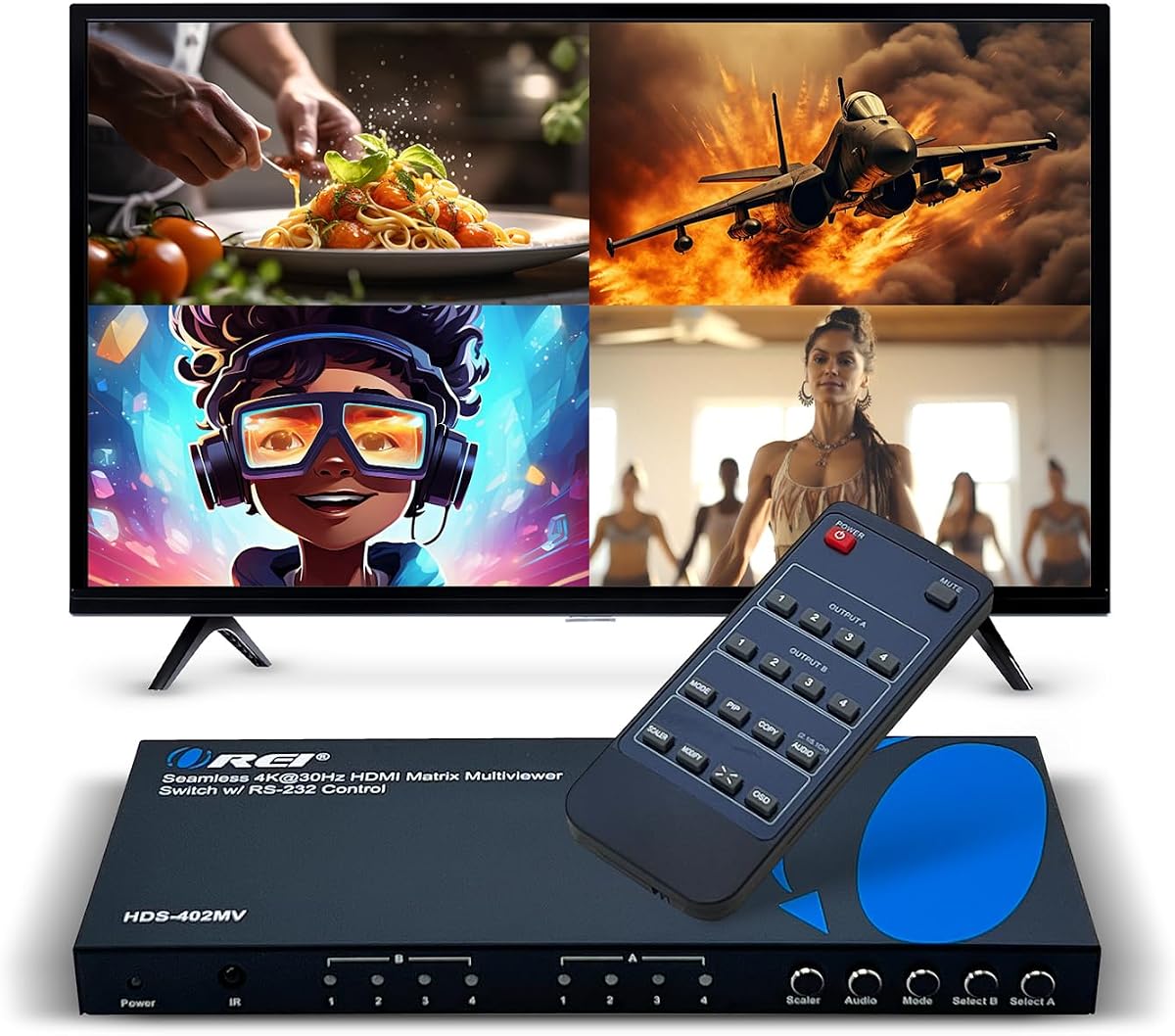
The OREI 4×1 Multiviewer Switch supports 4K at 30Hz and 2K at 60Hz while retaining a familiar four-input layout. Its 4.3 rating and broad format support make it a balanced option for users who need higher-resolution source handling than a basic 1080p model.
We may earn a commission when you buy through this link, at no additional cost to you.
Five viewing modes, picture-in-picture, EDID support, and both IR and RS-232 control offer a useful combination of flexible layouts and installation options. The integrated audio converter enables simultaneous digital and analog output across the available audio channels, supporting formats including DTS Digital, Dolby Digital, LPCM, Dolby TrueHD, and Master Audio.
A VGA output adds compatibility with additional displays, although the core experience still centers on one HD television or monitor. The 30Hz ceiling for 4K may also matter for high-refresh computer use, even though 2K at 60Hz remains available.
Choose this model for a control room, media wall, or professional monitoring station that needs 4K input handling, flexible audio routing, and serial control without moving to a full matrix system.
Support for 4K at 30Hz and 2K at 60Hz provides more flexibility than 1080p-only models while remaining suitable for many professional displays.
The integrated converter can provide digital and analog output simultaneously, reducing the need for separate audio extractors in many installations.
We may earn a commission when you buy through this link, at no additional cost to you.
The OREI 4×2 Quad Multi HDMI Viewer stands out with a 4.7 customer rating, dual HDMI outputs, and 4K downscaling. It is the most balanced option in this guide for users who need more than a basic four-window monitor but do not require the complexity of a four-output matrix controller.
We may earn a commission when you buy through this link, at no additional cost to you.
Four HDMI inputs can feed two HD televisions or monitors, with real-time switching up to 4K at 30Hz. Five display modes, an advanced picture-in-picture window that can occupy any corner, and audio output through optical or left/right ports make it useful for professional monitoring installations.
Control is available through the IR remote, front panel, and RS-232 interface. Supported video modes include 4K at 24, 25, or 30Hz, 1080p at 50 or 60Hz, 720p at 50 or 60Hz, and 480p, while LPCM and AC3/DTS audio are supported.
This is the best overall recommendation for a compact professional setup needing two displays, mixed control methods, and useful audio extraction. Installation planning is slightly more involved than with a one-output model, but the flexibility is substantial.
The second HDMI output allows the same four-source system to serve two displays, supporting production, monitoring, and presentation arrangements.
RS-232 control, an on-screen display, and included mounting brackets help make the unit more suitable for permanent installations.
We may earn a commission when you buy through this link, at no additional cost to you.
The OREI UHD 4×1 Multi HDMI Viewer is designed for users who want a four-source multiviewer capable of 4K at 60Hz. Its 4.0 rating is solid, though not the highest in the group, and its specification set is especially attractive for modern high-resolution displays.
We may earn a commission when you buy through this link, at no additional cost to you.
Five viewing modes and support for 2K at 60Hz provide several ways to organize sources. The device includes EDID management, RS-232 and IR control, HDCP 2.2, and optical plus left/right analog audio outputs. It also supports DTS Digital, Dolby Digital, LPCM, Dolby TrueHD, and Master Audio.
One audio source can be selected at a time, so users should not expect independent audio mixing for every window. There is also only one video output, which limits the arrangement compared with the OREI 4×2 or the J-Tech matrix controller.
This is a compelling choice for a single 4K monitor used with consoles, computers, media players, and streaming devices. It is best when high refresh rate, HDCP support, and external audio routing are priorities.
Full 4K at 60Hz support distinguishes this unit from multiviewers that restrict 4K to 30Hz or omit 4K output entirely.
Optical and analog outputs support common amplifier arrangements, although the selected audio source must be changed manually.
We may earn a commission when you buy through this link, at no additional cost to you.
This 4K 4-in-1 Multiviewer combines four HDMI inputs, one output, eight viewing modes, and support for 4K at 60Hz. Its 3.9 rating is the second-lowest in the list, but the specification set makes it a relevant option for buyers prioritizing layouts and high-resolution switching.
We may earn a commission when you buy through this link, at no additional cost to you.
The available modes include full screen, dual side-by-side, dual top-and-bottom, picture-in-picture, four equal screens, and one-large-with-three-small arrangements. Sources can be changed with the included remote or onboard buttons, and full-screen operation functions as a conventional seamless switch.
HDCP 2.2, 2.0, and 1.4 compatibility gives it broad appeal for media devices and modern displays. Synchronized audio is another useful feature, though the product information does not describe the same breadth of extracted digital or analog outputs as some OREI alternatives.
This device suits gamers and general users who want 4K switching plus numerous layouts in a simple one-output box. Its more modest customer rating warrants checking recent reviews, but the stated capabilities are strong for the product category.
The wide selection of layouts allows the user to move between equal quadrants, comparisons, picture-in-picture, and prioritized full-screen viewing.
Full-screen seamless switching gives the device a practical role even when all four sources do not need to remain visible.
We may earn a commission when you buy through this link, at no additional cost to you.
The HDMI 4×1 Quad Multiviewer has the highest customer rating in this roundup at 4.8 and offers an unusually broad set of 12 display modes. It combines four HDMI inputs with a single display output, making it a flexible choice for game studios, surveillance, retail, and conferencing.
We may earn a commission when you buy through this link, at no additional cost to you.
In multiview mode, output reaches 1080p at 60Hz, while full-screen mode supports 4K at 30Hz. Sources can be selected through panel buttons or an IR remote, and the listed 16:9-to-4:3 image scaling helps reduce distortion in multi-view arrangements.
Compatibility spans Windows, Linux, Unix, and Mac OS, and the device reportedly requires no driver installation. One practical omission is the AAA battery for the IR remote, which must be supplied separately, and 4K output is limited to 30Hz.
This is a strong recommendation for users who value layout choice and operating-system flexibility over high-refresh 4K. It is especially appealing for live monitoring, multi-system use, and gaming installations.
The unusually large mode selection supports different monitoring priorities, from equal four-screen views to custom single-source and picture-in-picture arrangements.
Support for major desktop operating systems and driver-free operation simplifies connections to laptops and PCs.
We may earn a commission when you buy through this link, at no additional cost to you.
The J-Tech Digital MV41A is a four-input, one-output multiviewer and seamless switcher supporting 4K at 60Hz. Its 3.6 rating is the lowest among these products, so buyers should examine recent feedback carefully, though the stated feature set is highly competitive.
We may earn a commission when you buy through this link, at no additional cost to you.
Eight display modes include picture-in-picture, picture-by-picture, and quad-view layouts. An on-screen display and PC software allow users to rearrange sources, resize and reposition the PIP window, and adjust aspect ratios to avoid stretching.
Audio extraction through RCA and optical outputs is unusually strong, with listed support for Dolby Digital, DTS-HD, and up to 7.1 channels. Mounting ears and screws support permanent installation, while the included warranty and lifetime technical support offer after-sales assistance.
This model is best for users who need detailed on-screen layout control and advanced audio routing more than multiple display outputs. It is a polished single-screen option, but the lower rating makes it less compelling than several similarly featured alternatives.
OSD and PC software controls make it easier to place and resize windows than with devices offering only physical buttons and preset layouts.
RCA and optical outputs provide dedicated routes to amplifiers and surround sound systems, with broad listed format support.
We may earn a commission when you buy through this link, at no additional cost to you.
The OREI Quad Screen Multiviewer is an affordable and approachable four-source monitor with a 4.4 customer rating. It supports up to 1080p and 2K at 60Hz, includes a VGA output, and offers the core functionality most home and small-office users need.
We may earn a commission when you buy through this link, at no additional cost to you.
Five display modes can be selected through the IR remote or front-panel buttons. PCM 2.0 stereo audio is available through both HDMI and 3.5mm connections, making it easy to connect speakers without relying solely on display audio.
Its 1080p-oriented output is the clearest limitation. Buyers seeking 4K should choose one of the newer 4K models, and users needing two screens should consider the OREI 4×2. Even so, the product's straightforward operation, broad device compatibility, and included accessories improve its appeal.
This is the best budget pick for gamers, educators, and home users who need to monitor four sources on one screen. It delivers the essential multiviewing experience without requiring specialized configuration software.
A front-panel interface and included IR remote make it easy to choose layouts and sources without navigating complex menus.
HDMI and 3.5mm stereo outputs cover most common speaker and display arrangements for a straightforward installation.
We may earn a commission when you buy through this link, at no additional cost to you.
The J-Tech Digital VWM04 is a premium matrix video wall controller with four HDMI inputs, four HDMI outputs, and comprehensive network control. Its 4.2 rating and broad feature set position it as a professional choice for command rooms, digital signage, production environments, and multi-display installations.
We may earn a commission when you buy through this link, at no additional cost to you.
Sources can be routed to any combination of four outputs with seamless switching. Ten video-wall configurations, including 2×2, 1×4, and 4×1 layouts, provide numerous ways to construct large displays. The multiviewer function can also show all four sources on one screen through five presets.
Input supports 4K at 60Hz with 4:2:0, while output reaches 4K at 30Hz and offers selectable 1080p, 720p, 2560×1440, 1920×1200, and 1360×768 modes. RS-232, LAN, and web control enable centralized management, while 180-degree rotation supports flexible display orientation.
This is the premium recommendation for installations where independent routing and video-wall management justify added complexity. It is not the simplest choice for one monitor, but it offers far more control when managing several displays and sources.
Any input can be assigned to any combination of outputs, allowing one controller to manage displays throughout a professional facility.
LAN and web control make the system easier to configure and operate remotely, especially in installations with multiple viewing areas.
We may earn a commission when you buy through this link, at no additional cost to you.
Choosing an HDMI multiviewer requires balancing source count, display resolution, layout options, audio routing, control methods, and installation complexity. The most capable device is not always the right choice for a simple two-screen setup.
Most multiviewers in this guide accept four HDMI sources, which is enough for four consoles, computers, cameras, or media players. Output count matters just as much: a single-output model forces every source onto one display, while a two-output model can serve two screens and a 4×4 matrix can route sources across four independently controlled displays.
Match the number of connected sources and displays rather than paying for unused ports. Also consider whether the device must duplicate one view across several screens or show different source combinations at each location.
A 1080p multiviewer is adequate for many offices, homes, and basic monitoring systems, but 4K support is preferable for dense layouts, detailed interfaces, and modern commercial displays. Check both the maximum resolution and refresh rate because some devices support 4K at 30Hz while others reach 4K at 60Hz.
For gaming and high-motion computer use, 60Hz is the safer target. For static monitoring and standard professional displays, 4K at 30Hz may be sufficient and less demanding on the connected equipment.
Common layouts include four equal windows, two side-by-side sources, top-and-bottom sources, full screen, and picture-in-picture. Models with one large and three small windows are useful when one feed needs more detail. Devices with more presets offer flexibility but can also be less intuitive, so check how those modes are selected.
For advanced installations, prioritize on-screen display controls, movable picture-in-picture windows, aspect-ratio adjustment, and software configuration. These features help prevent stretched images and make frequent source changes more efficient.
Some displays provide usable audio, but a multiviewer with a 3.5mm, RCA, or optical output can send sound to a dedicated amplifier or speaker system. Pay attention to the formats supported, since basic stereo extraction and support for surround or digital formats serve different installations.
Also determine whether audio follows the selected source, remains fixed to one input, or can be selected independently. A single-output device that switches video may not provide independent audio for every visible window.
Front buttons and an infrared remote are standard for compact systems, while RS-232 enables integration with control processors. Matrix systems may also offer LAN and browser-based control, which is valuable when the multiviewer is installed remotely or managed as part of a larger professional system.
Choose the simplest control method that fits the installation. More control options improve automation, but they can also add configuration work for a desktop user who only needs occasional source changes.
A multiviewer should support the resolution, refresh rate, HDCP standard, and audio format used by your sources. EDID management can help devices negotiate a compatible display profile, reducing blank screens, unstable windows, and resolution problems. Broad console, streaming, and computer compatibility is also useful if the setup may change.
Check the listed specifications rather than assuming every model handles the newest devices identically. Confirm supported 4K modes, chroma formats, and HDCP versions before making a final decision.
Compact desktop units are convenient for home offices, studios, and temporary monitoring stations. Permanent installations benefit from mounting brackets, locking or secured connections, serial control, and network management. The included power supply, remote, cables, and manual can also affect setup convenience.
Consider cable reach and heat management as well. A professional installation may require additional cables, adapters, or signal distribution equipment that is not included with the multiviewer itself.
Begin by identifying the resolution, refresh rate, HDCP requirements, and audio format of every source. Connect the HDMI devices to the multiviewer inputs, connect the multiviewer output to the intended display, and power the unit before turning on the source equipment. This sequence helps the display negotiate a stable signal.
Use the remote, front-panel buttons, serial controller, or web interface to select the appropriate viewing layout. Test each input in full-screen mode before relying on quad or picture-in-picture views. Confirm that labels, borders, aspect ratios, and PIP placement remain clear at the viewing distance used in your installation.
For permanent use, secure cables where possible, provide ventilation, and avoid placing the unit beneath equipment that can block heat dissipation. Clean the housing with a dry or lightly damp soft cloth, and do not open the enclosure while it is powered. Update any control software according to the manufacturer's instructions and keep the manual accessible for future layout changes.
An HDMI multiviewer combines multiple HDMI sources and displays them together on one screen or across multiple screens. Depending on the model, it can show four equal windows, compare two sources, create a picture-in-picture layout, or route full-screen video without changing equipment. It also commonly includes source switching and audio extraction.
Yes, provided the computer output and the multiviewer input use compatible resolutions and refresh rates. Many models support Windows, macOS, and Linux systems without additional drivers. EDID management can help the computer select a suitable display profile, although very high resolutions may require manual configuration.
Not necessarily. A multiviewer may accept one 4K source at 60Hz while rendering four multiview windows at a lower output resolution, often 1080p. Check the full-screen and multiview output specifications separately, and confirm the maximum resolution and refresh rate for each mode before buying.
A switcher sends one selected input to one or more outputs, while a multiviewer can place several inputs on the same display. Many products combine both functions, using seamless full-screen switching for a single source and multiple layouts for simultaneous monitoring.
That depends on the model. The OREI 4×2 has two HDMI outputs, and the J-Tech Digital VWM04 offers a full four-output matrix. Basic 4×1 units generally have one primary output, sometimes with a VGA output intended for compatibility rather than two independent multiview displays.
Remote and front-panel controls are sufficient for a desktop installation with occasional switching. RS-232 becomes useful when integrating the multiviewer with a control system, while LAN and web control help manage permanent installations with multiple displays. Choose advanced control only when the system will genuinely use it.
The ten products reviewed here are primarily four-input multiviewers, although the J-Tech Digital VWM04 can route four inputs across four outputs. The J-Tech Digital MV41A has one output, while the OREI 4×2 can use two outputs for dual-display arrangements. Check both source and output counts when planning an installation.
A stretched image usually indicates a mismatched source aspect ratio or a multiview layout that does not scale it correctly. A blank window may mean the selected input is inactive, its resolution is unsupported, or the display has negotiated an unsuitable EDID profile. Test the source in full-screen mode and adjust aspect-ratio or scaling settings.
The OREI 4×2 Quad Multi HDMI Viewer is the strongest all-around choice because it combines two outputs, 4K downscaling, five layouts, flexible PIP placement, and professional control options. The OREI Quad Screen Multiviewer is a sensible budget selection, while the J-Tech Digital VWM04 leads the premium group with true matrix routing and network management.
Start with the requirements that cannot be compromised: number of inputs, number of outputs, required resolution, and audio routing. Add layout flexibility, serial control, software configuration, and mounting hardware only when they serve a real need. A simple one-screen system is usually easier to operate and maintain than an advanced controller with unused capabilities.
Finally, check the current listing, included accessories, warranty terms, and price before ordering. Ratings and product configurations can change, and current cost may differ from earlier promotions. Confirm that the model still meets your display, source, and installation requirements.