
UGREEN Cat 8 Ethernet Cable 3FT
4.7Editor score
40Gbps maximum data rate
Flat, space-saving profile
Shielded twisted-pair construction
Discover the best Ethernet cable for Mac, comparing speed, shielding, length, connector design, compatibility, and setup needs.
An Ethernet cable for Mac can provide a stable, low-latency wired connection for home offices, creative workstations, gaming setups, and media rooms. The right cable depends on your network equipment, available space, installation conditions, and whether you need a standard RJ45 connection or a USB-C adapter.
We compared all ten options by examining their stated category, maximum bandwidth, shielding, conductor construction, length, connector style, and device compatibility. The list includes shielded and flat Cat 8 cables, Cat 6 options, a direct-burial model, and a USB-C Ethernet adapter made for MacBook and iPad Pro users.
Each entry identifies the cable's strongest use case while also noting important limitations, such as bulkier shielding, unshielded construction, fixed cable length, or the need for a separate USB-C adapter. Product ratings and availability can change, and current prices should be checked before making a final purchase.
4.7Editor score

4.8Editor score

4.7Editor score
This side-by-side comparison highlights cable category, reach, bandwidth, shielding, and connector approach so Mac users can identify the option that best fits their network and installation.
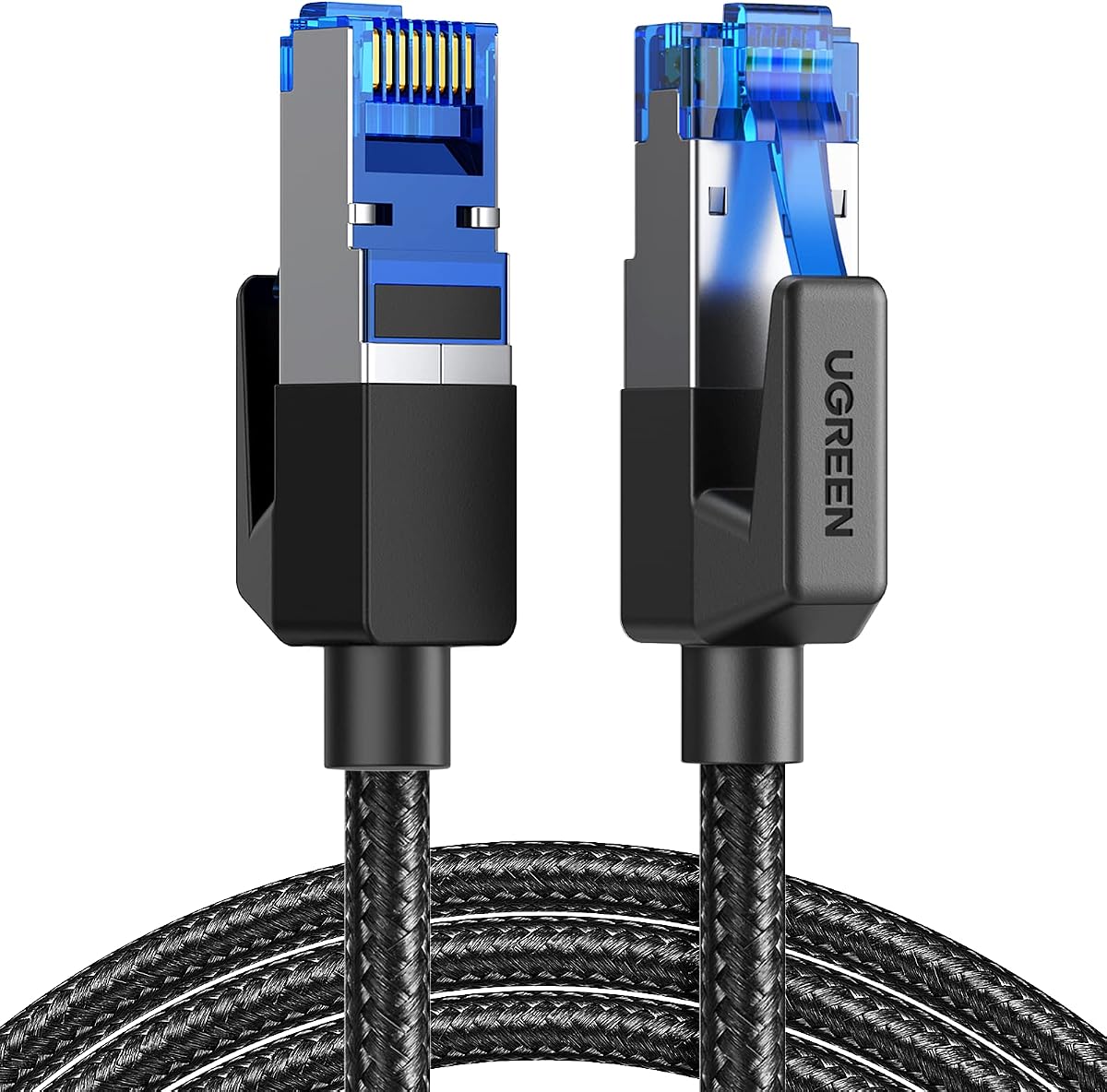


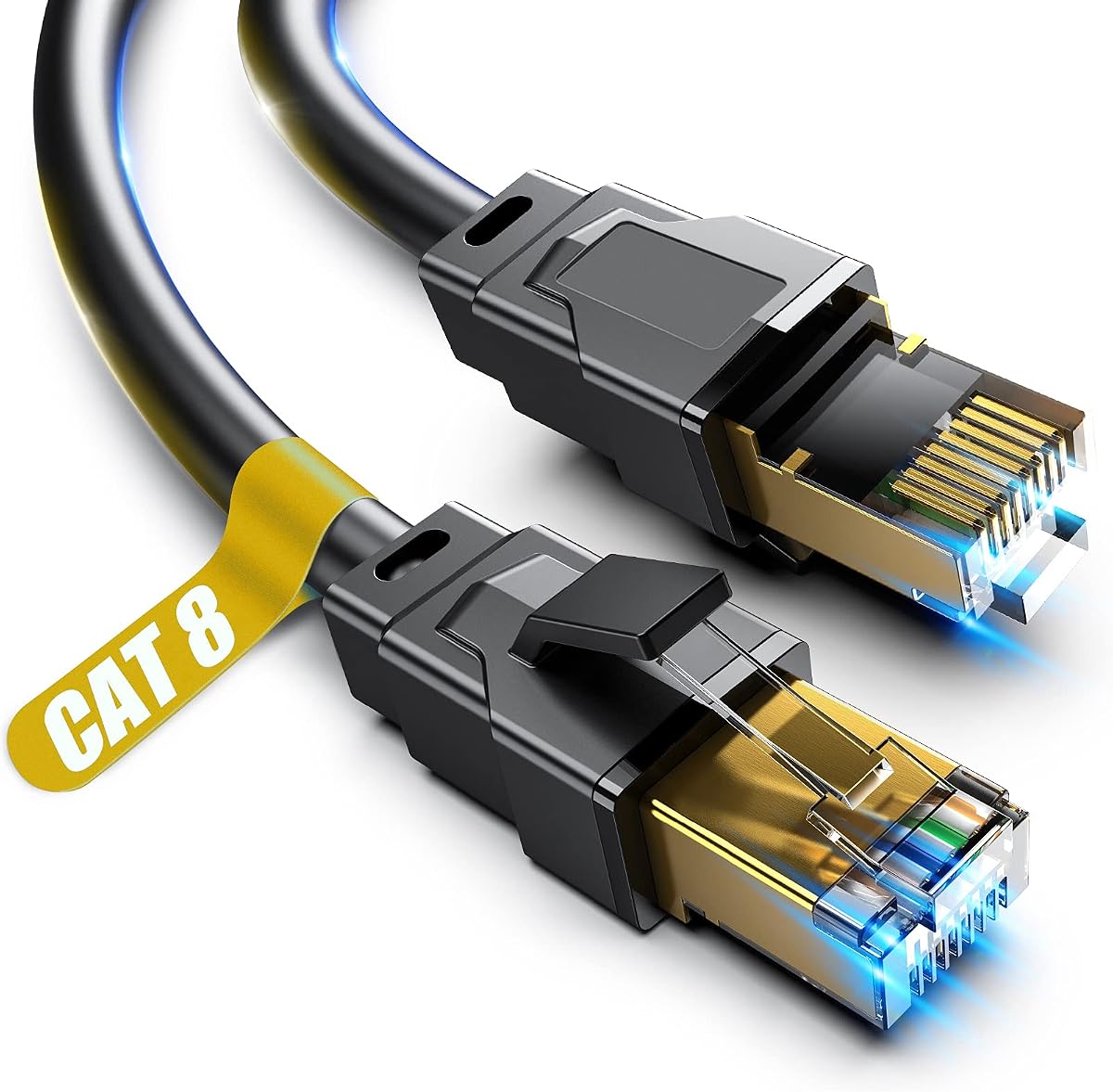

The UGREEN Cat 8 Ethernet Cable 6FT holds a 4.7 rating and stands out as a balanced choice for Mac owners who want high stated bandwidth, shielding, and everyday durability. Its specification of up to 40Gbps and 2000MHz makes it a suitable option for demanding wired networks, although the actual connection speed will depend on the Mac, router, switch, and other equipment in the chain.
We may earn a commission when you buy through this link, at no additional cost to you.
Four shielded foiled twisted pairs, a pure copper core, and gold-plated RJ45 connectors form the cable's main technical strengths. Those features are intended to reduce interference, noise, and crosstalk while maintaining a stable connection. The cotton-braided exterior adds strength, and the manufacturer states that the cable is tested to withstand at least 10,000 bends.
Its stated PoE support is useful when connecting compatible network equipment, although that feature does not make it an outdoor or direct-burial cable. The six-foot length is convenient for a desk, entertainment center, or nearby router, but it may be too short for a Mac located in another room. Its high-end category also offers more capability than many home connections can use.
This is a strong all-round pick for a Mac desktop or MacBook positioned close to a router. Choose it when shielding, braid durability, broad compatibility, and a compact cable length matter more than a low-profile profile. For users needing a longer run or cleaner edge routing, one of the flat alternatives may be a better fit.
The F/FTP construction uses four individually shielded foiled twisted pairs to help limit crosstalk and external interference. That makes this cable a sensible choice near shared spaces, entertainment equipment, or busy network installations where signal stability is important.
The braided jacket is designed to withstand frequent bending, pulling, and plugging. At six feet, it also provides enough reach for a typical desk arrangement without introducing the extra slack associated with longer patch cables.
We may earn a commission when you buy through this link, at no additional cost to you.
The Smolink Cat 8 Ethernet Cable, 50ft has a 4.7 rating and targets Mac users who need more distance than a standard desktop patch cable provides. Its stated 40Gbps speed and 2000MHz bandwidth suit high-capacity wired networks, while the 50-foot length can bridge rooms, walls, desks, and corners with fewer connection interruptions.
We may earn a commission when you buy through this link, at no additional cost to you.
Each of the four twisted pairs is individually wrapped in aluminum foil in a U/FTP arrangement. The manufacturer says this helps reduce crosstalk, noise, and signal interference for cleaner transmission. A nylon braided jacket is intended to add everyday durability while keeping the cable flexible enough for routing around furniture and through work areas.
The main tradeoff is the fixed 50-foot length. That is ideal for a room-to-room connection but may leave excess cable in a compact installation. Also, a Mac with USB-C rather than a built-in RJ45 port needs a suitable adapter, so the cable is not a completely self-contained solution for every Mac.
This is a compelling premium choice for a Mac workstation in a separate room or a home office positioned far from the router. Its combination of reach, shielding, flexibility, and high stated bandwidth makes it particularly useful for users who want one long cable instead of several shorter segments.
Fifty feet gives Mac users considerable freedom when placing a router, switch, desktop, or media device. It can run along a wall or around a corner without requiring an intermediate coupler, making it a more unified installation than a series of short cables.
The U/FTP shielding is intended to reduce crosstalk and noise from adjacent pairs and other cables. That can be useful where the Mac setup shares space with power lines, entertainment equipment, or multiple networked devices.
We may earn a commission when you buy through this link, at no additional cost to you.
The DbillionDa Cat 8 Ethernet Cable, 6FT carries a 4.7 rating and is the clear choice here for installations that pass through outdoor areas. It is explicitly designed for outdoor and direct-burial use, with a waterproof, anti-corrosion PVC jacket intended to withstand exposure in challenging conditions.
We may earn a commission when you buy through this link, at no additional cost to you.
Four shielded foiled twisted pairs and 26AWG optical-fiber conductors provide the stated basis for stable, high-load networking. The cable is advertised for up to 40Gbps and 2000MHz, while its RJ45 connectors support routers, switches, IP cameras, modems, consoles, smart TVs, patch panels, and servers.
UV resistance, anti-aging construction, and tolerance for direct sunlight, cold, humidity, and hot weather distinguish it from indoor-focused alternatives. The fixed six-foot length may be a major limitation for a Mac located beyond the immediate exterior of a wall or network cabinet. It also offers more ruggedization than a normal home-office link requires.
This is a strong choice for connecting a Mac to an outdoor network point, camera, or router where the cable must cross an exposed area. For an indoor desk connection, its specialized construction adds little practical value, and buyers should first confirm that the route and six-foot length will work.
The weatherproof, UV-resistant jacket is designed for outdoor exposure and direct burial. This makes the cable more appropriate than a conventional indoor patch cable when the Mac connection must pass through exterior space.
The 26AWG optical-fiber conductors are thicker than 32AWG alternatives and are intended to support stable data transmission. Combined with F/FTP shielding, they suit data-intensive networks and installations with several connected devices.
We may earn a commission when you buy through this link, at no additional cost to you.
The Jadaol Cat 8 Ethernet Cable 25ft has a 4.7 rating and focuses on tidy, low-profile installation. Its flat form can run along walls, around corners, and through narrow spaces more discreetly than a round braided cable, making it especially attractive for a Mac desk or home entertainment arrangement.
We may earn a commission when you buy through this link, at no additional cost to you.
The cable supports up to 40Gbps and 2000MHz according to its specifications. S/FTP shielded twisted pairs and gold-plated RJ45 connectors are included to reduce electromagnetic interference and support reliable performance. Compatibility extends across Cat5, Cat5e, Cat6, Cat6a, and Cat8 networks and includes routers, switches, modems, computers, laptops, printers, NAS devices, and smart TVs.
The principal benefit of a flat cable is routing flexibility, not a change in the way it connects. Its white finish may be convenient for pale desks or walls but could show dust or scuffs over time. The listing also does not identify it as weatherproof or suitable for direct burial, so it should be treated as an indoor cable.
This is an attractive pick for Mac users who want a longer connection without a thick cable crossing the floor. It is especially useful along room edges, beneath desk edges, or behind a media cabinet. Buyers wanting an exposed exterior run should choose a model explicitly rated for outdoor conditions.
The flat jacket slides neatly along edges and corners and can be tucked under carpet or furniture. This makes the 25-foot cable easier to manage when appearance and cable bulk are priorities.
The Cat 8 designation supports modern high-bandwidth networks, while backward compatibility lets the cable connect to a wide range of RJ45 equipment. The actual link rate remains limited by whichever device in the chain has the lowest capability.
We may earn a commission when you buy through this link, at no additional cost to you.
The UGREEN Cat 8 Ethernet Cable 3FT is a compact choice with a 4.7 rating. Its three-foot length is tailored to a Mac positioned close to a router or network switch, while the flat profile avoids the bulk and loose loops commonly associated with longer patch cables.
We may earn a commission when you buy through this link, at no additional cost to you.
Despite its compact size, the stated specifications include 40Gbps data transfer, 2000MHz bandwidth, 26AWG pure copper conductors, and U/FTP shielding. Gold-plated connectors and four shielded twisted pairs are intended to reduce interference and crosstalk, while a braided exterior adds mechanical strength.
The listing specifically describes the cable for indoor wiring and notes that it can be placed under a door, through a window, or under carpet. The manufacturer states that the braided construction is tested to withstand at least 10,000 bends. This makes it a sensible option for a frequently handled desktop connection.
This is the top budget pick for Mac users who need a tidy link between nearby equipment and do not need to cross a room. It is not the right choice when the router is far away, but for a short indoor run it combines useful shielding, flexible routing, and strong stated construction without unnecessary length.
Three feet is sufficient for many desktop arrangements where the Mac and router are close together. The shorter lead also reduces excess cable that might otherwise need to be coiled or hidden.
The U/FTP shield and gold-plated connectors target signal stability, while the braided jacket is intended to resist repeated bending. Both are useful qualities for a cable that will be plugged, moved, and handled regularly.
We may earn a commission when you buy through this link, at no additional cost to you.
The 8-foot Cat 8 Ethernet Cable has a 4.7 rating and offers a middle-ground length for Mac setups that need a little more reach than a three-foot cable. It supports up to 40Gbps and 2000MHz and uses standard RJ45 connectors for connection to compatible network equipment.
We may earn a commission when you buy through this link, at no additional cost to you.
Four shielded twisted pairs are described as SSTP, and the connector contacts use 50-micron gold plating. The solid copper conductors are intended to improve conductivity, reduce signal attenuation, and support stable high-speed transmission. Its 48-strand cotton yarn braid is designed to improve strength and resist tangling.
The product is described as suitable for indoor and outdoor use and for operation in cold, wet, and hot environments. However, it does not list the same direct-burial and UV-resistance details as the dedicated outdoor options in this list. Its shorter product title also leaves the construction less granularly specified than some alternatives.
This cable fits a Mac user who wants a medium-length, reinforced connection for a nearby desk, entertainment center, or office. It is a flexible all-around option, but buyers with demanding outdoor or in-wall routing requirements should look for a model with explicit installation ratings.
Eight feet offers enough distance to navigate around a desk or connect adjacent pieces of equipment while avoiding the 50-foot length of a long-run cable. It is a practical middle option for many home offices.
Solid copper wiring is intended to support conductivity and reduce attenuation, while gold-plated contact pins provide a plated connection surface. Together they complement the cable's shielding for stable wired networking.
We may earn a commission when you buy through this link, at no additional cost to you.
The Jadaol Cat6/Cat6A Ethernet Cable 50FT has a 4.7 rating and offers a long, flat alternative for Mac users who want practical 10Gbps capability without a higher-category cable. It supports standard Ethernet use across 10BASE-T, 100BASE-TX, 1000BASE-T, and 10GBASE-T networks.
We may earn a commission when you buy through this link, at no additional cost to you.
Its stated 10Gbps speed and 250MHz bandwidth are sufficient for common home and office wired networks. The cable uses 30AWG bare copper wire, gold-plated RJ45 connectors, and UTP construction. The flat profile can be run along walls, around corners, or under carpet, and the included clips help keep it positioned neatly.
The lack of shielding means it may be less tolerant of interference than the Cat 8 options, particularly in installations with nearby electrical noise or many parallel cables. It is also less future-oriented in maximum bandwidth terms, though the actual network speed still depends on the connected Mac and router or switch.
This is a strong choice for a Mac placed in another room or a large office where a discreet 50-foot run is needed. Buyers should favor it for simple Gigabit or 10Gbps networks and choose a shielded cable when signal conditions are more demanding or future bandwidth is the primary goal.
The 50-foot flat cable is designed to span larger spaces without the thickness of a conventional round patch cable. Included clips help maintain the route along walls, edges, and corners for a tidier installation.
Support for 10GBASE-T and 1000BASE-T makes the cable appropriate for both current Gigabit networks and faster wired equipment. Its Cat6 foundation is less aggressive than Cat 8 but remains broadly useful for typical home-office networking.
We may earn a commission when you buy through this link, at no additional cost to you.
The Cable Matters 10Gbps Snagless Cat 6 Ethernet Cable, 25ft has a 4.8 rating, the highest among the products listed. It is a strong general-purpose choice for Mac users who value a recognized performance standard, practical length, and support for multiple forms of Power over Ethernet.
We may earn a commission when you buy through this link, at no additional cost to you.
The cable uses a 24AWG bare copper core and provides up to 550MHz bandwidth and 10Gbps transfer. It meets or exceeds Category 6 performance under the TIA/EIA 568-C.2 standard while remaining compatible with existing Cat5 networks. Gold-plated contacts and strain-relief boots are intended to improve connector durability.
PoE, PoE+, and PoE++ support make it useful for IP cameras, VoIP phones, and wireless access points, provided those devices and the network switch support the relevant standard. The 25-foot length is substantial for a desk and should be measured against the complete cable path. Its Cat6 category also means it cannot take full advantage of a faster network alone.
This cable is a strong choice for a Mac workstation that needs dependable wired networking and may also serve powered network devices. It balances capability with broad utility, while users seeking the highest stated bandwidth or outdoor installation should choose a more specialized option.
Support for PoE, PoE+, and PoE++ allows compatible IP cameras, VoIP phones, and access points to receive power and data through one Ethernet run. This can simplify a network that includes several powered endpoint devices.
The 24AWG bare copper core, 550MHz bandwidth, and Category 6 standard compliance provide a clear performance foundation. The snagless connector design and strain-relief boots focus on practical longevity in daily installations.
We may earn a commission when you buy through this link, at no additional cost to you.
The Vabogu Cat 8 Ethernet Cable, 6FT carries a 4.7 rating and gives Mac users a compact cable with unusually broad installation flexibility. The product title shows numerous available lengths, while the selected variant is six feet, making it appropriate for a nearby router, switch, or Mac desk.
We may earn a commission when you buy through this link, at no additional cost to you.
The stated maximum data rate is 40Gbps with 2000MHz bandwidth. Construction includes four 26AWG oxygen-free copper pairs, STP shielding, an aluminum foil shield, a woven mesh shield, and a UV-resistant PVC jacket. These details are intended to reduce interference and support indoor, outdoor, and direct-burial use.
Compatibility extends to Mac equipment with RJ45 connectivity, along with IP cameras, routers, Nintendo Switch, modems, consoles, patch panels, servers, NAS devices, printers, VoIP phones, hubs, and smart TVs. The many lengths shown in the title may create some uncertainty about the specific variant, so buyers should confirm that the six-foot selection is the one being ordered.
This cable works well for a Mac that needs both high stated bandwidth and installation flexibility. Its compact length and direct-burial capability make it versatile, although a simple indoor desk application does not need every feature. Confirm length and connector requirements before purchase.
The UV-resistant PVC jacket and ability to be buried directly expand the cable's installation options. That makes it useful when a Mac network route must cross from an indoor area into an exterior or exterior-rated network device.
The shielded RJ45 design is listed for a broad collection of routers, computers, NAS devices, cameras, consoles, and smart TVs. It also supports older Cat5 through Cat7 categories, adding flexibility for mixed equipment.
We may earn a commission when you buy through this link, at no additional cost to you.
The TP-Link USB C to Ethernet Adapter (UE300C) has a 4.6 rating and is a different kind of solution from the nine cable options. It gives a MacBook Pro, MacBook Air, or iPad Pro with USB-C a dedicated RJ45 port for a wired network connection, making it especially useful for travel or temporary setups.
We may earn a commission when you buy through this link, at no additional cost to you.
The adapter provides a 10/100/1000Mbps RJ45 Ethernet port over USB-C 3.0. The listing notes that a Cat6 or higher Ethernet cable is needed to reach 1Gbps, so the adapter must be paired with a suitable cable rather than functioning as a complete wired connection by itself.
Its compact dimensions of 2.8 by 1.0 by 0.6 inches make it easy to carry, and no driver is required for macOS or the other listed operating systems. The 1Gbps ceiling is more than adequate for many internet connections but falls short of the 40Gbps and 10Gbps claims associated with some cable categories in this guide.
This is a strong pick for a Mac user who values portability and instant plug-and-play setup over maximum possible bandwidth. It is particularly helpful when replacing unstable Wi-Fi, traveling, or connecting temporarily in a conference room. For a stationary high-speed workstation, a direct RJ45-equipped Mac or a higher-bandwidth adapter may be preferable.
The adapter transforms a USB-C port into an RJ45 Ethernet connection. That can provide a more consistent link for meetings, gaming, media streaming, and file transfers when a wireless connection is unstable.
At 2.8 by 1.0 by 0.6 inches, the adapter fits easily in a laptop bag or pocket. Its plug-and-play operation also reduces setup time when moving between offices, hotel rooms, and conference spaces.
We may earn a commission when you buy through this link, at no additional cost to you.
The best Ethernet cable for Mac is the one that matches your equipment, network speed, routing requirements, and connection method. Consider bandwidth, shielding, length, connector access, and installation environment before choosing.
Many modern Macs rely on USB-C or Thunderbolt rather than a built-in RJ45 Ethernet jack. If your Mac has only USB-C, you will need a compatible USB-C Ethernet adapter, such as the TP-Link UE300C included in this guide, before connecting a standard RJ45 cable. A Mac with a built-in Ethernet port can connect directly to an RJ45 patch cable. Older desktop Mac models may use a different Ethernet interface, so confirm the physical connector before ordering.
In short, match the Mac's port first, then select the cable.
A cable's stated maximum is only one part of the connection. The Mac, router, switch, network interface, and active network standard must all support the desired rate. The Cat 8 products here advertise up to 40Gbps and 2000MHz, while the Cat 6 options list up to 10Gbps and 250MHz or 550MHz. Most home internet connections operate well below these limits, so the fastest specification may offer little visible benefit unless the entire network is equipped for it.
In short, prioritize a category supported by every device.
Shielded Ethernet cables use foil, mesh, or other barriers around twisted pairs to reduce electromagnetic interference and crosstalk. Options labeled F/FTP, U/FTP, S/FTP, SSTP, or STP offer different shielding arrangements, and all of the Cat 8 products in this list include some form of shielding. The Jadaol Cat6 model uses UTP, meaning its pairs are unshielded, which can be acceptable in a clean installation but less suitable around heavy electrical interference. The exact protection depends on both the cable and how the installation is grounded and routed.
In short, use shielding in busy or electrically noisy areas.
Measure the complete path rather than only the straight-line distance between the Mac and router. Include space around furniture, wall corners, desk height, cable bend radius, and room entrances. The list provides three-, six-, eight-, 25-, and 50-foot options, plus one outdoor model with a six-foot length. Very short leads are easier to conceal but offer less flexibility, while longer cables can create excess loops or require careful routing along walls and under carpets.
In short, measure the full route and add practical slack.
Flat cables are easier to place beneath carpet, under doors, behind furniture, and along the edge of a wall. They suit clean, low-profile installations, although they may be less forgiving in tight bend locations than a flexible round cable. Braided cables add a reinforced exterior that is intended to withstand frequent bending, pulling, and unplugging. They can be visually prominent and may have a larger diameter, so construction should be chosen with both routing and appearance in mind.
In short, choose flat for concealment and braid for handling.
An indoor patch cable is intended for a protected route within a room or building. Outdoor installation requires a jacket designed to resist moisture, ultraviolet exposure, temperature changes, and corrosion. The DbillionDa model is explicitly described for outdoor and direct-burial use, while the Vabogu model also lists indoor, outdoor, and direct-burial capabilities. The UGREEN braided Cat 8 cable is marked for indoor use, and no outdoor rating is stated for the Jadaol, Smolink, or other general-purpose options.
In short, verify weather and burial ratings before routing outside.
Power over Ethernet allows a compatible device to receive electrical power and data through one Ethernet cable. The UGREEN six-foot Cat 8 option states that PoE is supported at that length, and the Cable Matters Cat 6 cable supports PoE, PoE+, and PoE++. The PoE device, network switch, and cable must all use compatible standards. This factor matters for IP cameras, VoIP phones, and wireless access points but is unnecessary for a basic Mac-to-router connection.
In short, confirm PoE standards when powering network devices.
A stationary Mac can usually accommodate a standard patch cable, but travelers may value a smaller, self-contained solution. The TP-Link UE300C measures 2.8 by 1.0 by 0.6 inches and adds a 1Gbps RJ45 port directly to a USB-C Mac or tablet. It is designed for plug-and-play use without drivers. Because it is an adapter rather than a cable, a separate Ethernet lead is still required, and the 1Gbps maximum is lower than several cable options here.
In short, choose an adapter for portable Mac connectivity.
Begin by identifying the ports on your Mac and network equipment. Connect one end of the RJ45 cable to the Mac's Ethernet port or to a compatible USB-C Ethernet adapter, and connect the other end to a router, switch, or network wall jack. If the Mac uses an adapter, connect the adapter first and confirm that macOS recognizes the wired connection before adding the cable.
Route the cable without creating tight bends, sharp corners, or bundles under heavy tension. Use the supplied clips for a flat cable when appropriate, secure longer runs along walls, and keep indoor cables separate from power cords where practical. For outdoor or direct-burial routes, use only a cable specifically rated for that environment and follow any installation instructions provided with the product.
When disconnecting the cable, grip the RJ45 plug rather than pulling the wire. Keep the connector free of dust, moisture, and debris, and avoid sharply folding the cable for storage. If a Mac connection becomes unstable, check both ends, reseat the plug, test the network port, and try another cable before assuming the network equipment is at fault.
Many modern MacBook Pro, MacBook Air, and iPad Pro models rely on USB-C or Thunderbolt for wired networking. They generally require a compatible USB-C Ethernet adapter before a standard RJ45 cable can be used. Some Mac desktop models include a dedicated Ethernet port, so checking the physical connectors on the specific model is essential.
Usually not for ordinary home internet use, because the available connection rate depends on the Mac, router, switch, and internet plan. Cat 8 can be useful for compatible high-capacity networks, workstations, NAS devices, or future-oriented installations. A Cat 6 cable may satisfy the same everyday task when the connected equipment operates at 1Gbps or 10Gbps.
The Cat 8 products in this guide are described as backward compatible with Cat7, Cat6a, Cat6, Cat6e, Cat5e, and Cat5 devices. The actual connection will operate at the speed supported by the slowest compatible device in the chain. Backward compatibility does not mean an older Mac or router will achieve the cable's maximum advertised bandwidth.
Choose a flat cable when the priority is discreet routing along walls, beneath carpet, under doors, or around furniture. Choose a braided cable when frequent handling, pulling, or plugging is expected and a reinforced exterior is more useful. Both styles can support high-speed connections when their underlying category and construction suit the network.
Yes, an outdoor-rated cable can generally be used indoors, although it may be bulkier or more expensive than an indoor cable and offers features you do not need. The reverse is not always true: a cable without an outdoor, weatherproof, UV-resistant, or direct-burial rating should not be assumed safe for exposed exterior installation.
A three-foot cable works well when the Mac is immediately beside the router or switch, while six to eight feet suits many desk arrangements. Twenty-five or fifty feet can be appropriate for separate rooms. Measure the entire route, including furniture, corners, and bend space, and avoid buying substantially more length than necessary.
No, Wi-Fi remains sufficient for many browsing and productivity tasks. A wired connection can be preferable for large file transfers, online gaming, video meetings, and areas with crowded or weak wireless coverage. It can also reduce variability caused by interference and network congestion on the wireless channel.
The best approach is to match the cable to your network requirements and use a compatible USB-C adapter with an RJ45 port. The TP-Link UE300C in this guide provides a compact 1Gbps option, while the listed RJ45 cables support different bandwidth categories. For full 1Gbps adapter performance, its product information recommends using Cat6 or higher Ethernet cable.
The three leading choices serve different needs. UGREEN's three-foot flat Cat 8 cable is the best budget option for a nearby Mac and router, Smolink's 50-foot Cat 8 cable leads long-run premium users, and Cable Matters' 25-foot Cat 6 cable offers the highest listed rating plus broad PoE support. Each provides a distinct balance of reach, construction, and installation flexibility.
Before buying, prioritize the connector your Mac actually has, the lowest speed supported by your network equipment, the available routing path, and the installation environment. Shielded Cat 8 is a strong choice for high-capacity or interference-prone networks, Cat 6 remains useful for many standard setups, and an explicitly outdoor-rated cable is essential for exposed routes.
Ratings, specifications, promotions, and availability can change, so verify the current listing details and price before ordering. Once the correct category, length, and connection method are confirmed, a properly routed Ethernet cable can give a Mac a dependable wired connection for years of everyday use.