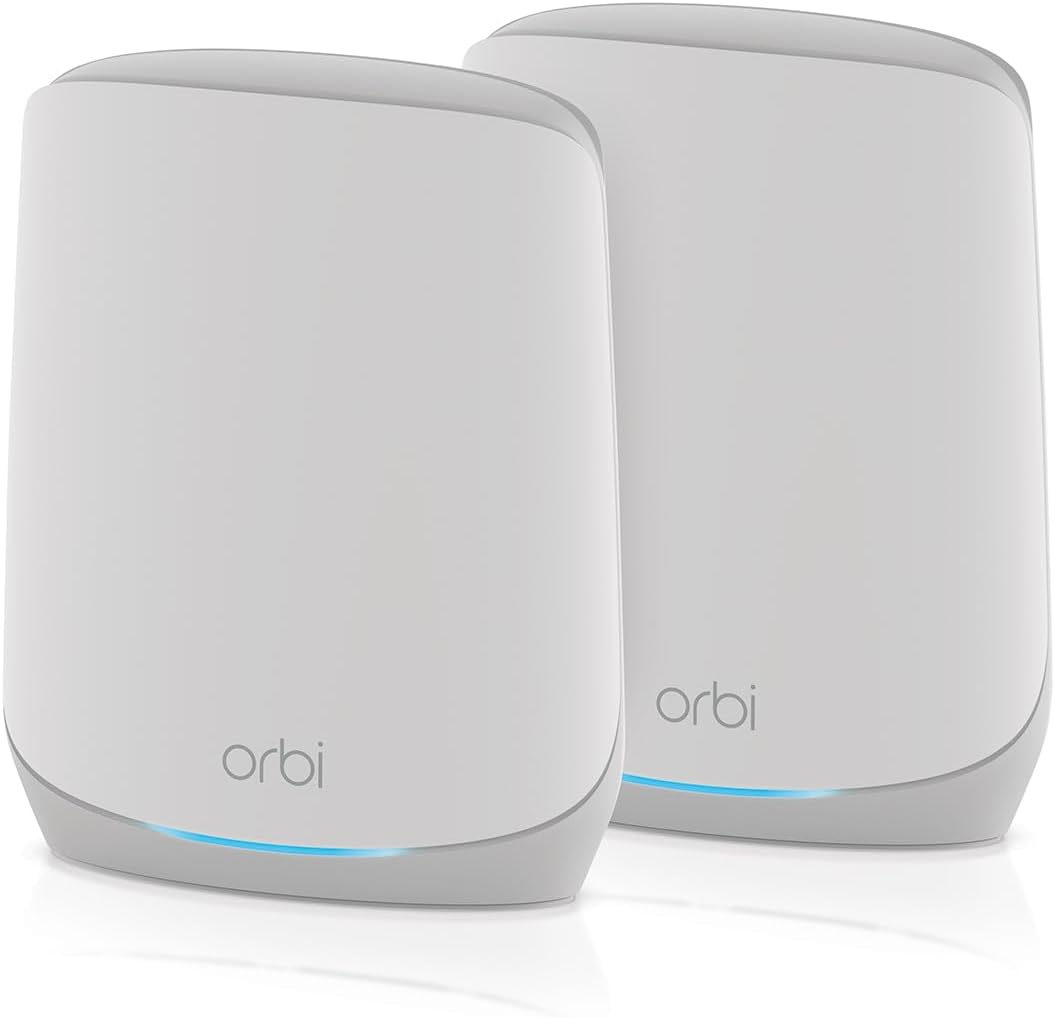
NETGEAR Orbi Tri-Band WiFi 6 Mesh Network System (RBK762S)
4.1Editor score
Up to 5,000 square feet
AX5400 tri-band WiFi 6
Supports 75 devices
This guide compares the best Netgear Orbi Mesh System options, covering coverage, wireless speed, ports, security, and expansion ease.
A Netgear Orbi Mesh System can eliminate weak WiFi areas, preserve roaming between rooms, and give a busy household a more dependable network. The right model depends on home size, construction, device count, internet speed, and whether you want WiFi 6, WiFi 6E, or WiFi 7 performance.
We compared the supplied Orbi systems and closely related mesh options by examining stated coverage, wireless generation, backhaul design, Ethernet connectivity, device capacity, security features, and expansion compatibility. The list includes complete systems, add-on satellites, a cable modem router combo, and one alternative mesh system for broader comparison.
Each review explains who the product suits, which capabilities distinguish it, and where its compromises may matter. Ratings and technical claims reflect the supplied product information, while prices and promotions can change, so shoppers should confirm current availability and costs before purchasing.
4.1Editor score
4.3Editor score

3.7Editor score
The comparison covers WiFi generation, aggregate speed, stated coverage, device capacity, wired options, and the role each product plays within a mesh network.


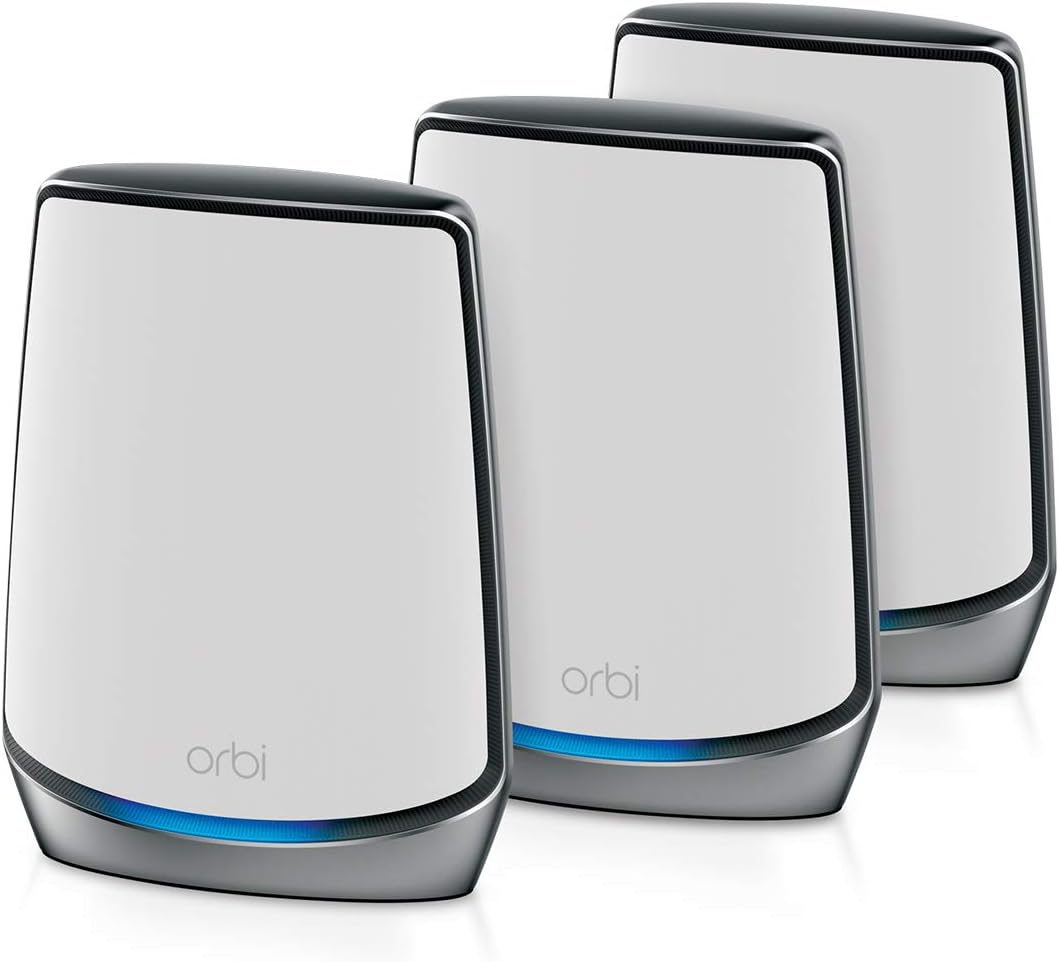


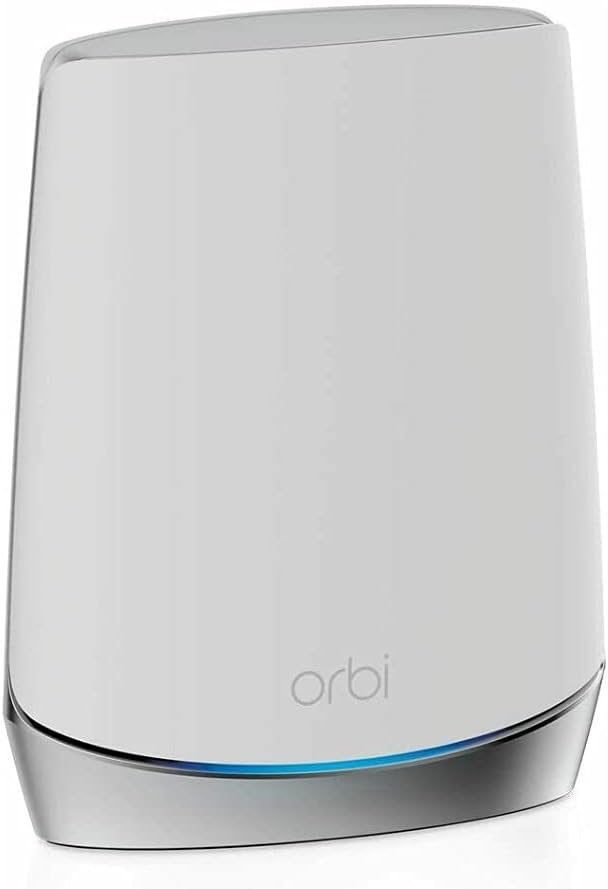

The NETGEAR Orbi 970 Series RBE973S is a premium WiFi 7 mesh system rated 3.7. It combines a router with two satellite extenders, four distinct wireless bands, and stated aggregate performance of up to 27 Gbps. Its combination of broad coverage, dedicated backhaul, 200-device support, and a 10 Gig internet port makes it the most advanced system in this comparison.
We may earn a commission when you buy through this link, at no additional cost to you.
Quad-band technology is the centerpiece. NETGEAR assigns the Enhanced Dedicated Backhaul its own wireless lane so satellite traffic does not have to share the same capacity as client traffic. That design is especially relevant in homes where several high-bandwidth activities occur simultaneously, including 8K streaming, gaming, virtual reality, and video conferencing. The system also remains backward compatible with older WiFi devices, allowing households to upgrade gradually instead of replacing every client at once.
The stated coverage of up to 10,000 square feet and support for as many as 200 devices make the RBE973S appropriate for large homes with multiple floors, outdoor areas, basements, or a substantial collection of connected equipment. A 10 Gig internet port is also useful for current and future high-speed plans. The trade-off is that this is far more advanced and expensive than a conventional WiFi 6 Orbi package, while its 3.7 rating is the second-lowest in the group.
Buy this model if you want top-tier wireless capacity, own bandwidth-intensive devices, or need a mesh architecture designed for heavy simultaneous use. Its lower rating tempers the recommendation, and advertised peak speeds are not the same as real-world throughput, which depends on the internet plan, client hardware, interference, placement, and obstacles. Even so, no other Orbi package here combines WiFi 7, quad-band dedicated backhaul, three units, 10 Gig connectivity, and such extensive stated coverage.
Enhanced Dedicated Backhaul reserves capacity for communication between the router and satellites. In a demanding household, that separation can help maintain client performance when multiple rooms are streaming, gaming, or working simultaneously.
The RBE973S supports older WiFi devices alongside WiFi 7 clients. Existing phones, laptops, printers, and smart-home products can remain connected while newer hardware takes advantage of the newer standard.
We may earn a commission when you buy through this link, at no additional cost to you.
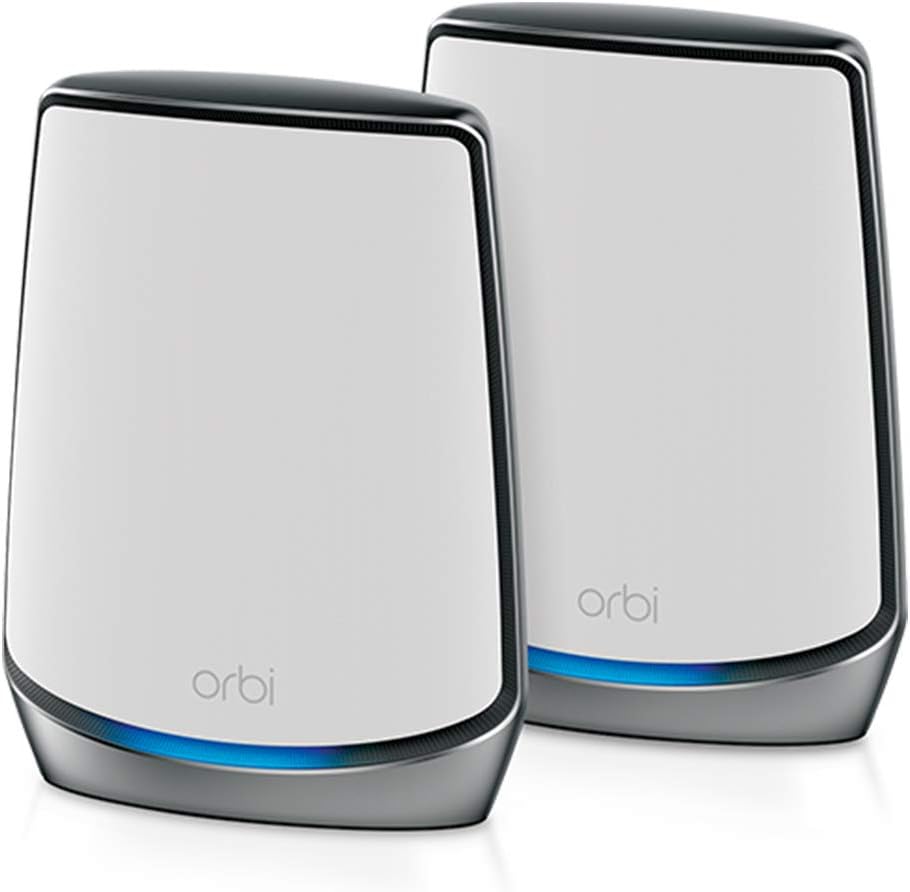
The NETGEAR Orbi RBK852 is our Editor's Choice and a strong all-around mesh WiFi 6 package. It carries a 4.3 rating, includes a router and one satellite, and promises up to 5,000 square feet of coverage for as many as 100 devices. Its AX6000 specification, four Gigabit Ethernet ports per unit, and straightforward app-based management suit a wide range of modern homes.
We may earn a commission when you buy through this link, at no additional cost to you.
The tri-band arrangement provides more usable wireless capacity than a basic dual-band mesh system. It is intended to support uninterrupted streaming, HD video gaming, and web conferencing, which remain common household demands even when every client is not WiFi 6 capable. The system is compatible with cable, satellite, fiber, and DSL internet services up to 2.5 Gbps, offering considerable flexibility for different providers.
NETGEAR Armor is included with a 30-day trial, while built-in security measures and updates help protect the network. Its main limitation is the single included satellite. Additional Orbi satellites can expand coverage by approximately 2,500 square feet each, but they are sold separately. A buyer with a large house may therefore end up with a three-piece configuration later.
This is the most balanced recommendation for shoppers who want proven Orbi features without moving to the 970 Series. It is especially appropriate for medium homes, families with many connected devices, and users who prioritize a 4.3 rating, wired connectivity, and easy expansion. Those needing WiFi 7, 6 GHz support, or multi-gigabit wired networking should consider newer alternatives.
Four Gigabit Ethernet ports appear on both the router and satellite. This lets a desktop, game console, television, or network storage device use a stable wired connection in a secondary room instead of relying entirely on WiFi.
NETGEAR Armor offers trial access to tools intended to help protect against hackers, malware, and identity theft, while the Orbi app handles setup and management. Users should review subscription terms before deciding whether continued coverage is necessary.
We may earn a commission when you buy through this link, at no additional cost to you.
The NETGEAR Orbi 970 Series add-on satellite is a specialized expansion unit rated 3.3. Designed for RBE971, RBE972, and RBE973 systems, it adds up to 3,300 square feet of stated coverage to an existing 970 Series network. Its WiFi 7 and quad-band capabilities make it the appropriate satellite when extending a high-end Orbi installation.
We may earn a commission when you buy through this link, at no additional cost to you.
The unit reserves a dedicated lane for satellite traffic through Enhanced Dedicated Backhaul, helping client devices maintain performance when they connect through an extension node. The system supports WiFi 7, WiFi 6, WiFi 5, and older devices, and uses one network name so phones and computers can roam between locations without manually joining separate networks.
The central limitation is compatibility. This is not a complete mesh system and cannot provide the same role as a router. It is designed specifically for the 970 Series, so buyers who already own a compatible system can add seamless capacity, while new users should select a bundled system instead. Its 3.3 rating is the lowest of the ten products in the comparison.
Choose this satellite when an existing 970 Series network has a coverage gap, particularly in a large home with difficult construction. Its stated 27 Gbps aggregate speed and dedicated backhaul make it suitable for demanding clients, but actual improvement will depend on the quality of the main system, placement, and the devices being served. It is an expansion accessory rather than a general-purpose mesh purchase.
Place the satellite in the area where signal is weak, such as an upstairs wing, basement, or rear section of the property. Its stated additional area of 3,300 square feet makes it useful for filling a targeted gap rather than deploying unnecessary nodes.
Because the satellite works within the same mesh ecosystem, compatible devices can move between access points under one network name. This simplifies everyday use and reduces the need to detect and select separate local networks.
We may earn a commission when you buy through this link, at no additional cost to you.
The NETGEAR Orbi RBK762S is the budget-focused mesh option in this guide, with a 4.1 rating. It includes a router and one satellite extender, delivers tri-band WiFi 6 performance up to 5.4 Gbps, and is stated to cover up to 5,000 square feet for 75 devices. It provides the essential elements of a modern Orbi mesh network without moving to the latest wireless generation.
We may earn a commission when you buy through this link, at no additional cost to you.
The system supports internet service up to 2.5 Gbps across cable, satellite, fiber, and DSL providers. Its wired configuration is less generous than that of the RBK852: the router has three Gigabit Ethernet ports and the satellite has two. That limitation can matter for a home office, entertainment center, or network storage device, although it remains sufficient for many connected households.
NETGEAR Armor is included for one year, offering a meaningful advantage over packages that provide only a short trial. The system can also be expanded with an Orbi 760 satellite sold separately, and setup follows the familiar Orbi app workflow. As with other mesh routers, it connects to an existing cable modem or gateway rather than acting as a modem itself.
The RBK762S is best for buyers who want to solve coverage problems with a complete two-piece WiFi 6 system at a more modest investment. It should suit average homes, apartments, and families with moderate streaming and browsing needs. Those with heavy local traffic, numerous Ethernet-connected devices, or newer WiFi 7 equipment will receive more value from a higher-tier model.
AX5400 tri-band performance is more than sufficient for many homes using fiber, cable, or other broadband connections. The exact experience still depends on the available internet speed and the capabilities of individual client devices.
A one-year NETGEAR Armor subscription gives buyers more time to evaluate the optional security service than the 30-day trial offered with several other systems. Continued use after that period depends on current subscription terms.
We may earn a commission when you buy through this link, at no additional cost to you.
The TP-Link Deco 7 Pro is included as a useful alternative to Orbi rather than another NETGEAR product. Rated 4.2, it is a three-pack tri-band WiFi 7 mesh system with stated coverage up to 7,600 square feet and support for more than 200 devices. Its headline specification is a future-ready 10 Gbps WAN/LAN connection, accompanied by four 2.5 Gbps ports and one USB 3.0 port.
We may earn a commission when you buy through this link, at no additional cost to you.
Deco's stated band capacities are 5,188 Mbps at 6 GHz, 4,324 Mbps at 5 GHz, and 574 Mbps at 2.4 GHz. The system is designed for 4K and 8K streaming, augmented and virtual-reality gaming, and other demanding uses. AI-Roaming is intended to maintain a consistent experience as users move among units, while a single network name keeps the system simple to operate.
Security features include network protection, parental controls, and real-time IoT protection, both at home and away. A VPN feature allows household devices to access remote VPN servers without installing VPN software on each device, and the Deco app handles setup, management, and firmware updates. As with most routers, a separate modem is required for many internet services.
This system is worth considering when multi-gigabit Ethernet, a large three-unit package, and a higher 4.2 rating are priorities. However, it cannot be mixed with Orbi hardware as though the two brands share one mesh ecosystem. Shoppers specifically committed to the NETGEAR Orbi app, Netgear Armor interface, or existing Orbi satellites should choose an Orbi product instead.
Four 2.5 Gbps WAN/LAN ports and a 10 Gbps connection give the Deco 7 Pro useful headroom for modern networks. These options can benefit users with faster broadband plans, local storage, and demanding wired endpoints.
The three-piece package and stated 7,600-square-foot coverage make it a strong contender for larger homes. Placement quality remains essential because walls, floors, and interference can reduce the usable range suggested by maximum specifications.
We may earn a commission when you buy through this link, at no additional cost to you.
The NETGEAR Orbi RBK853 is a three-piece WiFi 6 mesh system rated 4.2. It includes a router and two satellite extenders, claims coverage up to 7,500 square feet, and supports as many as 100 devices. Its AX6000 tri-band platform delivers aggregate performance up to 6 Gbps, making it a natural choice for larger homes that do not need the newest wireless standard.
We may earn a commission when you buy through this link, at no additional cost to you.
All three components provide four Gigabit Ethernet ports, giving connected devices several places to attach throughout the property. The system supports internet services up to 2.5 Gbps, including cable, satellite, fiber, and DSL, and works with an existing cable modem. Dedicated backhaul helps preserve mesh performance when a client connects through a satellite rather than the main router.
NETGEAR Armor includes a 30-day trial, and the Orbi app provides centralized setup and management. The stated 7,500-square-foot range is helpful for homes with multiple floors or a sizable footprint, but walls, floors, interference, and node placement can affect real-world performance. Like all mesh systems, the maximum figure represents a controlled ideal rather than a guarantee for every floor plan.
Choose the RBK853 when you need a complete three-node WiFi 6 network in a large home and prefer the Orbi ecosystem over the 970 Series. It is especially compelling for users with several Ethernet-connected devices. New construction using WiFi 7 clients or a need for multi-gigabit ports may justify a newer platform, but for many large homes this remains a balanced choice.
The included router and two satellites make it easier to position coverage throughout a large home from day one. In many layouts, that avoids the need to purchase additional nodes later and then determine where they will provide the greatest benefit.
Four Gigabit Ethernet ports on the router and each satellite support wired connections in several areas. This is useful for a desktop computer, television, game console, or other device that benefits from a stable physical link.
We may earn a commission when you buy through this link, at no additional cost to you.
The NETGEAR Orbi CBK752 is a cable modem and router combination with one mesh satellite. Rated 4.0, it delivers AX4200 tri-band WiFi 6 performance up to 4.2 Gbps and is stated to cover up to 5,000 square feet for 40 or more devices. It simplifies setup for compatible cable subscribers by replacing separate modem and WiFi router equipment with one coordinated system.
We may earn a commission when you buy through this link, at no additional cost to you.
The combination includes a DOCSIS 3.1 cable modem router and an Orbi satellite. Four Gigabit Ethernet LAN ports are located on the modem router and two on the satellite, allowing consoles, streaming devices, computers, and storage to connect by cable. Its compatibility information lists certification with Xfinity up to 900 Mbps, Spectrum up to 1 Gbps, and Cox up to 1 Gbps, although current provider requirements should be confirmed.
This is not a general-purpose router bundle. It is incompatible with fiber, DSL, and satellite internet, so a household with one of those services must use a conventional Orbi system and a separate modem. A 30-day NETGEAR Armor trial is available, and the router includes automatic firmware updates, WiFi encryption, and a separate guest network. An optional RBS750 can add another 2,500 square feet.
The CBK752 is a compelling choice for eligible cable customers who want fewer boxes, easier management, and whole-home WiFi from one product family. It is less flexible than the RBK852 or RBK853 because the modem component is built in. Confirm ISP compatibility, activation procedures, and the provider's supported speed before buying.
Integrating the cable modem and router removes the need to pair a separate modem with a mesh system. The Orbi app or a web browser can guide setup after the coax connection is established, simplifying administration for cable subscribers.
Gigabit LAN ports on the router and satellite allow selected devices to use wired networking in more than one area. These connections can reduce reliance on WiFi for bandwidth-sensitive or latency-sensitive equipment.
We may earn a commission when you buy through this link, at no additional cost to you.
The NETGEAR Orbi 970 Series RBE972S is a two-piece WiFi 7 mesh package rated 3.3. It combines a router and one satellite extender, supports up to 200 devices, and has stated coverage of 6,600 square feet. A 10 Gig internet port and aggregate wireless performance up to 27 Gbps distinguish it from conventional WiFi 6 systems.
We may earn a commission when you buy through this link, at no additional cost to you.
Patented quad-band technology and Enhanced Dedicated Backhaul reserve capacity for communication between the router and satellite. This is a useful architecture for homes with high client traffic, and the WiFi 7 platform supports demanding activities such as 8K streaming, video calls, gaming, and virtual reality. Existing WiFi 6, WiFi 5, and older devices remain compatible.
Compared with the RBE973S, this package saves a third node but also reduces stated coverage from 10,000 to 6,600 square feet. It may therefore fit a medium or large home that can be served effectively by two units, especially when placed well. Its 3.3 rating is the lowest among the listed products, which should prompt shoppers to consider customer feedback and current product revisions carefully.
The RBE972S makes sense for buyers who want WiFi 7 and multi-gigabit internet access without purchasing the full three-piece 970 Series bundle. It is also a logical platform for later expansion with a compatible 970 satellite. Those primarily seeking value should look to WiFi 6, while homes with exceptionally heavy local traffic may prefer the three-node RBE973S.
The included 10 Gig internet port provides a high-capacity connection between the Orbi router and the home network. It can accommodate faster internet tiers, though actual service speed is also limited by the provider and client devices.
One included satellite provides a two-node foundation for a compatible home. Users can later add another 970 Series satellite, but should plan placement based on where the wireless signal actually becomes weak.
We may earn a commission when you buy through this link, at no additional cost to you.
The NETGEAR Orbi RBS750 is an add-on satellite rated 4.4, the highest customer rating in this comparison. It works with the RBK752 Orbi WiFi 6 system and adds up to 2,500 square feet of stated coverage. Its AX4200 tri-band performance is rated up to 4.2 Gbps, and it supports the same single-network roaming experience as the parent system.
We may earn a commission when you buy through this link, at no additional cost to you.
This satellite is useful when an existing Orbi installation does not reach a bedroom, office, upstairs area, or other distant part of the home. Instead of replacing the entire system, a homeowner can add a node and remove a coverage gap. The Orbi app handles configuration, and connected devices can move between the router and satellite under one WiFi network name.
The major limitation is ecosystem compatibility. The supplied information specifically identifies compatibility with the RBK752, so buyers should verify that their existing router belongs to a supported generation before ordering. The RBS750 is an extender rather than a complete system and requires a functioning Orbi router and internet connection.
This is the most highly rated item in the guide and a cost-effective way to refine an RBK752 installation. It is best for owners of that system who need one more area covered without replacing working hardware. New shoppers should start with a bundle, while owners of other Orbi generations should confirm compatibility or choose a satellite explicitly designed for their system.
If most of the home is well served but one region remains weak, adding the RBS750 can be more economical than replacing a functioning mesh system. The result still operates as one network rather than a separate extension with another password.
A 4.4 rating gives this satellite the strongest numerical rating among the ten entries. While ratings do not replace technical evaluation, they can be useful when weighing an otherwise straightforward expansion accessory.
We may earn a commission when you buy through this link, at no additional cost to you.
The NETGEAR Orbi RBSE960 is a quad-band WiFi 6E add-on satellite rated 4.3. It is compatible with the RBRE960 router and the RBKE962 and RBKE963 Orbi WiFi 6E systems. Each unit adds up to 3,000 square feet of stated coverage, bringing aggregate performance to as much as 10.8 Gbps across the quad-band architecture.
We may earn a commission when you buy through this link, at no additional cost to you.
The key benefit of WiFi 6E is access to the 6 GHz band. Compatible laptops, phones, and tablets can use this additional spectrum for high-speed, relatively uncongested wireless links. The satellite is therefore most valuable in homes with several modern WiFi 6E clients that can exploit the available capacity rather than in homes limited to older standards.
As an add-on, the RBSE960 cannot replace a router and should be added only to a listed compatible system. It includes NETGEAR security features and updates, and its stated 3,000-square-foot contribution makes it useful for a large home, basement, upstairs floor, or poorly reached exterior area. The maximum coverage remains sensitive to building materials, interference, and placement.
Shoppers with an existing RBRE960, RBKE962, or RBKE963 should consider this satellite when they need more high-speed coverage. New buyers should instead select a compatible complete system, while users with WiFi 7 requirements can move to the 970 Series. Within the 6E generation, the RBSE960 offers a strong combination of capacity, coverage, and a 4.3 rating.
The 6 GHz band adds fresh spectrum for compatible WiFi 6E devices. It can improve available wireless capacity and reduce competition with the more crowded lower bands, although only supported clients can take direct advantage.
The RBSE960 supports three named Orbi configurations, giving owners of those systems a clear upgrade path. It should not be assumed to work with every Orbi generation, making model verification an essential buying step.
We may earn a commission when you buy through this link, at no additional cost to you.
Choosing a mesh system requires balancing floor-plan coverage, client standards, wired needs, internet speed, and the cost of a complete or expandable configuration.
Coverage claims provide a useful starting point, but the shape and construction of a home matter as much as its total square footage. Thick masonry, multiple floors, long corridors, basements, garages, and outdoor areas can all reduce range. A two-node system may be enough for a modest single-story home, while a large or complex property often benefits from three strategically placed units rather than simply more nodes in a cluster.
Choose a product whose stated coverage and included hardware match your property. Add-on satellites are useful for filling a specific weak zone, while a complete bundle offers a more balanced deployment from the beginning.
WiFi 6 is still highly capable for mainstream homes, while WiFi 6E introduces the 6 GHz band and WiFi 7 promises greater efficiency, capacity, and throughput. A newer system makes the most sense when several phones, laptops, televisions, or other clients support it. A WiFi 6 mesh remains more economical for households whose devices primarily use older standards.
Do not confuse aggregate router speed with individual client speed. The fastest available standard cannot overcome device limitations, and real-world throughput is also limited by the internet plan, congestion, distance, and interference.
Backhaul is the connection between the router and satellite extenders. Dedicated backhaul reserves wireless capacity for that task rather than making mesh traffic compete with phones, computers, and televisions on the same bands. Tri-band and quad-band systems generally provide more flexibility for this function, especially in busy homes.
Look for the number of bands, whether backhaul is dedicated, and the stated total wireless capacity. These figures help reveal whether a system has been designed for high client load and multi-node use rather than merely a larger advertised speed.
Ethernet remains valuable for desktop computers, game consoles, smart televisions, network storage, and home-office equipment. The RBK852 and RBK853 provide four Gigabit Ethernet ports on each unit, while the RBK762S offers three on the router and two on the satellite. The CBK752 also provides several LAN ports, but its main advantage is the integrated cable modem.
Plan where wired devices will be used before buying. If they sit beyond the router's reach, choose a bundle with Ethernet ports on its satellites or plan an appropriate accessory arrangement.
A mesh system cannot make an internet service faster than the connection supplied by the provider. Many Orbi models support plans up to 2.5 Gbps, and the 970 Series includes a 10 Gig internet port. Faster ports offer useful headroom, but they provide little benefit if the subscribed service, internal cable, or client devices cannot use that capacity.
Consider future service upgrades as well as current needs. Faster Ethernet, a suitable modem, and current routers may become bottlenecks before wireless clients do, so matching the complete system to the broadband plan is essential.
Stated device capacity offers a general guide but is not a guarantee of performance. A household with numerous smart-home products, phones, computers, televisions, and work devices may need more wireless capacity even when the listed number appears sufficient. Background updates, cloud services, and simultaneous high-definition streams can create noticeable congestion.
For busy homes, favor a higher-tier system with more bands and dedicated backhaul. For typical households, the RBK762S or RBK852 offers ample room for everyday connected devices.
Mesh systems are often expanded over time, but satellites are not universally interchangeable. The RBSE960 is listed for the RBRE960, RBKE962, and RBKE963. The RBS750 is listed for the RBK752, while the 970 Series satellite works with RBE971, RBE972, and RBE973 systems. Compatibility should be confirmed before buying an add-on.
It is often easier to start with a bundle matched to the floor plan than to assemble nodes separately. If future expansion is likely, verify that the chosen generation has the satellite you need and that the intended placement offers a clear backhaul path.
All modern mesh systems should provide encrypted WiFi, guest networking, parental controls, and automatic firmware updates, but the depth of optional security tools varies. NETGEAR Armor appears with either a 30-day trial or a one-year subscription among the reviewed Orbi packages. Read current terms carefully, especially if the goal is to retain a particular protection service after the included period ends.
The Orbi app offers a familiar management interface, but consider setup preferences as well as features. Confirm that a separate modem is required unless choosing the CBK752, and ensure your provider supports the integrated cable model if that is the plan.
Begin by identifying the best position for the router, usually near the main internet connection but in an open, central location rather than inside a cabinet or beside unnecessary electronics. Connect the appropriate modem or gateway, power the router, and use the Orbi app to complete the initial setup. Configure the administrator credentials and wireless security settings before adding many devices.
Deploy each satellite where a measurable coverage gap exists. Keep nodes in open positions with clear space around them and avoid hiding them inside furniture, closets, or enclosed shelving. After adding a satellite, allow the network to synchronize and run a speed test in each affected room to determine whether another placement or additional node would be more useful.
For long-term care, install firmware updates promptly, use unique administrator and WiFi passwords, and review connected devices periodically. Keep the units ventilated and away from direct heat. If a node experiences instability, power cycle it and the connected equipment, then recheck placement and cabling. For the CBK752, confirm current ISP compatibility before activation or replacement.
Most Orbi systems require an existing cable modem, fiber gateway, DSL modem, or other internet gateway. The router portion handles wireless networking and routing, while the separate device converts the provider's service. The CBK752 is the notable exception in this list because it combines a DOCSIS 3.1 cable modem with Orbi mesh hardware, but it only works with compatible cable service.
It can be worthwhile for households with several WiFi 7 devices, heavy simultaneous traffic, or a large property that benefits from quad-band dedicated backhaul. A WiFi 6 Orbi system remains sensible when newer client hardware is limited. Consider the entire system cost and whether faster internet or local network traffic will actually use the additional capacity.
Only when the manufacturer identifies the models as compatible. The supplied information lists the RBS750 with the RBK752, the RBSE960 with the RBRE960, RBKE962, and RBKE963, and the 970 Series satellite with RBE971, RBE972, and RBE973 systems. Always check the current compatibility chart before adding a satellite, since generations may use different radios and backhaul designs.
One satellite is often enough for a medium home with ordinary construction, while two satellites can cover a larger or multi-level residence. The right number depends more on placement and building materials than on square footage alone. Start with the included components, test performance in important rooms, and add another node only where a genuine coverage gap remains.
It can improve the speed clients receive over WiFi, especially when they were previously connected to a weak signal. It cannot exceed the speed of the internet service or local connection. A better router may also help with WiFi-related congestion, although wired bottlenecks, server performance, and provider limits remain outside the mesh system's control.
Aggregate speeds are theoretical maximums across all bands, not the speed every individual client should receive. Real results depend on internet plan, device specifications, distance, walls, neighboring networks, node placement, and backhaul quality. A WiFi 6E or WiFi 7 client also cannot use every feature offered by the mesh system.
The included trial or first-year period allows time to evaluate features such as protection for devices at home and away. Review the current service terms, included features, renewal approach, and household needs before deciding to continue. Automatic firmware updates, guest networking, and WiFi encryption remain important regardless of whether the optional subscription is retained.
Place the router in a central, open location near the internet connection and position satellites to bridge coverage gaps. Avoid cabinets, enclosed shelves, appliances, and locations with long obstructed paths to the previous node. Test in rooms where users experience slow speeds, then compare results after repositioning a unit before purchasing additional hardware.
The NETGEAR Orbi RBK852 is the strongest overall choice for most shoppers because it combines a 4.3 rating, tri-band WiFi 6, up to 5,000 square feet of stated coverage, useful Gigabit Ethernet ports, and straightforward Orbi management. The RBK762S serves budget-conscious households, while the RBE973S leads the premium category with WiFi 7, dedicated quad-band backhaul, three units, and 10 Gig internet connectivity.
Prioritize the complete system that matches your floor plan rather than judging only by the largest headline speed. Check client compatibility, wired-port needs, internet provider requirements, and satellite expansion options. Accessory choices such as the RBS750 and RBSE960 are most valuable for owners of explicitly compatible systems, while the RBK853 and RBE972S offer convenient complete bundles for larger homes.
Before ordering, confirm the model's current specifications, provider support, and accessory compatibility, then compare current prices with the value of the included components. Prices and promotions can change at any time, and an advertised discount does not guarantee a good fit if the wireless generation, coverage, or port arrangement is unsuitable for your home.