
LG UltraGear 27GX704A-B
4.6Editor score
QHD 240Hz OLED
Dual HDMI 2.1
VESA True Black 400
A gaming monitor with HDMI 2.1 for consoles should deliver more than a compatible port. It needs the right resolution, refresh rate, bandwidth, variable-refresh support, HDR performance, and input handling for modern PlayStation and Xbox systems. The strongest choices balance console-friendly 4K or QHD output with useful PC gaming features.
The products in this guide were compared using their stated panel technology, resolution, maximum refresh rate, response time, adaptive-sync features, HDR support, port configuration, and console-specific capabilities. The list covers 4K and QHD models, fast IPS and VA screens, OLED options, curved formats, and displays designed for both competitive PC play and living-room gaming.
Each review explains the standouts, limitations, and likely owner of every monitor, helping you distinguish high-refresh PC performance from features that directly improve console play. Specifications and promotional terms can change over time, so confirm the latest information and current prices at the retailer before making a final purchase.
4.6Editor score

4.2Editor score

4.2Editor score
As an Amazon Associate we earn from qualifying purchases.
The comparison below places all ten monitors side by side, emphasizing resolution, maximum refresh rate, response time, and the most relevant console or connectivity features.




The ASUS TUF Gaming VG27UQ1A combines a 4K Fast IPS panel with a 160Hz maximum refresh rate, making it one of the most versatile selections for modern consoles and PCs. Its 4.2 rating reflects a capable general-purpose display, and the standout console feature is support for 4K 120Hz visuals through HDMI 2.1 without chroma subsampling.
We may earn a commission when you buy through this link, at no additional cost to you.
This distinction matters when using a capable console with games that support high-resolution, high-refresh output. Avoiding chroma subsampling helps preserve finer color detail compared with a connection that reduces chroma resolution, while the Fast IPS panel's stated 1ms response time supports clear motion in competitive games. The monitor also supports NVIDIA G-SYNC compatibility, AMD FreeSync Premium, and ASUS Variable Overdrive for a broad range of PC graphics systems.
Color performance is another strength. HDR technology and a 95% DCI-P3 professional color gamut give the display a more refined foundation for cinematic games, while ELMB Sync allows compatible frame-synchronization technologies and motion-blur control to operate together. The trade-offs are the modest 27-inch size and the use of IPS rather than OLED. Some users may also want a wider ultrawide format or more integrated connectivity than this model provides.
The VG27UQ1A is an excellent recommendation for someone who wants true 4K 120Hz console output without giving up a high-refresh PC experience. It is especially suitable for a mixed gaming setup in which the same display handles PlayStation, Xbox, and PC gaming. Choose it when 4K clarity, broad synchronization support, and fast response matter more than an ultrawide field of view or the deepest possible blacks.
HDMI 2.1 support up to 4K 120Hz without chroma subsampling makes this monitor especially suitable for consoles capable of high-resolution, high-refresh output. The full-resolution presentation also benefits open-world games, racing titles, and other experiences where fine environmental detail is easy to appreciate.
The 160Hz Fast IPS panel, 1ms stated response time, and support for both major adaptive-sync ecosystems make the monitor much more than a console display. Variable Overdrive and ELMB Sync provide additional control for fast-moving competitive games.
We may earn a commission when you buy through this link, at no additional cost to you.
The LG UltraGear 27GX704A-B is a premium 27-inch QHD OLED monitor built for exceptionally smooth motion, rich contrast, and a wide range of connections. Its 4.6 rating is the highest among the listed products, while a 240Hz refresh rate, 0.03ms GTG response time, and dual HDMI 2.1 ports make it particularly compelling for competitive and high-end mixed-system setups.
We may earn a commission when you buy through this link, at no additional cost to you.
The OLED panel provides the deep blacks associated with self-emissive displays and is paired with VESA DisplayHDR True Black 400 certification. Stated peak brightness reaches 1300 nits, standard brightness is 275 nits, and the contrast ratio is listed at 1.5M:1. The display also covers up to 98.5% DCI-P3, making it well suited to saturated game environments and content with dark, nuanced scenes.
Connectivity is a major strength: dual HDMI 2.1, DisplayPort 1.4, a USB 3.2 upstream connection, and two downstream ports make this easier to use as a central hub than many competing gaming monitors. The trade-offs are important, however. Its glossy finish can reflect ambient light, OLED users need to understand image-retention considerations, and QHD resolution does not provide the same pixel density as a 4K screen. The on-screen OLED protection and automatic pixel-care features help manage long-term use.
This UltraGear is ideal for a player who values near-instant response, deep contrast, and premium visual presentation more than 4K density. It works particularly well for fast PC games, high-refresh QHD console modes where supported, and mixed setups that benefit from USB connectivity. Pick it when motion quality and HDR impact are the top priorities.
True Black 400 certification, a stated 1.5M:1 contrast ratio, and up to 98.5% DCI-P3 coverage give the display impressive visual range. The result is particularly compelling in dark game environments where an ordinary LCD can appear gray or washed out.
Dual HDMI 2.1 ports support modern console and PC connections, while USB 3.2 upstream and downstream ports simplify peripheral integration. DisplayPort 1.4 completes a strong wired connectivity package for a desk-based gaming setup.
We may earn a commission when you buy through this link, at no additional cost to you.
The MSI MAG 274QP QD-OLED X24 uses a Quantum Dot OLED panel to combine rich color with extremely fast motion. Its 4.6 rating reflects a particularly strong specification sheet, centered on QHD resolution, 240Hz refresh, 0.03ms GTG response, 10-bit color, and a stated Delta E of two or less.
We may earn a commission when you buy through this link, at no additional cost to you.
The panel can display 1.07 billion colors and covers 99% DCI-P3, making it attractive for games with rich environments and for users who care about color depth. Its native 1,500,000:1 contrast ratio creates the deep blacks associated with OLED, while the stated peak brightness of 400 nits is more modest than the brightest premium LCD and some higher-output OLED options.
HDMI 2.1 connectivity is joined by DisplayPort 1.4a, and the stated PC, Mac, console, and laptop modes support WQHD output up to 240Hz. MSI Gaming Intelligence adds OLED Care 2.0, console modes, crosshair assistance, and other game tools. A fanless graphene heatsink is designed to support panel durability, though image retention remains an inherent consideration with OLED technology.
The MAG 274QP is best for a buyer who wants top-tier response and unusually strong color without moving to a 4K panel. It suits competitive PC gamers and console players who favor QHD speed, rich contrast, and a compact 27-inch format. Choose it when color accuracy and motion clarity lead your priorities.
The Quantum Dot OLED's 10-bit color and 99% DCI-P3 coverage provide a noticeable foundation for saturated games and nuanced gradients. A stated Delta E of two or less indicates close color accuracy by the manufacturer's specification.
HDMI 2.1 and DisplayPort 1.4a connectivity allow the monitor to serve both console and PC systems. Console modes, adjustable stand, and VESA 100mm support make it straightforward to integrate into a dedicated gaming setup.
We may earn a commission when you buy through this link, at no additional cost to you.
The SANSUI 34 Inch Curved Monitor is built around an ultrawide 3440 by 1440 Fast VA panel, giving it a distinctly different proposition from conventional 27-inch and 32-inch 4K displays. Its 240Hz refresh rate, 1ms MRPT response, and pair of HDMI 2.1 ports make it a strong choice for players who value screen width and speed.
We may earn a commission when you buy through this link, at no additional cost to you.
The 21:9 format can show more of a game environment at once, which is useful in racing, flight simulation, strategy titles, and multiplayer shooters. Its stated 240Hz capability, VRR support for Xbox, PlayStation, and Switch when connected through HDMI 2.1, and FreeSync support provide a modern feature set. AI Crosshair, Sniper Scope, Picture Quality controls, and a Game Mode add further options for competitive play.
The monitor also supports PIP and PBP, useful for keeping system information or another feed visible while gaming. Two HDMI 2.1 ports and two DisplayPort 1.4 connections provide flexibility, while the metal stand, 100 by 100mm VESA compatibility, and tilt adjustment support practical installation. The main limitations are the sub-4K resolution, which may be less ideal for a large television-like screen, and the lack of built-in speakers.
This SANSUI is a good match for a console and PC user who wants an expansive, curved workspace and high refresh rate. It is less suited to buyers who specifically require 4K console output or a self-contained audio solution. Its strongest appeal is the combination of ultrawide immersion, 240Hz speed, and versatile high-bandwidth connectivity.
The 3440 by 1440 canvas is substantially wider than a 16:9 display and can reduce the need to crop peripheral information in supported games. That makes the monitor particularly engaging for simulation, racing, strategy, and other genres that benefit from additional horizontal space.
Two HDMI 2.1 and two DisplayPort 1.4 ports support high-refresh connections, while PIP and PBP enable multiple-source workflows. The listed console VRR support applies when the appropriate HDMI 2.1 connection is used.
We may earn a commission when you buy through this link, at no additional cost to you.
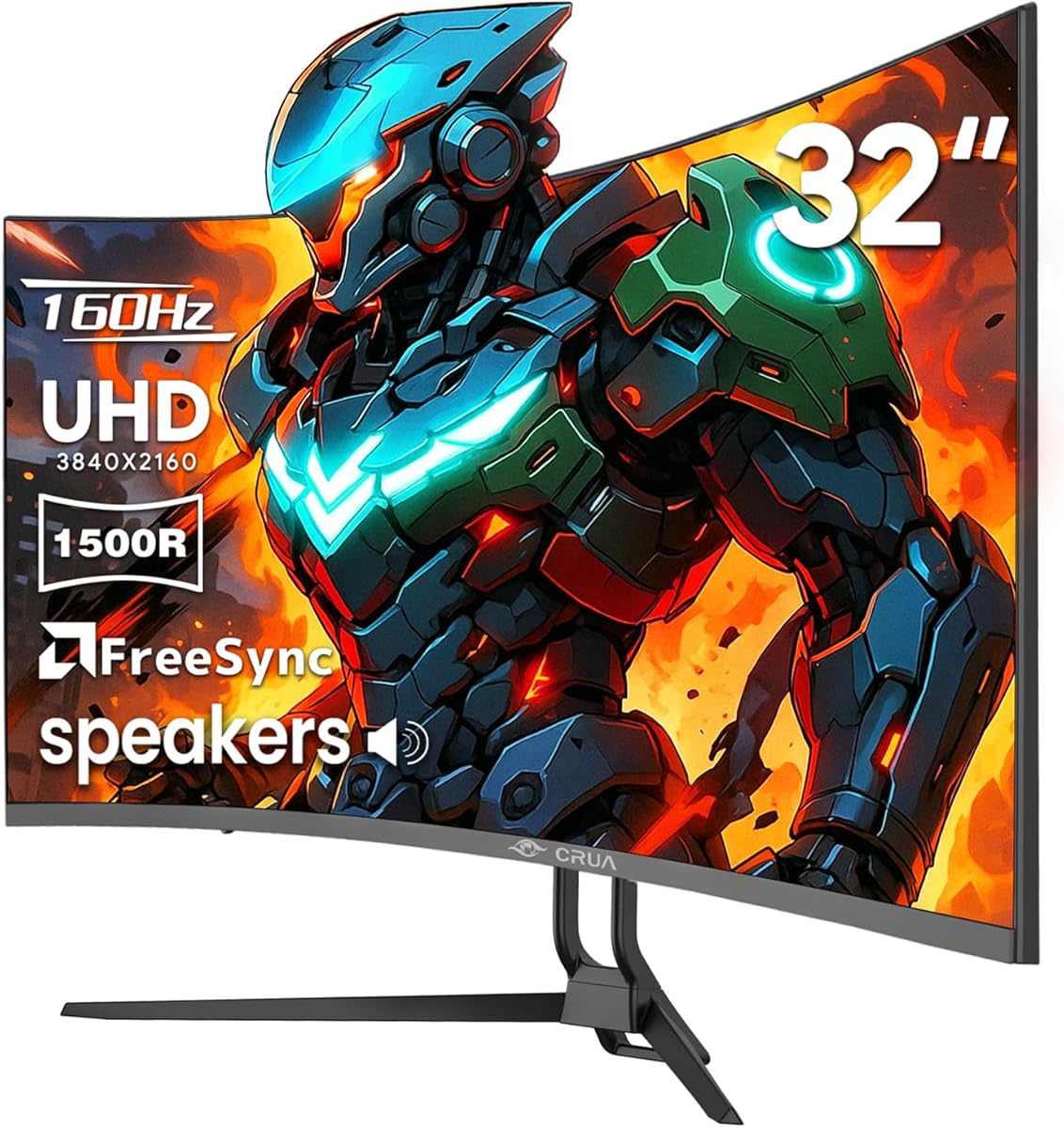
The CRUA 32 Inch 4K combines a 3840 by 2160 curved VA panel with a maximum refresh rate of 160Hz. Its 4.3 rating and broad feature set make it a practical option for console gamers who want a large display and a high-refresh PC mode, while HDMI 2.1 and DisplayPort 1.4 cover the essential wired connections.
We may earn a commission when you buy through this link, at no additional cost to you.
The 1500R curvature creates an immersive field without the extremely aggressive wrap associated with some larger curved displays. Stated brightness of 320 cd/m², 3000:1 contrast, and 120% sRGB coverage support colorful everyday use, including games, video, and general entertainment. AMD FreeSync provides variable-refresh support for compatible systems.
Built-in speakers are a useful convenience that can reduce desk clutter, although external audio may still be preferable for games. The monitor supports 75 by 75mm wall mounting, making it easy to place in a gaming room or dual-monitor arrangement. Compared with the strongest competitors, the specification sheet is less focused on competitive response time, USB connectivity, and broad synchronization support, but the core 4K feature set remains attractive.
The CRUA is best for a console-focused buyer who wants a large 4K screen with integrated audio and doesn't need the absolute fastest competitive response. It also works well for mixed PC use because of the 160Hz maximum refresh and DisplayPort connection. Consider it when screen size, 4K detail, and straightforward setup matter most.
A 32-inch 3840 by 2160 panel gives console games a detailed image while providing enough physical size for a comfortable dedicated gaming setup. The 1500R curve adds immersion without requiring an extremely wide desk.
Integrated speakers make the display easier to use for casual media and games without immediately adding another device to the desk. HDMI 2.1, DisplayPort 1.4, and 75mm VESA compatibility provide a straightforward path to a permanent installation.
We may earn a commission when you buy through this link, at no additional cost to you.
The Hikers 27 Inch Curved Monitor combines a 2560 by 1440 Fast VA panel with a stated 170Hz refresh rate, giving budget-conscious console gamers access to a high-refresh display without moving to a 4K model. Its 4.2 rating and extensive port selection make it a strong value-oriented option.
We may earn a commission when you buy through this link, at no additional cost to you.
Two HDMI 2.1 ports and one DisplayPort 1.4 connection are specified for high-refresh operation, and the manufacturer identifies compatibility with PS5, Xbox, PC, laptop, and Switch systems. FreeSync support is included, while G-SYNC compatibility is also stated for NVIDIA GPUs connected through HDMI 2.1. An HDMI 2.1 cable is included, reducing one potential setup obstacle.
Visual specifications include 4000:1 contrast, 135% sRGB, 99% DCI-P3 coverage, and 350 nits brightness. AI Crosshair, Night Vision, a timer, dynamic blue-light controls, and picture-quality functions target competitive and long-session use. The trade-offs include the lack of integrated speakers, a stand limited to tilt adjustment, and a QHD panel that will not provide the same fine detail as 4K.
This Hikers display is a sensible recommendation for a player who wants a curved QHD monitor, dual HDMI 2.1, and high-refresh flexibility across consoles and PCs. It works particularly well for fast games and mixed devices. Choose it when core gaming functionality and connection options matter more than 4K pixel density or extensive physical adjustment.
The monitor is explicitly positioned for PS5, Xbox, Switch, PC, and laptop use, making it a flexible option for households with more than one gaming device. Two HDMI 2.1 ports simplify switching between console and PC sources.
AI Crosshair, Night Vision, and a timer can make the display more practical for competitive sessions. The 170Hz refresh rate, 4000:1 contrast, and broad color-gamut claims add a strong visual foundation beneath those assists.
We may earn a commission when you buy through this link, at no additional cost to you.
The Amzfast 32 Inch 4K is explicitly tailored to PS5 and Xbox use, pairing 4K 120Hz output with dual HDMI 2.1FRL ports and adaptive synchronization. Its 4.5 rating makes it one of the stronger-rated options in this guide, particularly when console compatibility and everyday multimedia functions are considered together.
We may earn a commission when you buy through this link, at no additional cost to you.
The display uses a 3840 by 2160 VA panel with 1500R curvature, 300 nits brightness, 3000:1 contrast, HDR support, 8-bit color, and 131% sRGB coverage. Those specifications are well suited to a large-format console setup, while PIP and PBP allow users to divide the screen between gaming and another task or source.
A pair of 3W speakers and an audio jack provide more complete entertainment options than many gaming monitors, although the speakers may not be sufficient for an immersive home theater. AI Crosshair, AI Picture Quality, low-blue-light technology, anti-flicker, and anti-glare features add value for extended play. The 75 by 75mm VESA pattern allows wall or arm installation, and the stated warranty and support arrangement adds reassurance.
The main limitation is that its maximum listed refresh rate is 120Hz at 4K, so it does not offer the unusually high PC refresh rates available from some QHD alternatives. It is best for a console player who prioritizes 4K, built-in audio, and flexible screen layouts. Pick it when the display is expected to handle gaming, media, and light productivity tasks.
Dual HDMI 2.1FRL connections with VRR support and 4K 120Hz output align closely with the capabilities of current high-end consoles. This makes the display straightforward to recommend for a living-room or desk console setup.
PIP and PBP can keep a second source or small task window visible while the main area remains dedicated to a game. Built-in speakers and a 1500R curve extend its usefulness beyond a basic competitive monitor.
We may earn a commission when you buy through this link, at no additional cost to you.
The Acer Nitro VG270K V4 stands out with Dynamic Frame Rate technology, offering 160Hz at 3840 by 2160 or up to 320Hz at 1920 by 1080. Its 4.2 rating reflects a well-equipped 27-inch IPS gaming monitor that can serve console players at 4K while also appealing to competitive PC gamers who want a faster lower-resolution mode.
We may earn a commission when you buy through this link, at no additional cost to you.
Response time is stated as 1ms G to G and up to 0.5ms G to G, while AMD FreeSync Premium helps synchronize frames with compatible graphics cards. The IPS panel covers 90% DCI-P3 and supports HDR 10, giving it a reasonable balance of color and contrast. The near-borderless ZeroFrame design also makes it practical for a compact multi-monitor arrangement.
Connectivity includes one DisplayPort 1.4 and two HDMI 2.1 ports, with an HDMI cable included. VESA 100 by 100mm compatibility is supported, but the ergonomic stand offers tilt from negative five to positive 25 degrees rather than full height, swivel, and pivot adjustment. The DFR mode also requires a deliberate resolution trade-off, so it will not deliver 320Hz at 4K.
The VG270K V4 is a strong choice for a mixed console-and-PC setup where fast esports performance matters. It is less ideal for buyers who want 4K gaming at an exceptionally high refresh rate, or who require a fully adjustable stand. Choose it for the uncommon flexibility of 4K 160Hz and 1080p 320Hz options.
The DFR feature lets users select 4K 160Hz for visual detail or 1080p 320Hz for maximum competitive speed. This flexibility is especially useful when one monitor serves both console games and demanding PC esports.
A 90% DCI-P3 gamut and HDR 10 support provide useful color capability, while the near-borderless design keeps the 27-inch footprint visually open. Dual HDMI 2.1 connections offer ample room for a console and PC source.
We may earn a commission when you buy through this link, at no additional cost to you.
The AOC Q27GAZDV is a 27-inch QHD QD-OLED monitor aimed at players who want an extremely fast, colorful display in a compact format. Its 4.5 rating reflects a competitive feature set built around 240Hz refresh, 0.03ms response time, NVIDIA G-SYNC compatibility, and HDMI 2.1 connectivity.
We may earn a commission when you buy through this link, at no additional cost to you.
QD-OLED technology is specified to provide true blacks, infinite contrast, 147% sRGB, and 110% DCI-P3 coverage. These characteristics suit games with rich saturation, deep shadows, and high-contrast interface elements. The stated 0.03ms response makes the monitor particularly appropriate for fast competitive titles where clarity during rapid movement is essential.
Its ergonomic stand supports height, tilt, swivel, and pivot adjustment, while a USB 3.2 hub simplifies the connection of peripherals. HDMI 2.1 and DisplayPort 1.4 provide connections for PC, PS5, and Xbox Series X, and flicker-free technology is included for viewing comfort. The compromises are the QHD rather than 4K resolution and the usual need to manage OLED image-retention risks with sensible brightness and care settings.
The AOC is an excellent pick for a competitive player who prioritizes speed, deep contrast, and a compact 27-inch format. It also serves console gamers well when they value high-refresh performance more than 4K density. Choose it for an OLED upgrade that emphasizes responsiveness and strong desk ergonomics.
The 240Hz QD-OLED panel combines a 0.03ms response time with true blacks and infinite contrast. This pairing gives fast games a crisp appearance while also adding depth to cinematic console titles.
Height, tilt, swivel, and pivot controls make it easier to position the compact display comfortably. A USB 3.2 hub adds useful peripheral connectivity without requiring a separate desk accessory.
We may earn a commission when you buy through this link, at no additional cost to you.
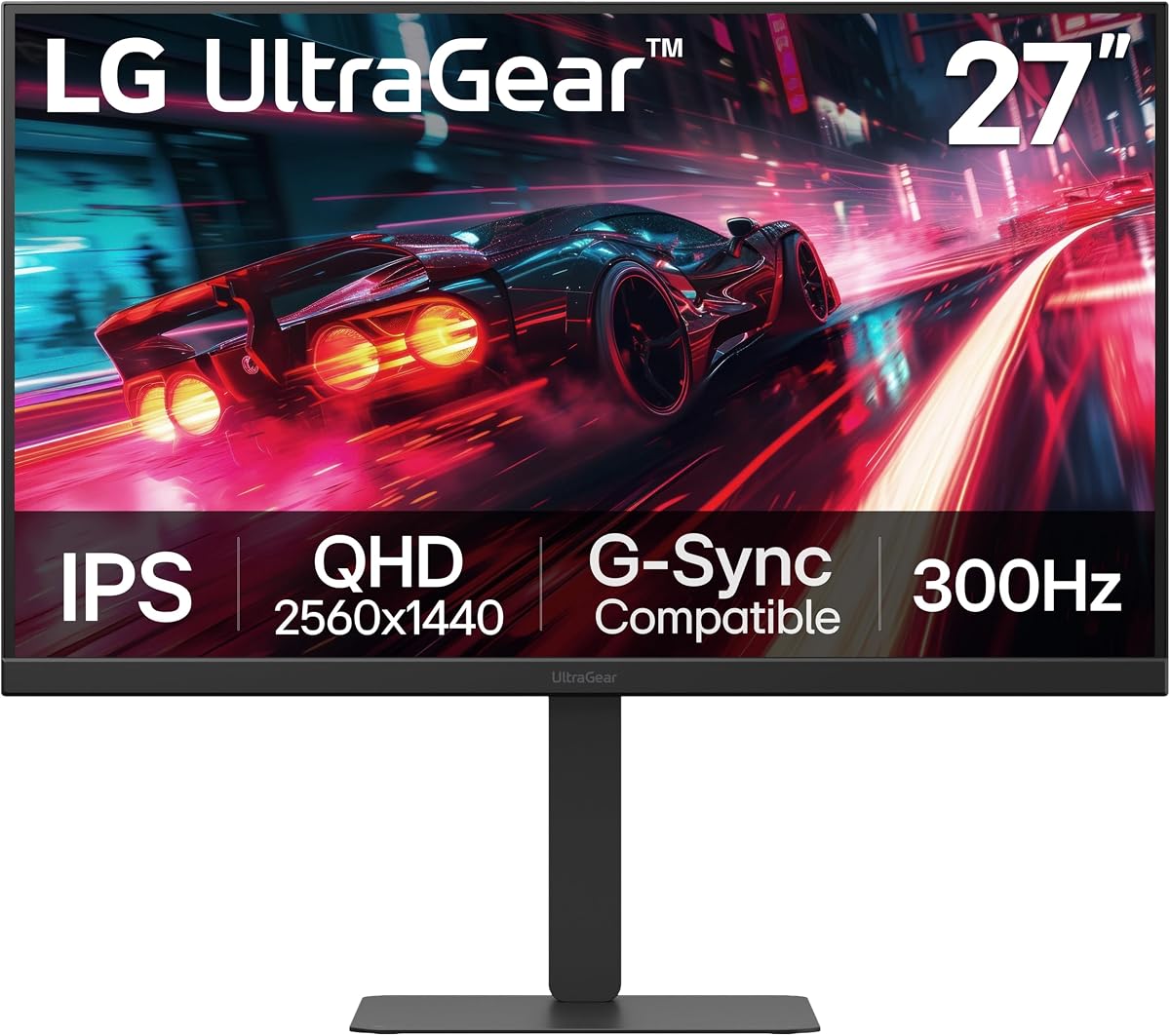
The LG UltraGear 27G640A-B is built around one of the highest maximum refresh rates in this guide, combining a 27-inch QHD IPS panel with 300Hz operation and a 1ms GTG response time. Its 4.4 rating makes it a compelling choice for competitive PC gaming, while dual HDMI 2.1 ports and adaptive-sync support broaden its appeal.
We may earn a commission when you buy through this link, at no additional cost to you.
The monitor supports NVIDIA G-SYNC compatibility and AMD FreeSync Premium, giving it a strong synchronization feature set for both major graphics-card ecosystems. VESA DisplayHDR 400 and up to 95% DCI-P3 color coverage improve the visual presentation, while Dynamic Action Sync, Black Stabilizer, an FPS counter, and a crosshair assist provide practical gaming tools.
USB Type-C with 15W power delivery is one of the more useful additions for a desk setup because it can handle a compatible device connection while also providing some charging. The stand supports height, tilt, swivel, and pivot adjustment, and DisplayPort 1.4 completes the wired options. The main limitation is resolution: current console output remains below the monitor's full QHD 300Hz capability, and OLED contrast is not available.
This LG UltraGear is ideal for a PC-first gaming system that will also share the display with a console. It is less appropriate for a buyer seeking 4K console detail or the deepest HDR blacks. Choose it for exceptional refresh headroom, broad synchronization support, and flexible connectivity.
A 300Hz maximum refresh rate and 1ms response time give competitive PC games substantial headroom. Support for G-SYNC compatibility and FreeSync Premium helps maintain smooth presentation across both major adaptive-sync ecosystems.
USB Type-C with 15W power delivery can simplify compatible laptop connections and provide limited charging. Dual HDMI 2.1 ports, DisplayPort 1.4, and a fully adjustable stand make the monitor equally suitable for mixed work and gaming.
We may earn a commission when you buy through this link, at no additional cost to you.
The right console monitor depends on output mode, screen size, panel behavior, synchronization support, and how you plan to use the display. These factors matter more than the HDMI label alone, especially when a monitor will also serve a gaming PC.
HDMI 2.1 is valuable because it provides enough bandwidth for modern high-resolution gaming, but the supported resolution and refresh rate still depend on the monitor, console, game, and selected display mode. A 4K monitor that accepts 4K 120Hz is ideal when the console and game support that combination. A QHD monitor may offer a higher maximum refresh rate and can be more appropriate for competitive PC play, provided the console supports the desired QHD output mode.
Response time indicates how quickly a panel changes from one color state to another, and it influences how clearly fast objects remain visible. Specifications across gaming monitors use different measurement methods, so the stated numbers are best treated as comparative rather than perfectly identical. A 0.03ms OLED claim and a 1ms IPS claim both sound fast, but IPS models can also exhibit visible transitions or smearing depending on the frame and backlight behavior.
Variable refresh technology synchronizes the display's refresh timing with the frame rate being delivered, reducing tearing and helping maintain smooth motion. PC gamers should verify that the monitor supports the synchronization standard used by their graphics card, whether G-SYNC compatibility, FreeSync, or both. Console VRR support is also important, but it depends on the console, game, display mode, and whether the correct HDMI 2.1 connection is being used.
IPS panels are a balanced choice, often combining accurate color, fast response, and a conventional gaming-monitor form factor. VA panels can deliver higher native contrast, making curved high-refresh models appealing for immersive play, though their response characteristics vary. OLED provides the deepest blacks, near-instant response, and exceptional color, but users should understand image-retention risks, brightness considerations, and the value of built-in panel-care tools.
HDR support should be evaluated alongside peak brightness, contrast, color gamut, and the monitor's ability to avoid visible screen-door effects or crushing detail. Certifications such as DisplayHDR 400 or True Black 400 offer useful reference points, but the implementation still matters. A console setup benefits from wide DCI-P3 coverage and strong contrast, particularly in cinematic games with bright effects and deeply shadowed environments.
A 27-inch QHD display offers high pixel density in a compact footprint, while a 32-inch 4K model provides more physical screen area without the pixel density of a smaller 4K panel. Curved 32-inch and 34-inch ultrawide models can create greater immersion but require more desk space and may be less convenient for basic productivity layouts. Always check the stand footprint, wall-mount pattern, and available clearance before ordering.
Two HDMI 2.1 ports make it easier to connect a console and gaming PC simultaneously, while DisplayPort is generally preferred for high-refresh PC output. USB ports can support peripherals or a hub, and USB Type-C may add charging and video convenience, although the exact power delivery rating matters. Do not assume every port or cable supports the monitor's highest advertised resolution and refresh rate; check the specifications and use a certified cable for the intended mode.
Crosshairs, night-vision modes, timers, and picture-quality assists can be useful, but they are secondary to core display performance. Stand adjustment matters for long sessions, particularly if the monitor will share a desk with a console. Screen-care features such as low-blue-light modes, anti-flicker technology, and OLED protection functions can improve comfort, while integrated speakers may be convenient for casual media without delivering a dedicated home-theater experience.
Begin by choosing the correct input source and enabling the highest console mode that the display supports. For a 4K monitor, open the console's video output settings and select 4K at 120Hz when the game and hardware support it. On PC, use DisplayPort for maximum refresh rates where possible, and ensure the graphics driver is set to the intended native resolution and refresh rate. Allow a few seconds for the screen to detect a new mode.
For adaptive sync, enable the matching feature in the monitor's on-screen controls and the console or graphics-card settings. It may also be necessary to accept an override prompt in the game or system menu. HDR should be enabled only when the game, source, and display are all configured for it. If the image looks washed out, overly dark, or unstable, check that the correct color and HDR profiles are active before changing other settings.
OLED displays benefit from conservative brightness management, use of the included care features, and regular power cycles that allow pixel-maintenance processes to run. For IPS and VA models, keep firmware and graphics drivers updated, clean the screen with a soft microfiber cloth, and avoid leaving direct sunlight on the panel. Always use the monitor's supported wall-mount pattern and avoid blocking its ventilation. Periodic menu resets can help resolve unusual scaling, synchronization, or input issues.
No. HDMI 2.1 provides additional bandwidth, but picture quality depends on the resolution, refresh rate, color format, game, console, and settings selected on both devices. A monitor can have an HDMI 2.1 port and still be limited by its panel, firmware, or supported modes. Confirm that the specific display accepts the output mode you want, such as 4K 120Hz, before purchasing.
A 4K monitor generally offers finer detail and is ideal when a console supports 4K output, especially in large open-world games. A QHD monitor can be more suitable for competitive PC gaming because some models support much higher refresh rates and smaller subpixels. The right choice depends on whether visual detail, motion speed, or screen size is your highest priority.
For consoles that support 4K 120Hz, a display accepting that mode is the most flexible option. It can show 120Hz output when supported and still handle other games or devices at lower modes. If the display is primarily for competitive PC gaming, a QHD model with 240Hz, 300Hz, or a high dynamic refresh rate may deliver a more noticeable speed advantage.
Variable refresh can make supported console games look smoother and reduce tearing, especially when frame rates fluctuate. Support must be present in the monitor, game, console, and selected mode, and HDMI 2.1 may be required for the highest console modes. PC gamers should also match the display's adaptive-sync standard to their graphics card.
OLED offers deeper blacks, exceptional contrast, very fast response, and strong color, which can make cinematic and competitive games look excellent. IPS generally provides a balanced alternative with fast response and less emphasis on premium contrast. OLED users should use panel-protection features, manage brightness carefully, and understand that very bright static content can contribute to image retention over time.
Curvature can improve immersion by making the edges of the picture appear closer to the viewer. A 32-inch curved 4K display or 34-inch ultrawide model can be excellent for console games, though neither shape inherently changes console performance. Consider desk depth, comfort, and whether the wider format is useful for the games you play.
A gaming monitor is usually better for a desk at close viewing distance, offering fast response, high refresh rates, compact dimensions, and features such as adaptive sync. A television generally suits a larger room, couch-distance viewing, and more elaborate home entertainment setups. The best choice depends on where you play, how large the screen should be, and whether PC gaming is part of the equation.
Use a certified HDMI cable that explicitly supports the bandwidth required by your desired resolution and refresh rate. A cable that works for 4K at lower refresh rates may not reliably carry 4K 120Hz or other high-bandwidth modes. Some monitors include a cable, but it is still worth checking the specification and certification of any replacement cable.
The ASUS TUF VG27UQ1A is the most balanced overall recommendation because it combines 4K 120Hz console support without chroma subsampling, a 160Hz PC mode, fast IPS response, and broad adaptive-sync options. The LG UltraGear 27GX704A-B is the premium choice for gamers who prioritize OLED contrast, 0.03ms response, and extensive connectivity, while the Hikers 27 Inch Curved Monitor delivers the strongest budget-oriented mix of QHD speed and dual HDMI 2.1.
Before choosing, decide whether your priority is 4K detail, high-refresh competition, rich HDR contrast, or a large curved field. Check the exact console modes, VRR support, port bandwidth, panel characteristics, and ergonomic adjustment rather than relying on the HDMI 2.1 label alone. A model that handles both console and PC gaming well may offer better long-term value than one optimized for only one platform.
Product specifications, firmware, promotional offers, and current prices can change, so verify the latest details on the retailer's listing before buying. Confirm that the included cable and the console's current output settings support your intended mode, then use the monitor's on-screen controls to fine-tune picture quality, synchronization, and comfort.