
ASUS TUF F16 RTX 5060 32GB
5.0Editor score
32GB DDR5 system memory
Upgradable memory and storage
Full connectivity selection
The ASUS Tuf Gaming Laptop family combines dedicated NVIDIA graphics, high-refresh displays, sturdy construction, and cooling designed for extended play. A strong TUF model should deliver responsive gaming while remaining comfortable for work, streaming, study, and travel, rather than merely looking impressive in a product listing.
We compared all ten systems in this guide by examining their processors, graphics hardware, displays, memory, storage, connectivity, cooling claims, and practical feature sets. The list covers 14-inch, 15.6-inch, and 16-inch models, including RTX 3050, RTX 4050, and RTX 5060 configurations at different levels of performance.
Each review identifies the configuration that stands out and the compromises potential buyers should understand. Ratings and specifications can change as sellers update listings, so check the current product page before purchasing. Availability, included accessories, operating-system options, and pricing also may vary over time.
5.0Editor score
5.0Editor score
4.1Editor score
As an Amazon Associate we earn from qualifying purchases.
The comparison below highlights the major hardware differences among these ASUS TUF laptops, from portable RTX 3050 and AI-focused models to full-power RTX 5060 configurations with expansive memory and storage.

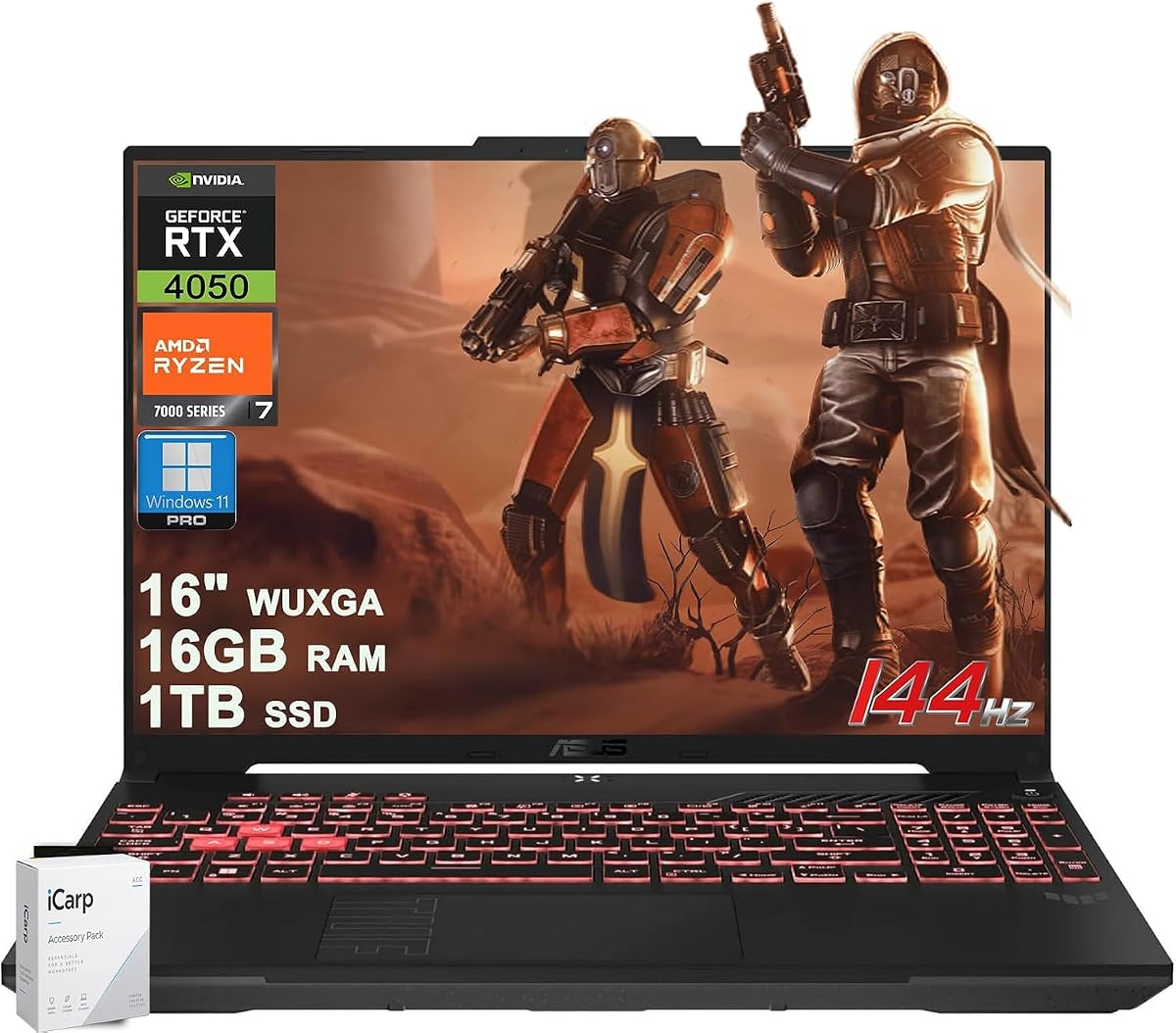


The ASUS TUF Gaming F16 RTX 4050 pairs a capable Core 5 210H processor with an RTX 4050 laptop GPU allowed to run at up to 115 watts. Its 4.4 rating reflects a solid overall package for buyers who want a large, durable gaming laptop without moving to the latest RTX 5060 generation. The 16-inch FHD+ 144Hz panel is particularly appealing for fast-paced competitive games.
We may earn a commission when you buy through this link, at no additional cost to you.
Its strongest combination is the 16:10 IPS-level screen, 100% sRGB color coverage, and Adaptive-Sync technology. The higher panel is more useful for everyday work than a traditional 16:9 display, while the refresh rate keeps motion clear in shooters, racing games, and competitive multiplayer. Under the hood, 16GB of DDR5 memory provides a more comfortable starting point than the 8GB configuration found in another F16 listing, and the 512GB PCIe Gen4 SSD supports quick game loading and Windows startup.
Thermal design is another strength. The system is described with Arc Flow Fans, four exhaust vents, five dedicated heat pipes, and an anti-dust filter. Those details suggest attention to sustained performance and airflow, although fan noise and real-world frame rates can depend on the game, power profile, room temperature, and internal configuration. The 512GB drive is also the clearest limitation for owners who routinely install multiple large games, capture video, or retain extensive creative files.
This model makes sense for a gamer who prefers the expansive F16 format, appreciates a high-refresh display, and does not need the newest RTX graphics architecture. It is also useful for creative work because the dedicated GPU, color-capable screen, and 16GB memory can handle video editing and other multitasking tasks. For most buyers in this performance tier, the 16GB memory is the more meaningful configuration than the smaller storage allocation.
The 16:10 FHD+ panel offers more vertical workspace than a standard 16:9 screen, which is helpful for games, documents, and streaming applications. Its 144Hz refresh rate provides a noticeable advantage over conventional 60Hz panels for fast movement, while 100% sRGB coverage makes it more versatile for colorful creative work.
Arc Flow Fans, four exhaust outlets, five heat pipes, and an anti-dust filter form a more substantial cooling package than a minimal laptop design. These components are particularly relevant for a 115W graphics configuration because sustained gaming places considerable thermal demand on the chassis.
We may earn a commission when you buy through this link, at no additional cost to you.
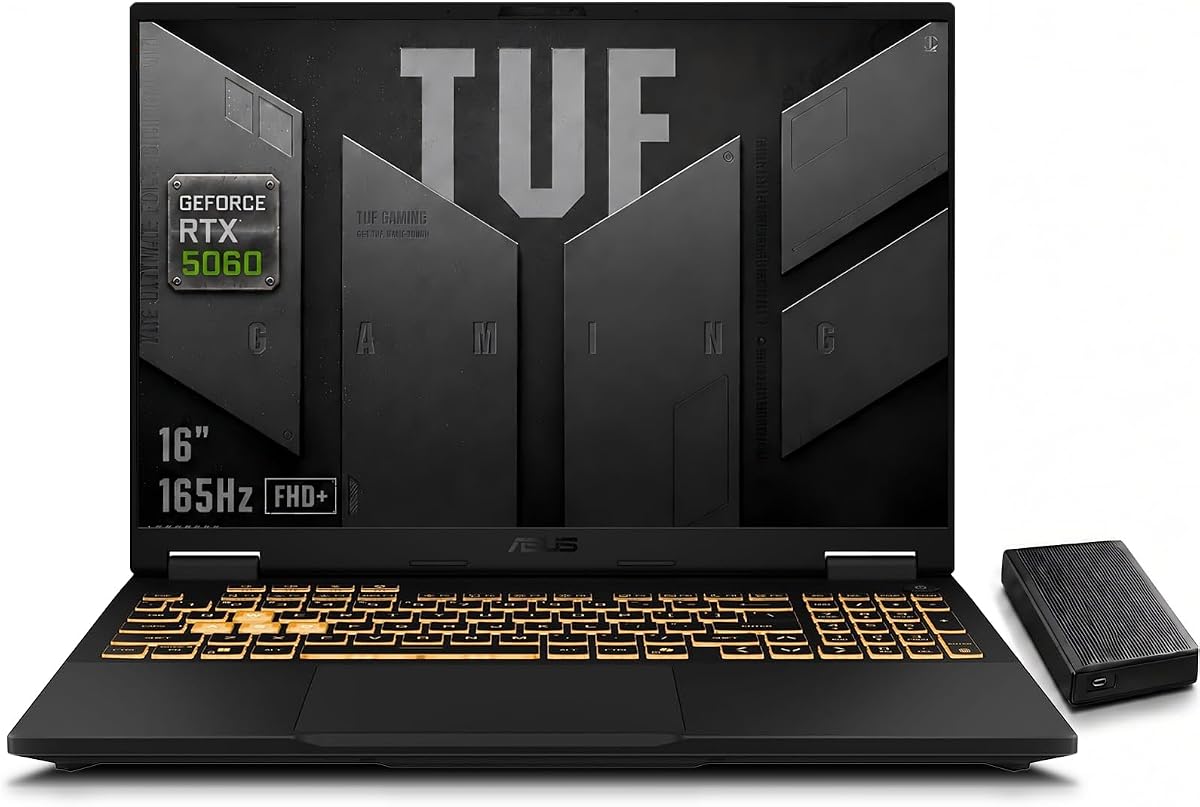
The 2025 ASUS TUF F16 RTX 5060 is the most balanced high-performance option in this roundup. Its 5.0 rating reflects a modern combination of a full-power RTX 5060, the Core i7-14650HX, a 165Hz FHD+ screen, and a 1TB SSD. It targets gamers who want current NVIDIA features without moving to an even larger or more expensive platform.
We may earn a commission when you buy through this link, at no additional cost to you.
The RTX 5060 is listed with a maximum TGP of 115W and support for AI-enhanced DLSS 4 and ray tracing. That makes the configuration well suited to modern AAA titles, competitive multiplayer, streaming, 4K video editing, rendering, and programming. The Core i7-14650HX adds 16 cores and 24 threads with boost speeds up to 5.2GHz, giving the laptop considerable headroom for games running alongside browsers, capture software, and communication tools.
The 16-inch 16:10 FHD+ 165Hz display is built for responsive play and provides a useful balance of screen area and refresh speed. Its intelligent cooling system combines dual Arc Flow Fans, multiple heat pipes, large exhaust vents, and airflow optimization. The included 1TB external HDD adds convenient bulk storage without replacing the laptop's fast internal SSD, although it is another item to carry.
This is our Editor's Choice because it assembles the strongest mix of gaming hardware, screen speed, storage, and general-purpose performance. The main consideration is that 16GB of DDR5 can become restrictive during heavy multitasking or demanding creative workflows, but the laptop is otherwise a compelling recommendation for a buyer who wants high-refresh gaming and modern GPU features.
The full-power RTX 5060 provides a major reason to consider this F16 over RTX 4050 models. DLSS 4 support can improve performance and image quality in compatible titles, while ray tracing adds more realistic lighting effects and gives creative applications another useful rendering option.
The 165Hz 16:10 panel is fast enough for competitive play, while the larger vertical area is convenient for games and desktop work. A 1TB internal SSD gives the system enough room for a substantial modern game library without making external storage a daily requirement for modest users.
We may earn a commission when you buy through this link, at no additional cost to you.
This 2024 TUF Gaming F16 RTX 4050 retains the appealing combination of a Core 5 210H processor, full-power 115W RTX 4050 graphics, and a 16-inch 144Hz IPS-level display. Its 4.3 rating makes it a viable option when the central priorities are gaming, display smoothness, and the familiar durability-focused TUF design rather than access to the newest GPU generation.
We may earn a commission when you buy through this link, at no additional cost to you.
The GPU's 115W ceiling allows substantially more performance than a low-power mobile graphics chip, making this suitable for demanding games with adjustable settings. Adaptive-Sync, a 144Hz refresh rate, and 100% sRGB coverage further improve the visual experience. Arc Flow Fans, four exhaust vents, five heat pipes, and an anti-dust filter indicate a cooling system intended to manage heat under sustained load.
The defining compromise is 8GB of DDR5 memory. That amount can run games and ordinary applications, but heavy browser use, streaming utilities, video editing, and recent demanding titles may leave less room for comfortable multitasking. The 512GB PCIe Gen4 SSD is also modest for a machine intended to store modern games. Neither issue makes the laptop unusable, but both are easier to manage with planned upgrades and deliberate storage practices.
Buyers comfortable checking memory compatibility and adding capacity should consider this model when they want a large 16:10 gaming display and robust cooling. Those who need the strongest multitasking experience, more internal storage, or current-generation DLSS and ray-tracing features may find a neighboring RTX 5060 configuration more appropriate.
Graphics power is an important part of mobile gaming performance, and the listed 115W maximum allows this RTX 4050 to operate within the upper range of its capabilities. That makes it a more convincing gaming option than systems equipped with the same GPU at a substantially lower power limit.
Eight gigabytes of DDR5 is the most significant limitation in this configuration. Confirm whether the specific unit has accessible memory slots and verify supported module types before purchase, especially if you plan to run demanding games, creative software, and multiple background applications.
We may earn a commission when you buy through this link, at no additional cost to you.
The TUF Gaming A16 Ryzen 7 combines AMD's six-core 7445HS processor with a dedicated RTX 4050 and a large 1TB SSD. Its 4.2 rating reflects a well-equipped general-purpose gaming laptop, especially for users who value connectivity, a roomy display, and business-oriented software as much as they value peak gaming performance.
We may earn a commission when you buy through this link, at no additional cost to you.
The Ryzen 7 7445HS is described as a fast six-core processor, and the RTX 4050 contributes dedicated graphics performance and AI capability. Its 16-inch WUXGA IPS anti-glare panel operates at 144Hz and offers a practical 1920-by-1200 resolution. The display specification includes an anti-glare finish, which can be useful under bright room lighting or during travel.
Connectivity is a major strength. The listed ports include two USB-A 3.2 connections, one USB-C 3.2 port, one USB4 USB-C port, HDMI 2.1 FRL, and RJ45 Ethernet. Buyers also receive one-zone RGB keyboard lighting, Dolby audio, two-way AI noise cancellation, Wi-Fi 6, an HD webcam, and Windows 11 Professional. The 16GB of RAM and 1TB SSD form a practical baseline for modern games and multitasking.
This A16 is well suited to a gamer who also needs a dependable productivity machine, a large display, and extensive peripheral support. Its RTX 4050 includes only 6GB of graphics memory, which can become a constraint in demanding modern titles at high texture settings, and the six-core CPU has fewer cores than the Core i7 models in this guide. It remains a sensible balanced choice when connectivity and everyday flexibility matter.
Windows 11 Pro, two-way AI noise cancellation, Dolby audio, and an RGB keyboard make this more than a bare gaming chassis. These details are useful for remote meetings, streaming, focused work, and entertainment in addition to games.
USB4, HDMI 2.1, multiple USB-A connections, and Ethernet reduce the need for adapters. This is a meaningful advantage for a desktop replacement that may be connected to monitors, controllers, headsets, storage devices, and a wired network.
We may earn a commission when you buy through this link, at no additional cost to you.
The TUF F16 RTX 5060 32GB is our Best Premium selection because it combines the Core i7-14650HX, an eight-gigabyte RTX 5060, 32GB of DDR5 memory, and a 1TB PCIe 4.0 SSD. Its 5.0 rating reflects a particularly complete configuration for gamers, creators, streamers, and multitaskers who want fewer memory bottlenecks.
We may earn a commission when you buy through this link, at no additional cost to you.
The RTX 5060 operates at up to 115W and includes 8GB of GDDR7 VRAM. DLSS 4 and ray-tracing support add useful gaming and creative capabilities in compatible applications. The processor contributes 16 cores, 24 threads, 30MB of cache, and speeds up to 5.2GHz, while the 32GB of DDR5-5600 memory makes simultaneous gaming, editing, streaming, and browsing more manageable.
Its 16-inch FHD+ IPS display provides a 16:10 aspect ratio, 165Hz refresh rate, 300-nit brightness, and 100% sRGB coverage. Anti-glare treatment and NVIDIA G-SYNC are intended to improve clarity and consistency. Upgradeability is another strong point: two RAM slots and two M.2 slots give owners room to expand memory or storage as needs change.
Connectivity includes Wi-Fi 6E, Bluetooth, Thunderbolt 4, USB-C, three USB-A ports, HDMI 2.1, RJ45 Ethernet, and a 3.5mm audio jack. A 1080p camera, Dolby Atmos, RGB keyboard, and Windows 11 Pro complete a polished package. The main trade-off is the greater investment required for this premium specification, but buyers receive a balanced machine with unusually strong memory capacity and practical expansion options.
Thirty-two gigabytes provides much more comfortable headroom than 16GB for large game installs, creative applications, streaming tools, and many browser tabs. The two RAM slots also make it easier to plan an upgrade instead of accepting the factory configuration permanently.
The eight-gigabyte RTX 5060, 16-core processor, 32GB memory, and color-capable 165Hz display provide a capable foundation for video editing, rendering, programming, and design work. DLSS 4 and ray tracing can also accelerate certain creative workflows when the application and project support them.
We may earn a commission when you buy through this link, at no additional cost to you.
The ASUS TUF Gaming A14 Copilot+ PC takes a different approach from the traditional NVIDIA-based entries in this guide. It combines the AMD Ryzen AI Max+ 392 processor, Radeon 8060S integrated graphics, 32GB of LPDDR5X, and a 1TB PCIe Gen4 SSD in a compact 14-inch chassis. Its 4.2 rating makes it a distinctive option for buyers interested in AI features, portability, and a high-end integrated platform.
We may earn a commission when you buy through this link, at no additional cost to you.
The major technical attraction is the unified memory architecture. Quad-channel LPDDR5X 8000 memory can be dynamically allocated between system RAM and graphics memory, giving the Radeon 8060S more resources for demanding workloads. This approach is particularly interesting for AI-assisted applications, creative software, and games that benefit from a larger shared memory pool, although it does not make the system equivalent to a dedicated high-end gaming GPU.
The 14-inch 2.5K display runs at 165Hz with a stated 3ms response time. Its 16:10 format and high resolution make it particularly useful for creative work, media viewing, and detailed productivity tasks. Cooling has also been reconsidered for the Ryzen AI platform: the keyboard design creates additional airflow, and a pair of upgraded 97-blade fans is intended to manage the heat generated by the processor's high core count.
This A14 is best for a buyer who wants a smaller TUF laptop with exceptional memory capacity, a very fast display, and strong CPU and AI performance. Those who require plug-and-play ray tracing, NVIDIA-specific features, or the strongest conventional gaming performance should compare it carefully with the RTX-equipped alternatives in this roundup.
The A14 can shift resources between general memory and graphics use instead of treating them as completely separate pools. That flexibility can benefit AI tools, large creative projects, and games that need more shared graphics memory, provided the operating system and workload can take advantage of the allocation.
A 14-inch body makes this model easier to carry than the larger F16 and A16 systems. The 2.5K resolution and 165Hz refresh rate provide a particularly crisp and fluid combination for both games and daily use.
We may earn a commission when you buy through this link, at no additional cost to you.
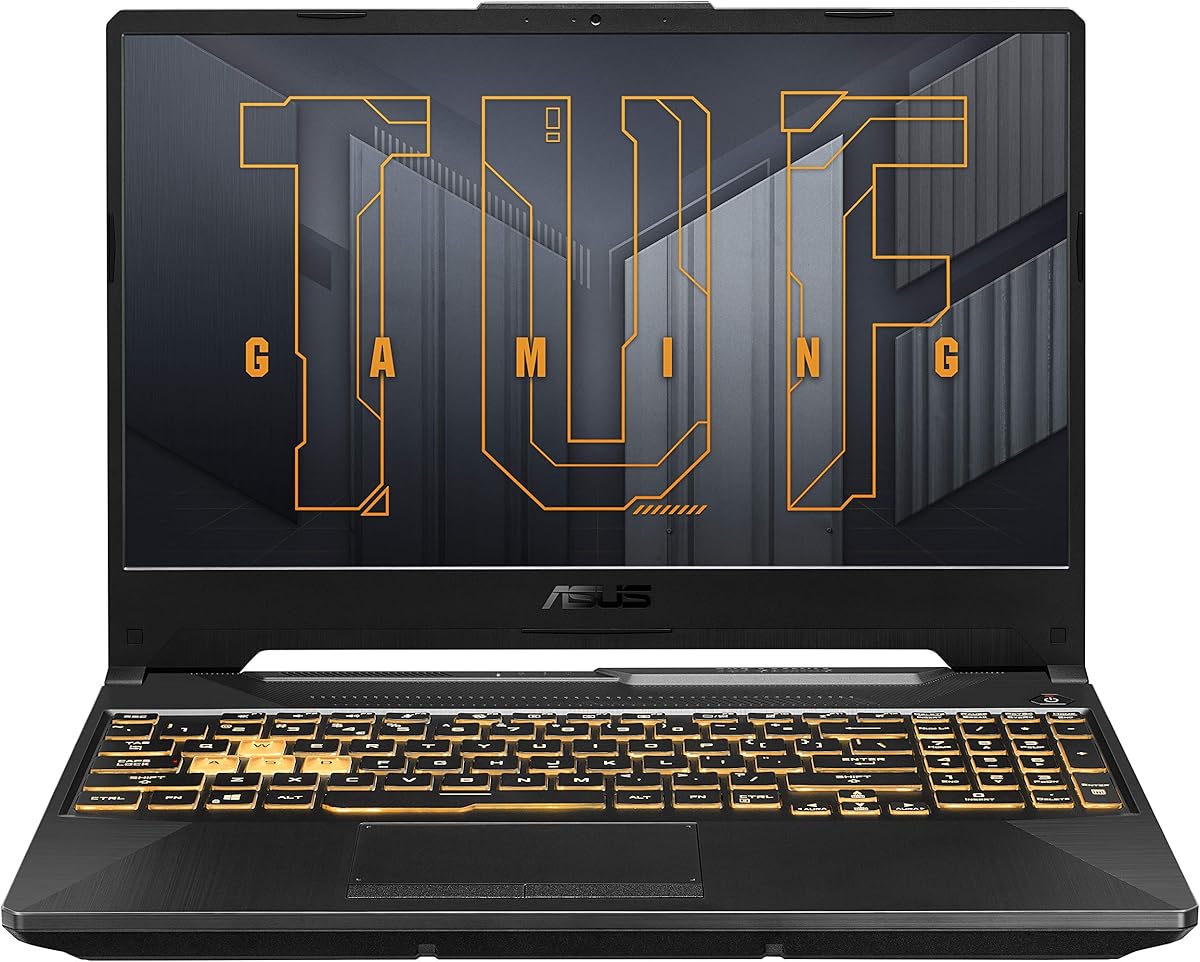
The TUF Gaming A15 RTX 3050 is our Best Budget selection. It delivers the core gaming features buyers expect from a modern TUF notebook—dedicated NVIDIA graphics, a high-refresh display, 16GB of memory, and a 512GB PCIe Gen4 SSD—without moving to the larger and more powerful RTX 4050 or RTX 5060 configurations. Its 4.1 rating reflects solid fundamentals for value-focused buyers.
We may earn a commission when you buy through this link, at no additional cost to you.
The Ryzen 5 7535HS provides six cores, 19MB of cache, and boost speeds up to 4.55GHz. Its dedicated RTX 3050 laptop GPU is rated at up to 75W and supports DLSS 3.5 and ray-tracing technology. That graphics tier is best suited to esports titles, lighter competitive games, and a broad selection of modern titles at appropriately adjusted settings, but it is not intended to maximize settings in the most demanding releases.
The 15.6-inch FHD 144Hz display uses Adaptive-Sync to reduce visual tearing and stuttering. Its 16:9 aspect ratio is familiar for gaming and streaming, while the 15.6-inch size keeps the laptop more manageable than a full 16-inch model. The 16GB of DDR5 supports ordinary multitasking, and the fast PCIe Gen4 SSD provides quick startup and loading performance.
MIL-STD-810H testing for drops, vibration, humidity, and temperature gives this entry-level model the same durability emphasis associated with higher-tier TUF systems. Its compromises are clear: the RTX 3050 is the least powerful dedicated GPU here, and 512GB may fill quickly. It remains an excellent fit for a student, first-time gaming laptop buyer, or secondary system that needs smooth high-refresh visuals without premium graphics expense.
A 144Hz panel can make even affordable hardware feel more responsive in competitive games. Adaptive-Sync also helps align the frame rate with the display, reducing tearing when the system is operating near its graphics capabilities.
The 15.6-inch format balances screen space with portability better than the 16-inch models in the guide. It is a sensible middle ground for students or travelers who want a dedicated gaming display without the footprint of a full-size desktop replacement.
We may earn a commission when you buy through this link, at no additional cost to you.
This 2025 TUF Gaming F16 combines the Core i7-14650HX with an eight-gigabyte RTX 5060 and a generous 32GB of upgraded DDR5 memory. Its 5.0 rating and detailed specification list make it one of the most complete conventional gaming laptops here, especially for buyers who value ports, memory, and display features in equal measure.
We may earn a commission when you buy through this link, at no additional cost to you.
The processor includes 16 cores divided into eight performance and eight efficiency cores, 24 threads, and 30MB of Intel Smart Cache. It can boost to 5.2GHz, which supports demanding games, streaming, content creation, and heavy multitasking. The RTX 5060 provides modern graphics features, while the 32GB memory configuration gives applications more working room than the 16GB versions in this guide.
The 16-inch WUXGA IPS panel features 1920-by-1200 resolution, 300-nit brightness, 100% sRGB coverage, anti-glare treatment, G-SYNC, and a 165Hz refresh rate. Connectivity is especially thorough: Thunderbolt 4 USB4 with 40Gbps bandwidth, another USB-C 3.2 Gen2 port, three USB-A 3.2 Gen2 ports, HDMI 2.1, gigabit Ethernet, Wi-Fi 6E, and Bluetooth 5.3.
It also includes a 1080p IR camera, digital microphone, AI noise cancellation, Dolby Atmos, a single-zone RGB keyboard with numpad, and a 90Wh battery. One important qualification is that the seller states the seal is opened for hardware and software upgrades, including the 32GB memory and 1TB drive. That can be helpful if the original configuration was insufficient, but buyers should confirm warranty implications and exact component quality. For a fully specified desktop replacement, this is an attractive and well-connected package.
Thunderbolt 4, three high-speed USB-A ports, USB-C, HDMI 2.1, Ethernet, and wireless networking provide an unusually broad selection for a gaming notebook. Peripheral-heavy setups can often operate without relying on a dense collection of adapters.
The listing explicitly notes that the seal was opened to upgrade memory and storage. Such modifications may produce a capable machine, but purchasers should review the seller's warranty, component specifications, return terms, and evidence of the installed hardware carefully.
We may earn a commission when you buy through this link, at no additional cost to you.
The TUF Gaming A16 RTX 4050 pairs AMD's Ryzen 7 7445HS with dedicated RTX 4050 graphics, 16GB of DDR5 memory, and a 512GB SSD. Its 4.8 rating is the second-highest among the ten products, making it an attractive choice for buyers who want a large-screen ASUS laptop with a relatively smooth display and modern dedicated graphics.
We may earn a commission when you buy through this link, at no additional cost to you.
The Ryzen 7 7445HS provides six cores, which gives it a useful balance of gaming and productivity performance. The RTX 4050 brings hardware-based ray tracing, DLSS capabilities, and a dedicated graphics path instead of relying entirely on integrated graphics. Together, they make the A16 suitable for a broad range of games as well as photo editing, video work, and general office applications.
Its defining display feature is the 16-inch Full HD+ 145Hz panel. The 145Hz refresh rate falls between the 144Hz models and the 165Hz options in this guide. Although the exact resolution and panel technology are not specified in the supplied listing, the high refresh rate should benefit fast movement and competitive play. A backlit keyboard and Windows 11 Pro round out the basic everyday-use features.
The 512GB SSD is the most obvious constraint for owners of large game libraries or active creative files. The limited listing information also leaves questions about ports, weight, battery capacity, and cooling architecture that should be checked on the current product page. Subject to those checks, the combination of Ryzen 7 processing, RTX 4050 graphics, and a 145Hz screen makes this a strong midrange recommendation.
The 145Hz refresh rate provides a small numerical distinction from 144Hz models, though practical visual differences will depend on the games and applications used. Its broader importance is the clear emphasis on a fluid display for competitive and fast-paced gaming.
A six-core Ryzen 7 processor, dedicated graphics, 16GB of memory, and Windows 11 Pro create a versatile platform. The system can serve as a gaming machine and a general productivity notebook without relying on integrated graphics for graphically demanding work.
We may earn a commission when you buy through this link, at no additional cost to you.
The 2025 TUF F16 RTX 5060 32GB combines the same high-performance graphics platform found near the top of this guide with a major emphasis on battery capacity. Its 5.0 rating reflects a strong overall package for gamers who want full-power RTX 5060 performance, 32GB of memory, and a stated 280Wh battery.
We may earn a commission when you buy through this link, at no additional cost to you.
The RTX 5060 runs at up to 115W and supports AI-enhanced DLSS 4 and ray tracing. The Core i7-14650HX supplies up to 5.2GHz boost performance, making the system suitable for modern games, streaming, programming, rendering, and 4K video editing. The 32GB of DDR5 is particularly useful for running games alongside creative applications, many browser tabs, and streaming software without immediately exhausting system memory.
Its 16-inch 16:10 FHD+ screen operates at 165Hz, supporting smooth movement and responsive competitive play. Dual Arc Flow Fans, multiple heat pipes, large exhaust vents, and intelligent airflow optimization form the intelligent cooling system. These features are designed to limit thermal throttling during extended gaming while the large battery supports more unplugged use than a conventional compact notebook.
Storage is generous: a 1TB internal SSD handles the operating system and active games, while the included 1TB external HDD provides additional bulk capacity. The external drive does add another object to carry, and a high-power gaming laptop with a large battery remains a substantial travel machine. Nevertheless, this configuration is a strong recommendation for buyers who prioritize endurance, modern graphics, fast display, and abundant memory.
The stated 280Wh battery is one of the clearest differentiators for this model. Actual runtime depends on display brightness, power mode, game load, wireless connectivity, and battery condition, but a larger capacity can offer more flexibility between charging opportunities.
Thirty-two gigabytes of DDR5 supports demanding multitasking, while the 1TB SSD provides a strong internal foundation. The additional external hard drive separates bulk files from the internal drive, helping preserve fast response for applications and actively played games.
We may earn a commission when you buy through this link, at no additional cost to you.
Choosing an ASUS TUF gaming laptop means balancing graphics power, processor capability, display speed, memory, cooling, portability, and the workloads you expect. The most important step is identifying which components you cannot compromise on rather than chasing the newest label in every specification.
The RTX 3050, RTX 4050, and RTX 5060 models in this guide occupy different performance tiers. RTX 3050 configurations are appropriate for esports, older titles, and lighter modern games with sensible settings. RTX 4050 provides a stronger foundation for current games, while RTX 5060 adds newer generation features, including the listed DLSS 4 and ray-tracing support. GPU power is equally important: the 115W RTX 4050 and RTX 5060 configurations are allowed substantially more power than the 75W RTX 3050.
Choose the graphics tier that fits your target games and settings, then verify the stated TGP. A powerful GPU in a poorly cooled or tightly power-limited chassis may not deliver its full potential. For competitive play, also consider the available DLSS mode, frame-rate stability, and display synchronization technology.
The lineup includes six-core Ryzen 5 and Ryzen 7 processors and a 16-core Core i7-14650HX. A Ryzen 5 may be adequate for focused gaming and light productivity, while a Ryzen 7 provides additional headroom for streaming and creative tasks. The Core i7 configuration is the strongest conventional choice for heavy games, video editing, rendering, programming, and numerous simultaneous applications.
Processor specifications should be considered alongside memory and graphics rather than in isolation. A fast processor cannot prevent stuttering when system memory is exhausted, and a powerful GPU cannot fully exploit its potential when the processor or storage system cannot feed it. Choose a balanced configuration for your actual workload.
The TUF range shown here includes 14-inch, 15.6-inch, and 16-inch screens with refresh rates from 144Hz to 165Hz. High-refresh displays make motion and aiming feel more responsive, particularly in competitive games. The 16:10 models offer additional vertical workspace, while the compact A14 combines a smaller body with a high-resolution 2.5K panel.
Consider both panel size and portability together. A larger display is more immersive and useful for desktop work, but it generally means a heavier and less travel-friendly machine. For image quality, verify resolution, brightness, color coverage, IPS or OLED technology, anti-glare treatment, and synchronization support before purchasing.
Memory capacity determines how comfortably a laptop can run a game while also handling browsers, voice chat, recording tools, launchers, and creative applications. The list includes 8GB, 16GB, and 32GB configurations. Sixteen gigabytes is the practical minimum for a modern general-purpose gaming laptop, while 32GB offers additional comfort for heavy multitasking and creative work. The A14's 32GB LPDDR5X is unified with graphics resources and is not necessarily user-upgradable.
Check the number and type of memory slots before buying. The F16 model with two RAM slots and two M.2 positions provides a useful upgrade path, but soldered memory limits flexibility. Confirm the maximum supported memory and compatible module format rather than assuming every 32GB configuration can be expanded.
The available configurations include 512GB and 1TB PCIe Gen4 SSDs, with one listing adding a 1TB external hard drive. Fast internal storage improves startup time, application loading, and access to active games, while external storage is useful for completed libraries, media, backups, and less frequently accessed files. Large modern games can consume considerable space, so 512GB may require frequent management.
Prefer a larger internal SSD when possible because external drives are slower for active workloads. If a listing combines a 512GB SSD with an external drive, think of the latter as archival capacity rather than a replacement for internal storage. Check the number of M.2 slots if you may want to add a second fast drive.
Sustained gaming performance depends on a cooling system that can move heat away from the CPU and GPU without excessive noise or throttling. The featured TUF models use combinations of Arc Flow Fans, multiple heat pipes, large exhaust vents, intelligent airflow optimization, and anti-dust filters. TUF durability is reinforced by MIL-STD-810H testing, although that certification describes specific laboratory conditions rather than immunity to every real-world accident.
Battery capacity varies significantly. One F16 configuration lists a 280Wh battery, while another lists a 90Wh unit, and no battery specification is provided for some models. Compare capacity and charger requirements carefully, especially if you travel. Actual runtime also depends on workload and power settings, so treat listed capacity as a useful indicator rather than a guaranteed playing time.
A good gaming laptop should also connect cleanly to monitors, controllers, headsets, networks, and external storage. The better listings include Thunderbolt 4, USB4, multiple USB-A ports, HDMI 2.1, RJ45 Ethernet, Wi-Fi 6 or 6E, and Bluetooth. USB4 is especially useful for high-speed peripherals and display arrangements, while Ethernet provides a stable alternative to congested wireless networks.
Also consider the keyboard, webcam, audio, and operating-system edition. RGB lighting, one-zone backlighting, Dolby audio, AI noise cancellation, and 1080p cameras can improve everyday use. Windows 11 Pro may be preferable for business users, while Windows 11 Home is adequate for gaming and general personal tasks.
The 14-inch A14 is the clearest portability choice in this group, the 15.6-inch A15 offers a middle ground, and the 16-inch models provide the largest displays and full-size keyboards. Weight, thickness, charger size, and battery life should be evaluated together because a powerful gaming notebook may still be awkward to carry for long periods.
For a stationary desk, prioritize GPU power, screen size, cooling, memory, and storage. For school, travel, or mixed mobile use, favor the smaller chassis, battery capacity, efficient workload profile, and durable construction. The best ASUS TUF gaming laptop is the one that remains comfortable in the places you actually use it.
Start by updating Windows, the graphics driver, ASUS system utilities, and firmware before installing demanding games. Choose a graphics power mode suited to your workload, and use the supplied or ASUS-provided performance software to configure fan behavior, display refresh rate, and power limits. Keep vents clear on a hard surface, and avoid storing the laptop in tight spaces where airflow is restricted.
For the best gaming experience, use a compatible high-refresh display mode, enable the appropriate in-game frame-rate cap, and test DLSS or ray-tracing settings one at a time. Monitor temperatures and frame rates during sustained play, allow regular cool-down periods, and clean dust from intake openings if the fans become unusually loud or performance declines after long use.
Protect the system by keeping recovery options enabled, maintaining current backups, and not filling the internal SSD completely. Update storage drivers, use surge protection for a stationary setup, and handle the large charger carefully during travel. Clean the display with a soft microfiber cloth, avoid harsh liquids, and let the chassis cool before closing it in a bag.
The F16 is generally the stronger choice for maximum gaming performance because some configurations pair it with the Core i7-14650HX, an RTX 5060, and up to 32GB of memory. The A16 can also be very capable, particularly with the Ryzen 7 7445HS and RTX 4050, and may be more practical for buyers who prefer a different size or connectivity package. Choose based on the exact processor, graphics power, display, and memory rather than the A16 or F16 label alone.
Yes, 16GB is a reasonable minimum for modern gaming and ordinary multitasking. It can run a game alongside a browser, chat applications, and background software, but intensive streaming, editing, modded games, and many open applications may use the available capacity quickly. A 32GB configuration is preferable for heavier workflows or a machine expected to remain useful for several years.
A high-refresh display can show motion more smoothly and make input feel more responsive, particularly in shooters, racing games, and competitive multiplayer. The benefit depends on the game's frame rate: a faster display cannot create additional frames when the hardware is unable to reach the target rate. A 165Hz panel may feel smoother than 144Hz, but both are major improvements over a conventional 60Hz screen.
An RTX 3050 model is best for buyers who want the lowest-cost entry into dedicated gaming graphics. The RTX 4050 provides a stronger balance for modern titles, while the RTX 5060 is the preferred option for newer features, AI-enhanced DLSS, and ray tracing. Consider the listed GPU power as well as the model name because a higher-wattage configuration can perform substantially better under sustained gaming.
It depends on the exact model. The RTX 5060 32GB F16 listing specifically states that it has two RAM slots and two M.2 slots, while other systems use LPDDR5X unified memory that may not be upgradeable. Check the service guide and current product listing before buying, and confirm the maximum memory capacity, module format, and storage interface.
The TUF Gaming A14 is the most travel-oriented model in this guide because of its 14-inch display and 2.5K 165Hz panel. Even a smaller gaming laptop remains heavier than an ordinary ultraportable, so travelers should account for the charger and battery needs. A 16-inch F16 is usually better treated as a portable desktop replacement than a lightweight travel companion.
MIL-STD-810H is a military-oriented durability testing standard that covers conditions such as drops, vibration, humidity, and temperature. Passing relevant tests indicates that the device meets defined laboratory procedures for resilience. It does not mean the laptop is invulnerable, so sensible handling, protection during transport, and proper cooling remain important.
No. Battery capacity is important, but actual runtime depends on the game, graphics settings, display brightness, refresh rate, power mode, wireless activity, and battery condition. The F16 listing that specifies a 280Wh battery may offer more flexibility than smaller-battery configurations, but controlled settings and a well-maintained battery are necessary to realize that potential.
The ASUS TUF F16 RTX 5060 stands out as the strongest all-around choice in this guide, combining modern full-power graphics, a Core i7 processor, a fast 165Hz 16:10 display, and a fast 1TB SSD. The 32GB RTX 5060 F16 earns the premium recommendation for buyers who need more memory and a wider selection of ports, while the A15 RTX 3050 delivers the most approachable dedicated-gaming configuration.
Prioritize the parts of the experience you will notice every day: graphics capability for your chosen games, enough memory for multitasking, a display you enjoy, and cooling that can sustain performance. RTX 5060 models suit buyers seeking the newest features, RTX 4050 systems offer a capable middle ground, and RTX 3050 laptops are sensible when a lower-cost dedicated GPU is the priority.
Before buying, verify the current specification, upgrade options, included accessories, warranty coverage, and system condition on the product page. Ratings, seller configurations, and market availability can change, and prices fluctuate. Comparing the live listing against the priorities in this guide is the safest way to select the right ASUS TUF gaming laptop.